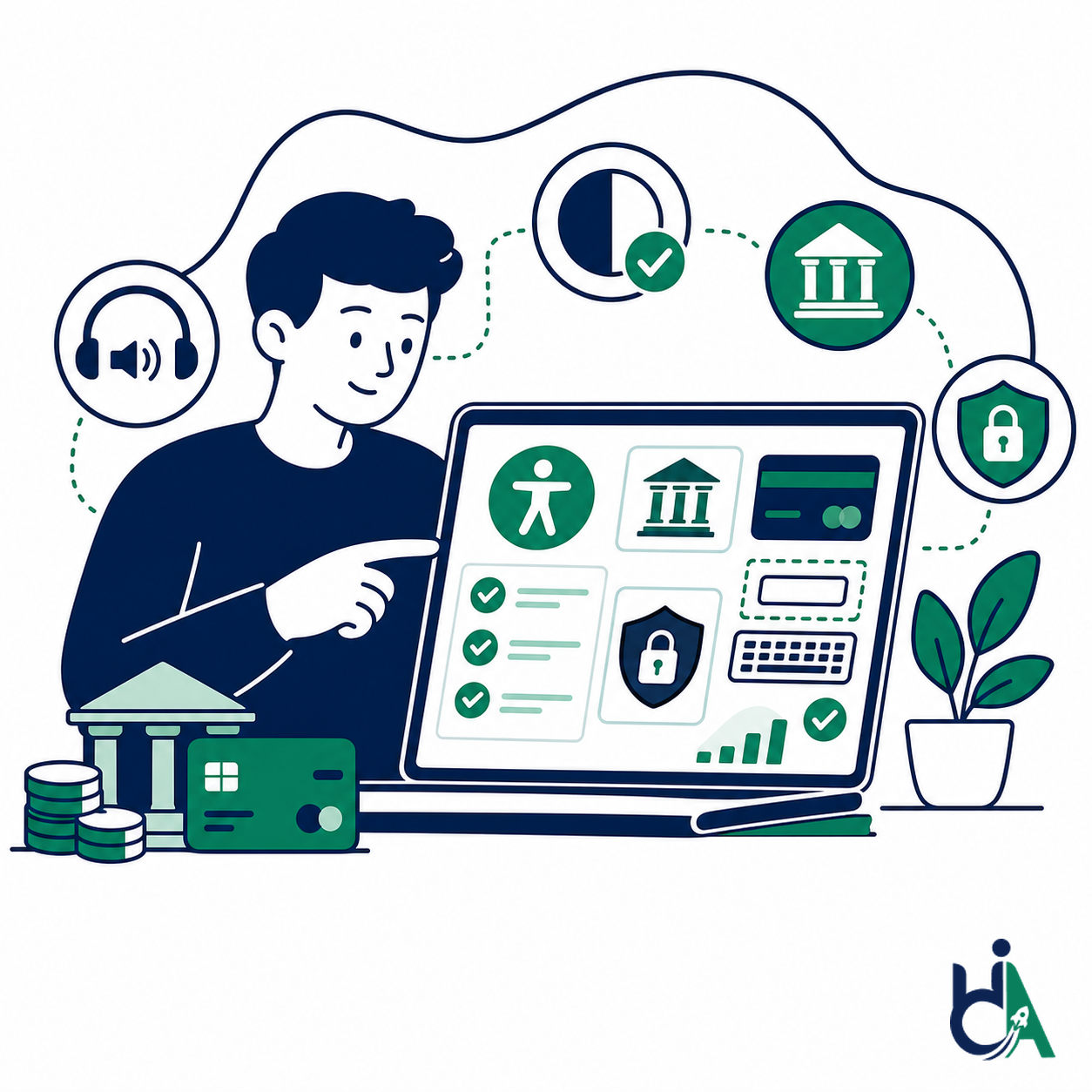
Retail Banks
We audit public banking websites, authenticated account areas, branch finders, product pages, applications, statements, and support flows for retail banking customers.
- Checking accounts
- Savings accounts
- Credit cards
- Customer portals

finance accessibility services
Helping banks, fintech companies, insurance providers, investment firms, credit unions, and financial institutions build accessible digital experiences that comply with WCAG 2.2, ADA, Section 508, EAA, and EN 301 549.
Banking accessibility is about equal financial access. Customers use banking websites, fintech platforms, financial applications, mobile banking, insurance portals, and investment dashboards to manage money, pay bills, open accounts, apply for loans, read statements, and get support. When those experiences are inaccessible, people with disabilities can lose independent access to essential financial services.
Digital banking adoption has made accessibility more urgent. Secure authentication, transaction flows, account management, statements, calculators, PDFs, and mobile apps all need to work with keyboards, screen readers, zoom, clear focus, readable contrast, and accessible error handling. Accessible banking websites also build customer trust, reduce litigation risk, improve conversion, support broader compliance goals, and make financial services more inclusive.
HalfAccessible helps banks, fintech companies, insurance providers, investment firms, credit unions, NBFCs, payment platforms, and financial institutions improve WCAG banking alignment. We support WCAG 2.2 AA audits, accessibility remediation, screen reader testing for online banking, accessible authentication reviews, PDF accessibility for bank statements, VPATs for financial software, and accessibility consulting for financial services teams.
We support financial organizations whose customers depend on secure, clear, accessible digital services.
We audit public banking websites, authenticated account areas, branch finders, product pages, applications, statements, and support flows for retail banking customers.
Investment firms need accessible portfolios, charts, reports, disclosures, trading journeys, and secure customer dashboards. We test both informational pages and authenticated account experiences.
Credit unions often serve local communities through member portals, loan applications, mobile banking, forms, PDFs, and financial education content. We help make those member services accessible.
FinTech products move fast and often rely on custom components, dashboards, embedded payments, identity checks, and mobile-first flows. We help teams build accessibility into product delivery.
Insurance providers need accessible quote journeys, policy portals, claims, documents, calculators, and support workflows. Accessibility helps customers manage essential financial protection independently.
Mortgage and loan providers depend on long forms, rate calculators, document uploads, disclosures, and authenticated status portals. We test those complex financial journeys for WCAG barriers.
Payment platforms and gateways must support accessible card entry, saved payment methods, error recovery, confirmations, fraud checks, and timeout messaging without breaking secure workflows.
NBFCs and microfinance organizations can reach more customers when applications, repayment flows, dashboards, documents, and mobile experiences work for disabled users.
Digital wallets require accessible onboarding, KYC, balance views, transfers, QR payments, notifications, and transaction history across mobile and web experiences.
Trading interfaces need accessible charts, watchlists, order forms, confirmations, alerts, data tables, and time-sensitive interactions that remain usable with assistive technology.
Loan providers need accessible eligibility checks, applications, document uploads, EMI calculators, approval statuses, repayment schedules, and customer communications.
Financial dashboards must expose balances, account summaries, charts, tables, filters, notifications, and actions to keyboard and screen reader users without losing security context.
Each service is designed for secure financial workflows, regulated documentation, and customer-facing digital products.
We audit banking websites, fintech platforms, portals, dashboards, authenticated journeys, calculators, documents, and design systems against WCAG 2.2 AA. Testing includes automated scans, manual review, keyboard testing, screen reader testing, responsive checks, and secure workflow review.
We help teams fix accessibility barriers in product code, templates, forms, dashboards, PDFs, and design systems. Remediation support can cover React, Angular, Next.js, Java, .NET, WordPress, native apps, and third-party integration patterns.
We test mobile banking apps and responsive web experiences with mobile accessibility expectations in mind, including TalkBack, VoiceOver, focus order, touch targets, zoom, gestures, notifications, and secure authentication flows.
Financial institutions produce high-volume PDFs that customers must understand. We remediate and review statements, investment reports, insurance documents, annual reports, loan agreements, disclosures, and customer communications.
We support VPATs and Accessibility Conformance Reports for financial software, vendor procurement, government procurement, enterprise sales, and institutional risk reviews. Documentation is based on actual testing and transparent conformance notes.
We help finance teams create accessibility policy, roadmap, governance, training, release checks, procurement expectations, and accessibility statements. Consulting helps accessibility become part of digital risk management rather than a one-time audit.
We help finance teams align digital experiences and documents with accessibility standards used across markets and procurement contexts.
Core technical standard for accessible banking, fintech, insurance, and financial websites.
US accessibility risk context for public-facing financial services and customer experiences.
Important for financial products sold into government or public-sector environments.
Accessibility expectations for many digital products and services in EU markets.
European ICT accessibility standard aligned with procurement and EAA expectations.
Document accessibility guidance for statements, reports, disclosures, and forms.
French accessibility reference that may matter for organizations operating in France.
We audit public, authenticated, mobile, transaction, support, and administrative financial experiences.
Financial services have unique accessibility risks across authentication, transactions, documents, charts, calculators, mobile banking, and support flows.
Accessible login and accessible authentication are critical for banks because customers must pass secure gates before they can manage money. We test CAPTCHA alternatives, OTP entry, MFA prompts, password visibility controls, timeout warnings, error recovery, and focus management. WCAG 2.2 includes Accessible Authentication requirements, so authentication should not depend only on memorization, puzzles, or inaccessible challenge flows.
Loan applications, credit card applications, account opening, KYC, beneficiary management, and support forms often contain complex validation rules and conditional fields. We check labels, instructions, grouped controls, required-field messaging, validation errors, date pickers, autocomplete, keyboard traps, and error summaries so customers can complete financial forms without guessing.
Money transfer, bill payment, UPI, wire transfers, card payments, confirmation dialogs, fraud warnings, timeout notices, and success messages must be clear and accessible. We test whether users can review details, understand fees, confirm actions, recover from errors, and receive status updates with keyboards, screen readers, zoom, and mobile assistive technology.
Bank statements, tax documents, annual reports, investment statements, insurance documents, and loan agreements are often delivered as PDFs. Inaccessible PDFs can block customers from reading balances, transactions, fees, interest, disclosures, or tax information. We remediate tags, reading order, headings, tables, links, alt text, language, forms, and PDF/UA-oriented structure.
Investment graphs, portfolio charts, stock charts, interest calculators, EMI calculators, and performance dashboards often rely on color, canvas, hover states, or visual-only labels. We provide text alternatives, accessible data tables, keyboard interaction, chart summaries, contrast-aware palettes, and screen reader-friendly descriptions so financial data is not locked behind visuals.
Mobile banking accessibility affects target size, gestures, focus order, zoom, touch accessibility, screen reader labels, biometric login, notifications, and responsive layouts. We test mobile banking flows with iOS and Android accessibility expectations so customers can check balances, transfer money, pay bills, and manage accounts on smaller screens.
Payment gateways must communicate card errors, required fields, 3DS prompts, processor states, loading indicators, and confirmations. We test gateway forms, embedded frames where possible, keyboard order, focus return, accessible names, timeout behavior, and failure recovery so customers can complete payments with confidence.
Financial applications often include automatic logout, timeout warnings, fraud prompts, and reauthentication. These safeguards must be announced clearly, give users enough time to respond, and preserve context after action. We test alert timing, keyboard focus, screen reader announcements, and recovery paths without weakening security controls.
Secure messages, chat widgets, dispute forms, support ticket flows, and help centers need accessible controls, status updates, readable conversation history, and usable attachments. We test support experiences because customers often need them when something has already gone wrong with money, identity, or access.
Account activity, transaction history, card statements, policy lists, investment holdings, and loan records frequently use searchable tables and filters. We review table semantics, sortable headers, filter labels, pagination, empty states, export controls, and responsive layouts so customers can find financial information efficiently.
Our process is structured for secure workflows, authenticated journeys, financial documents, and developer-ready remediation.
We combine real assistive technology testing with practical business benefits and experienced accessibility consulting.
Use these guides and industry pages to continue building a stronger financial accessibility program.
Book a practical consultation for your banking website, fintech platform, financial application, mobile app, statements, or secure customer portal.
Book Free ConsultationAnswers to common questions about WCAG, ADA, EAA, banking portals, secure login, mobile banking, VPATs, PDFs, and accessibility testing for financial services.
Banking website accessibility means customers can use digital banking services with assistive technology, keyboard navigation, zoom, captions, clear forms, accessible authentication, readable documents, and predictable transaction flows. It applies to public websites, authenticated portals, mobile banking, PDFs, calculators, dashboards, and support journeys.
WCAG is widely used as the technical benchmark for banking accessibility. Depending on market, product, and customer base, banks may also consider ADA risk, Section 508 procurement, European Accessibility Act expectations, EN 301 549, and internal accessibility policies.
Fintech companies should plan for accessibility because they deliver essential financial services through digital products. Accessibility supports customer trust, enterprise readiness, procurement, risk reduction, and usability for people with disabilities.
Cost depends on the number of templates, authenticated workflows, transaction paths, documents, mobile screens, and assistive technology scenarios. A public marketing site is smaller than a full online banking portal or mobile banking app audit.
Yes. We can test secure login, OTP, MFA, password visibility, timeout warnings, error recovery, and focus management. We coordinate with your team to use safe test accounts and avoid production-risk behavior.
Yes. We can audit authenticated online banking portals, including dashboards, statements, transfers, bill payments, forms, secure messaging, alerts, and account management flows.
Yes. We test mobile banking experiences on iOS and Android using VoiceOver, TalkBack, touch target checks, gesture review, focus order, zoom behavior, and mobile screen reader expectations.
Yes. We can help remediate issues in frontend code, design systems, forms, dashboards, PDFs, and content. We also provide developer guidance and retesting so teams can fix issues confidently.
We can remediate bank statements and other financial PDFs toward PDF/UA-oriented accessibility by improving tags, headings, reading order, tables, links, language, form fields, and document metadata.
Yes. We support VPATs and Accessibility Conformance Reports for banking platforms, fintech products, insurance portals, investment software, and financial SaaS products. Reports are based on actual testing.
Depending on scope, we test with NVDA, JAWS, VoiceOver on macOS, VoiceOver on iPhone, and TalkBack on Android. We also include keyboard-only, zoom, contrast, and responsive checks.
A smaller financial website may take one to two weeks. Authenticated banking portals, mobile apps, transaction flows, and PDF-heavy projects can take longer because secure workflows require careful setup and testing.
Yes. We test payment forms, card entry, validation, focus order, error messages, confirmations, processor states, timeout behavior, and embedded payment experiences where access and scope allow.
Yes. We can test authenticated journeys with approved test accounts, staging environments, or guided access. This is important for banking because many barriers only appear after login.
Yes. We can help financial institutions and fintech teams assess WCAG alignment, EN 301 549-related expectations, EAA readiness, remediation priorities, and accessibility documentation.
Accessible authentication means login and verification methods do not create unnecessary barriers for users with disabilities. This includes usable OTP flows, alternatives to inaccessible CAPTCHA, clear errors, visible focus, compatible MFA, and WCAG 2.2 Accessible Authentication considerations.
Yes. We test EMI calculators, loan calculators, interest calculators, retirement calculators, and premium calculators for labels, keyboard access, validation, screen reader output, chart alternatives, and result announcements.
Yes. We review charts, portfolio dashboards, stock tables, filters, watchlists, and performance summaries for text alternatives, accessible tables, keyboard access, color contrast, and screen reader clarity.
We can review ATM and kiosk web-style interfaces or design prototypes where access is available. Scope depends on platform, hardware, test environment, and assistive technology requirements.
Yes. We help financial institutions define policies, roadmaps, release checks, procurement expectations, accessibility statements, training, and reporting practices.
Yes. We train developers, designers, QA, product managers, content teams, and compliance stakeholders on practical accessibility for banking forms, secure flows, dashboards, PDFs, and mobile experiences.
Yes. Retesting confirms whether fixes resolve the original barriers and whether critical banking journeys remain usable with keyboard, screen readers, zoom, and mobile assistive technology.