If you’ve spent any time in digital accessibility, you’ve probably heard a confusing mix of acronyms:
- WCAG
- ADA
- Section 508
- EAA
- VPAT
- CPACC
- Trusted Tester
For newcomers, it often feels like learning six different accessibility systems at once.
The reality is much simpler.
Most accessibility laws, procurement requirements, and compliance programs ultimately point back to one thing: WCAG.
Once you understand WCAG, the rest becomes a matter of understanding who a law applies to, how compliance is evaluated, and what documentation is required.
Let’s break it down.
The Foundation: WCAG
The Web Content Accessibility Guidelines (WCAG) are the international technical standard for digital accessibility developed by the W3C’s Web Accessibility Initiative. WCAG provides the actual requirements that determine whether a website, application, or digital product is accessible.
When people talk about accessibility issues such as:
- Missing alternative text
- Poor color contrast
- Keyboard navigation problems
- Unlabeled form fields
- Improper heading structure
- Screen reader compatibility
They’re talking about WCAG requirements.
WCAG is built around four core principles:
Perceivable
Users must be able to perceive content regardless of disability.
Examples:
- Images need meaningful alt text.
- Videos require captions.
- Text must have sufficient color contrast.
Operable
Users must be able to operate the interface.
Examples:
- Full keyboard accessibility.
- Visible keyboard focus indicators.
- No keyboard traps.
Understandable
Content and functionality must be easy to understand.
Examples:
- Clear labels and instructions.
- Consistent navigation.
- Predictable interactions.
Robust
Content should work reliably with assistive technologies.
Examples:
- Proper semantic HTML.
- ARIA used correctly.
- Compatibility with screen readers and future technologies.
These principles form the basis of nearly every accessibility standard used worldwide.
ADA: The Accessibility Law Most U.S. Businesses Encounter
The Americans with Disabilities Act (ADA) is a civil rights law in the United States.
Unlike WCAG, the ADA does not provide technical requirements for websites.
Instead, it prohibits discrimination against people with disabilities.
This creates an important distinction:
- ADA tells organizations they must provide equal access.
- WCAG tells organizations how to provide equal access.
When courts evaluate whether a website creates barriers for people with disabilities, WCAG is commonly used as the benchmark for accessibility even though the ADA itself does not explicitly mention WCAG.
This is why most website accessibility lawsuits in the United States reference ADA obligations while remediation work is performed against WCAG success criteria.
Who Should Care About ADA?
- E-commerce companies
- Universities
- Healthcare providers
- Financial institutions
- Service businesses
- Public-facing websites
If your organization serves the public online in the United States, ADA accessibility compliance should be on your radar.
Section 508: Accessibility for Federal Government Work
Many people confuse ADA and Section 508, but they serve different purposes.
Section 508 applies specifically to federal agencies and organizations that provide technology to the U.S. federal government.
If your company:
- Builds websites for federal agencies
- Develops software used by government employees
- Sells digital products through government procurement
Then Section 508 becomes relevant.
The important thing to understand is that modern Section 508 requirements are based heavily on WCAG standards.
In practice, when a development team works toward Section 508 compliance, they are often implementing WCAG requirements.
Who Should Care About Section 508?
- Government contractors
- Software vendors selling to federal agencies
- Technology procurement teams
- Public sector development firms
For many private businesses, Section 508 may never apply.
For government contractors, it is essential.
EAA: Why U.S. Companies Are Suddenly Paying Attention to Europe
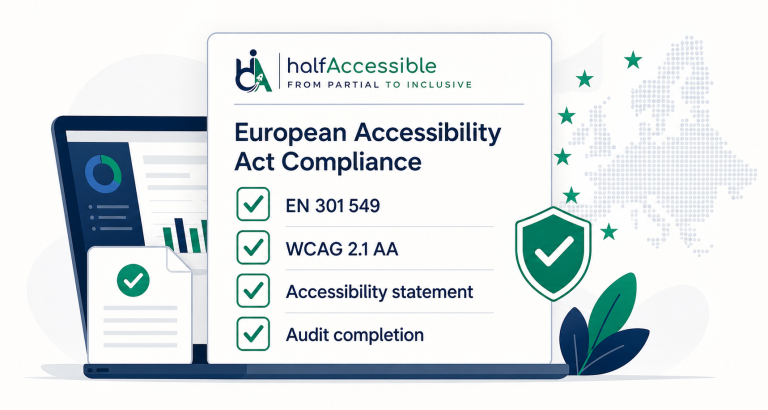
The European Accessibility Act (EAA) became enforceable on June 28, 2025, introducing accessibility obligations for many digital products and services offered within the European Union. Businesses outside Europe can also be affected if they serve EU customers.
This surprises many organizations.
A company based in:
- United States
- Canada
- India
- Australia
may still need to consider EAA requirements if it sells products or services to customers in EU member states.
Examples include:
- SaaS platforms
- E-commerce stores
- Banking services
- Ticketing systems
- Digital communication tools
Again, the pattern appears.
The EAA is legislation.
WCAG remains the technical framework organizations use to achieve compliance.
Who Should Care About EAA?
- SaaS companies
- International e-commerce brands
- Software vendors
- Subscription platforms
- Organizations serving EU customers
If your website has European users, EAA should be part of your accessibility strategy.
VPAT: Not a Law, But Still Extremely Important
One of the biggest misconceptions in accessibility is treating a VPAT like a certification.
A VPAT (Voluntary Product Accessibility Template) is not a law.
It is not a compliance standard.
It is not a certification.
A VPAT is simply a document used to communicate how well a product conforms to accessibility requirements.
Think of it as an accessibility report card.
Organizations use VPATs to document conformance against standards such as:
- WCAG
- Section 508
- EN 301 549
Procurement teams frequently request VPATs before purchasing software or digital products.
Why VPATs Matter
Imagine you’re selling software to:
- Government agencies
- Universities
- Large enterprises
Their procurement team may ask:
“Can you provide a VPAT?”
What they’re really asking is:
“Can you demonstrate how accessible your product is?”
Without a VPAT, many procurement processes become significantly more difficult.
CPACC and Trusted Tester: Certifications for Professionals
Another common misunderstanding is assuming websites need to become “CPACC certified” or “Trusted Tester approved.”
That is not how these programs work.
CPACC
The Certified Professional in Accessibility Core Competencies (CPACC) credential, offered by the International Association of Accessibility Professionals, validates foundational accessibility knowledge.
It demonstrates that a professional understands:
- Disability types
- Accessibility principles
- Standards and regulations
- Inclusive design concepts
Trusted Tester
The Trusted Tester program is a federal accessibility testing methodology used within the U.S. government.
Professionals can become certified in this testing process, demonstrating competency in evaluating accessibility against federal requirements.
Important Distinction
These certifications apply to people.
Not websites.
Not mobile apps.
Not software products.
A website cannot “pass CPACC.”
A developer or accessibility specialist can earn a CPACC certification.
Why Everyone Eventually Ends Up Talking About WCAG
Let’s connect the dots.
| Framework | What It Is | Uses WCAG? |
|---|---|---|
| WCAG | Technical accessibility standard | The source |
| ADA | U.S. civil rights law | Yes, indirectly |
| Section 508 | U.S. federal procurement requirement | Yes |
| EAA | European accessibility law | Yes |
| VPAT | Accessibility reporting document | Usually |
| CPACC | Professional certification | Based on accessibility knowledge |
| Trusted Tester | Professional testing certification | Evaluates against accessibility requirements |
Notice the pattern?
Everything keeps leading back to WCAG.
That is why accessibility professionals spend most of their time learning:
- WCAG success criteria
- WCAG testing methods
- WCAG remediation techniques
- WCAG conformance requirements
The laws may differ.
The procurement processes may differ.
The documentation may differ.
But the technical work remains largely the same.
Where Businesses Should Focus
Many organizations waste months trying to understand every accessibility acronym before taking action.
A better approach is:
Step 1: Learn WCAG
Understand:
- Keyboard accessibility
- Color contrast
- Forms and labels
- Headings and landmarks
- Screen reader compatibility
- Focus management
Step 2: Determine Applicable Regulations
Ask:
- Do we operate in the U.S.?
- Do we serve EU customers?
- Do we work with government agencies?
- Do procurement teams require VPATs?
Step 3: Build Accessibility Into Development
Accessibility is far cheaper when integrated into:
- Design
- Development
- Quality assurance
- Content publishing
rather than treated as a legal emergency.
Final Thoughts
The accessibility industry often overwhelms people with terminology.
WCAG. ADA. Section 508. EAA. VPAT. CPACC. Trusted Tester.
They sound like separate worlds.
They are not.
WCAG is the technical foundation. ADA, Section 508, and the EAA are legal or regulatory frameworks that depend heavily on it. VPAT is the documentation used to communicate accessibility status. CPACC and Trusted Tester are credentials earned by professionals.
If you focus on mastering WCAG, you’ve already learned the language that most accessibility laws and procurement requirements speak.
The challenge isn’t mastering seven frameworks.
It’s understanding one framework deeply and knowing where it applies.
Work With Us
Not sure which framework actually applies to you? Our 1-hour accessibility consultation gives you a clear, prioritized answer for $100 — or start with a full WCAG 2.2 accessibility audit if you’re ready to dig in.
Get a free accessibility assessment — no commitment required.
Get an Audit Benchmarked to Your Framework
Whichever framework applies to you, we run audits benchmarked to the right standard: ADA & Section 508 (USA), UK (Equality Act & PSBAR), Canada (AODA & ACA), or EU (European Accessibility Act).
Explore Country-Specific Accessibility Services
Need an audit mapped to a specific country’s framework? See our India, Australia, and UAE accessibility audit services.