
Client & Context
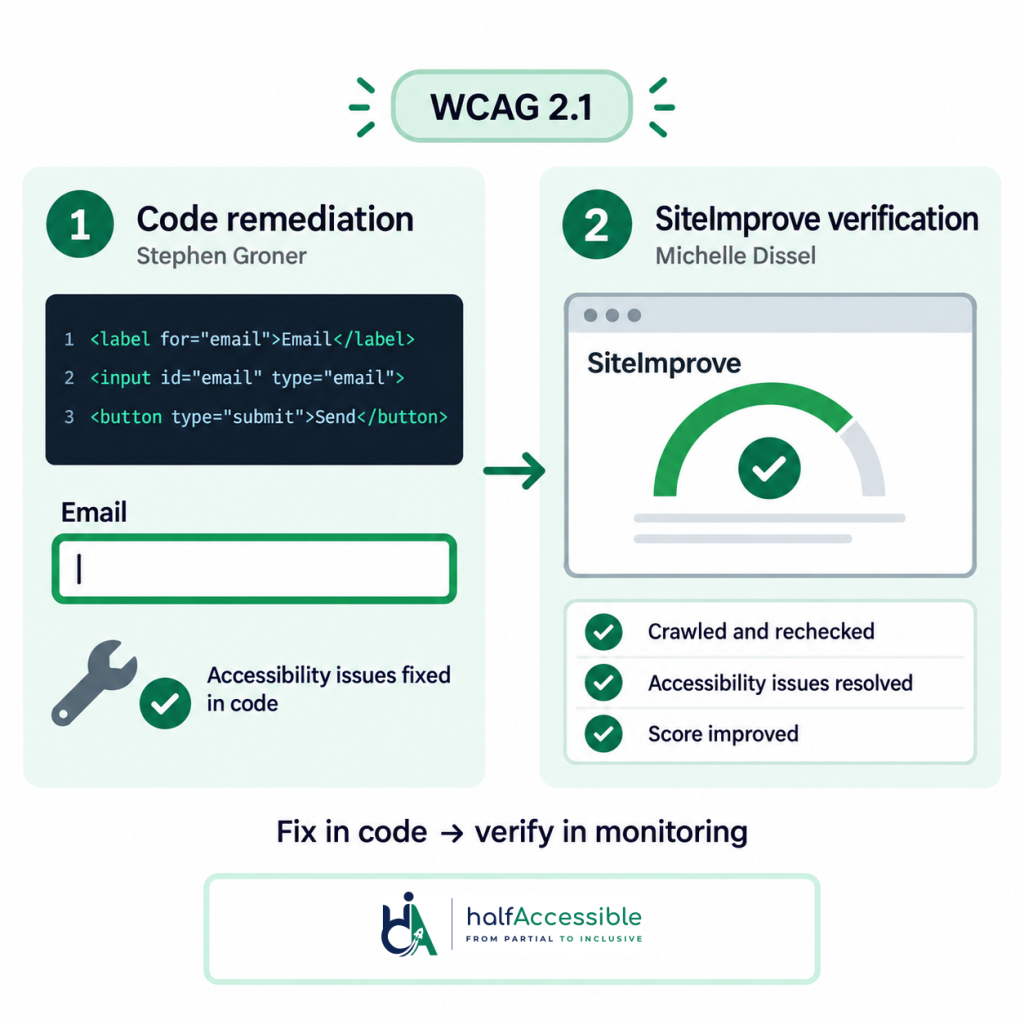
ADA website remediation is where accessibility stops being a report and starts being code. Stephen Groner’s team engaged HalfAccessible in April 2026 to remediate a website against ADA expectations and WCAG 2.1 — and then, in a second phase with Michelle Dissel, to verify that work against the organisation’s Siteimprove monitoring and push the scores up.
Choose Your Next Step
Want the same ADA website remediation and score reconciliation for your site? Pick how you want to start.
Free 30-Minute Call
Best for: teams watching a Siteimprove, axe or Lighthouse score who want to know where they stand, or need a remediation quote.
Share your dashboard and deadline. We explain where you stand and quote a fixed-price remediation or audit.
Book a Free 30-Min Call (opens in new tab)
1-Hour Technical Consultation ($100)
Best for: developer teams that need expert technical answers now.
A working session to go through your monitoring findings live, sort real barriers from false positives, or talk fixes through with your developer.
Accessibility Remediation (Quote)
Best for: teams with an audit report or issue list who need the barriers fixed in code.
Code-level fixes verified with screen readers and keyboard, then checked against your monitoring tool so the score reflects the work.
The Challenge
Enterprise monitoring platforms like Siteimprove are unforgiving: every unresolved issue stays on the dashboard where stakeholders see it. The remediation had to fix real barriers — not just silence automated checks — and the follow-up phase had to reconcile every Siteimprove finding against the work actually performed, closing genuine gaps and documenting false positives.
Two-Phase ADA Website Remediation
Phase one addressed the core barrier classes at code level: semantic structure, image alternatives, form labelling, keyboard operability, focus visibility, and colour contrast — each verified manually with screen readers and keyboard-only testing against WCAG 2.1 criteria and aligned with ADA.gov web guidance on how the ADA applies to websites.
Phase two worked the Siteimprove queue item by item: confirming fixes were detected, re-fixing anything the crawler still flagged legitimately, and annotating items where the tool’s heuristic disagreed with the standard. Tool-driven scores only improve honestly when a human arbitrates that difference.
The Results
- WCAG 2.1 barriers remediated directly in the site’s code
- Every Siteimprove finding reconciled — fixed, re-fixed, or documented
- Measurable improvement in the organisation’s accessibility scores
- Both phases rated 5.0 out of 5.0 on Upwork
What Monitoring Tools Catch — and What They Miss
Automated platforms like Siteimprove are strong at what they automate, but W3C WAI notes that evaluation tools cannot check every accessibility aspect; human judgement is still required, and tools can produce false or misleading results. Here is where the line usually falls:
| Monitoring tools can flag | Needs a human with assistive technology |
|---|---|
| Images have an alt attribute | The alt text actually describes the image and its purpose |
| Text and background colours meet contrast ratios | Focus lands somewhere sensible when a modal or menu closes |
| Form fields have an associated label | The screen reader announcement really describes the control |
| Duplicate IDs and other markup errors | Reading order makes sense with a screen reader |
| A score trend across crawls | Whether a real barrier for users is gone, not just silenced |
The right-hand column needs a person testing with screen readers and the keyboard, which is why ADA website remediation guided only by a dashboard plateaus early.
Score methodology adds a second trap. Monitoring scores weight issues by their own heuristics, not by user impact, so chasing the score can mean fixing trivial items while real barriers persist. The honest approach treats the dashboard as a coverage map, not a verdict.
Our Reconciliation Process, Step by Step
- Export the full Siteimprove issue inventory and de-duplicate by root cause
- Fix genuine barriers at code level — semantics first, ARIA only where HTML cannot do the job
- Re-crawl and confirm detection, re-fixing anything legitimately still flagged
- Document false positives with standard citations so they stop reappearing in stakeholder reports
- Verify the user-facing result with screen readers and keyboard-only passes
The outcome is a score that rises because the experience improved — and stays up because the fixes addressed causes, not symptoms.
Watching Your Own Dashboard?
If your Siteimprove, axe, or Lighthouse scores have plateaued, our accessibility remediation services fix the underlying barriers — and our accessibility audit services catch what monitoring tools cannot. For teams already under a filing, see ADA lawsuit remediation. For keeping scores honest after the fix, see accessibility monitoring and governance. Public package ranges are on accessibility audit pricing.
Not sure where to start? Book a free 30-minute call (opens in new tab) to talk through your dashboard, deadline and site, and get a fixed-price remediation quote. If your developers need expert technical answers now, book the $100 one-hour technical consultation to go through monitoring findings live or talk fixes through with them. Prefer a written request? Request a free assessment, or start a $500 Quick Audit for up to 5 page templates.
Prefer an audit-first engagement? See our sibling 8-week accessibility audit and remediation case study — that programme led with discovery; this one led with code-level ADA website remediation and Siteimprove score reconciliation.
Why This Matters
Validating fixes against Siteimprove’s automated reporting gave the client’s team a way to track progress in the monitoring tool they already used day to day, rather than relying solely on a one-time audit document. The second phase re-tested every WCAG 2.1 issue flagged in phase one, confirmed each fix in context, and mapped the results back to Siteimprove’s own scoring so the client could see the score move as remediation landed — evidence backed by manual verification, not an automated re-scan alone. Both phases of the engagement — the original remediation and the Siteimprove-validated retest — were completed and signed off within the same overall timeline the client had budgeted for. That pattern is what buyers looking for ADA website remediation usually need: code that removes real barriers, plus a monitoring dashboard stakeholders already trust.