Websites
Corporate websites, marketing sites, government websites, university websites, healthcare websites, ecommerce journeys, landing pages, blogs, resource libraries, and multilingual content experiences.

australia accessibility audit from $500
Manual Australia website accessibility audits for the Disability Discrimination Act 1992 (DDA), led by founder Mohammad Shadab Saifi (CPACC, WAS, CPWA, 10+ years). We test key journeys with keyboard and NVDA, JAWS, VoiceOver and TalkBack against WCAG 2.2 AA, the level the Australian Human Rights Commission recommends. Fixed $500 Quick or $2,000 Complete. New to the DDA? Start with a free 30-minute call.
Start Here
New to the DDA or the Human Rights Commission's digital guidelines, meeting the Digital Experience Policy as a Commonwealth entity, or need a quote? Start with the free 30-minute call. Ready for a written WCAG report? Order the $500 Quick Audit (up to 5 templates) or the $2,000 Complete Audit for larger sites. Already have findings to walk through with your developer? Book the $100 technical hour.
get in touch
Tell us what you’re working on and where you need support. Our accessibility specialists can help with audits, remediation, VPAT/ACR, accessible development, and ongoing compliance.
Free 30-minute consultation (opens in new tab)
Free 30-minute call: talk through where you stand, scope a project or get a quote.
Need technical answers now? Book the $100 one-hour consultation to walk through an audit, talk with a developer or review your site live.
Indicates a required field.
Your information is kept private and never shared with third parties.
Australia has no separate website accessibility law. The Disability Discrimination Act 1992 makes it unlawful to exclude people with disability from goods and services, including websites and apps, and the Australian Human Rights Commission’s 2025 digital accessibility guidelines recommend WCAG 2.2 Level AA as the minimum. Commonwealth agencies must also follow the DTA Digital Experience Policy.
Our Australia website accessibility audit tests your key journeys by hand against WCAG 2.2 AA with a keyboard, NVDA, JAWS and VoiceOver, so you have documented evidence and a fix plan before a complaint arrives. See what you get in our sample audit report, or compare audit prices.
The Australian Human Rights Commission's April 2025 guidelines recommend WCAG 2.2 Level AA as the minimum, replacing the 2014 advisory note that pointed to WCAG 2.0.
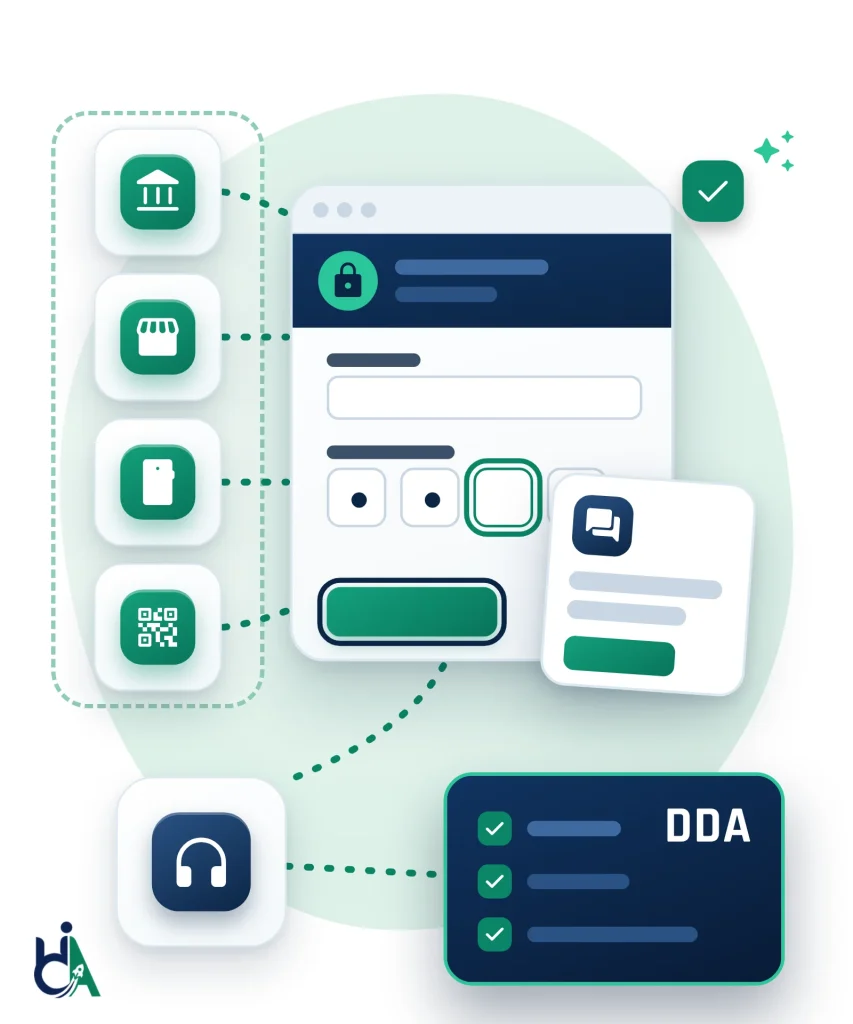
The guidelines also cover SaaS and PaaS platforms, AI services, CAPTCHAs, two-factor sign-in, QR codes and mapping tools, not just marketing websites.
Anyone can complain to the AHRC about an inaccessible service. If conciliation fails, the person can go to the Federal Court or the Federal Circuit and Family Court, which can order compensation.
Under the DTA Digital Experience Policy, existing public-facing Commonwealth services had to meet the Digital Service Standard from 1 July 2025 and the Digital Inclusion Standard from 1 January 2026.
In Maguire v SOCOG (2000), the Commission found the Sydney Olympics website discriminated against a blind user and, when it was only partly fixed, awarded him $20,000.
The WebAIM Million 2026 found detectable WCAG failures on 95.9% of home pages, and keyboard, focus and screen reader problems still need manual testing.
Australia has no single web accessibility statute like the ADA. Instead, the Disability Discrimination Act 1992 (DDA) makes it unlawful to discriminate against people with disability when providing goods, services and facilities, and that includes websites, apps and other digital services. The Australian Human Rights Commission (AHRC) handles DDA complaints, and its April 2025 Guidelines on equal access to digital goods and services recommend WCAG 2.2 Level AA. The guidelines are advisory; the DDA itself is the binding law. They also make clear that the DDA reaches beyond websites to SaaS and PaaS platforms, AI-generated services, CAPTCHAs, two-factor authentication, extended reality, QR codes, mapping apps and IoT interfaces. Commonwealth entities must also meet the Digital Transformation Agency's Digital Experience Policy, effective from 1 January 2025, whose Digital Inclusion Standard has applied to existing public-facing services since 1 January 2026. Enforcement is complaint-driven rather than deadline-driven: the AHRC tries conciliation first, and if a complaint is terminated the person can apply to the Federal Court or the Federal Circuit and Family Court within 60 days. An Australia website accessibility audit tests your site against WCAG 2.2 AA by hand and shows where you stand before a complaint arrives, from $500.
Think of this audit as a risk check against Australia's Disability Discrimination Act. We test your website, app or digital product against WCAG 2.2 AA, the standard the Human Rights Commission recommends, so you find and fix the gaps before a customer, student or citizen lodges a complaint.
We audit public websites, authenticated applications, SaaS platforms, mobile apps, documents, and design systems.
Corporate websites, marketing sites, government websites, university websites, healthcare websites, ecommerce journeys, landing pages, blogs, resource libraries, and multilingual content experiences.
Customer portals, admin dashboards, CRMs, internal software, enterprise workflows, complex forms, authenticated user journeys, data tables, reports, notifications, and role-based interfaces.
B2B platforms, cloud software, analytics dashboards, AI applications, product onboarding flows, account settings, billing workflows, and feature-rich application screens.
Native iOS, native Android, hybrid applications, progressive web apps, orientation changes, touch targets, gestures, screen reader flows, zoom behavior, and mobile form interactions.
PDFs, Word documents, PowerPoint files, forms, reports, policy documents, financial statements, healthcare documents, education resources, and procurement documentation.
Reusable components, UI libraries, pattern libraries, design tokens, Figma components, interaction patterns, and documentation that affects many pages or product screens.
Marketing, ecommerce, healthcare, government, education, nonprofit, and service organizations use accessibility audits to make essential public content available to more people.
Product teams use audits to validate complex workflows, reduce accessibility debt, improve component libraries, and prepare for enterprise accessibility reviews.
Legal, compliance, procurement, and sales teams use audit evidence to answer buyer questions, support VPAT work, and document remediation commitments.
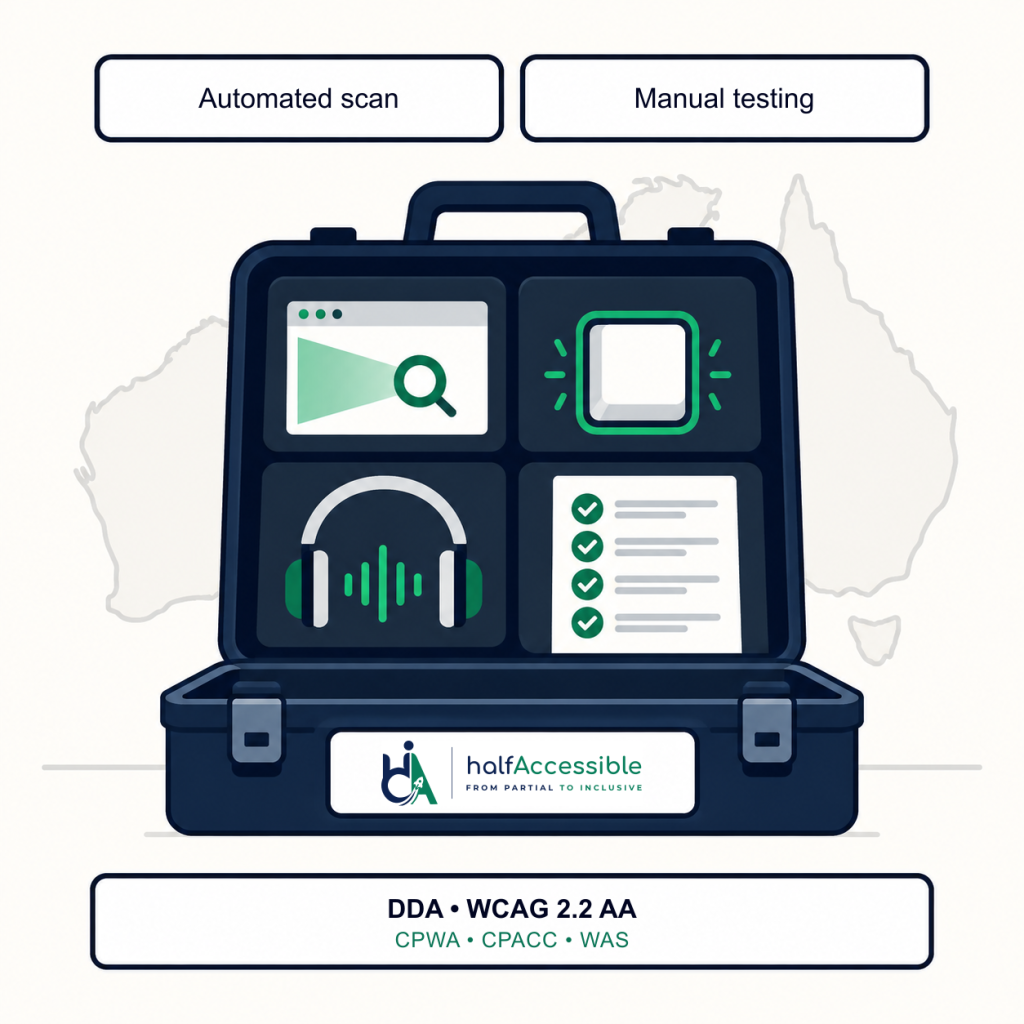
Evaluate public websites against WCAG 2.2 AA using manual testing, automated scanning, keyboard-only navigation, and assistive technologies.
Review authenticated user journeys, dashboards, complex forms, data tables, notifications, custom widgets, and enterprise workflows.
Test native and hybrid applications using VoiceOver, TalkBack, keyboard alternatives, zoom, orientation changes, touch target review, and gesture accessibility checks.
Assess PDFs and office documents for tagging, reading order, alternative text, bookmarks, form fields, headings, tables, and screen reader compatibility.
Identify accessibility issues in Figma files, design systems, and component specs before development begins, reducing rework and improving handoff quality.
Evaluate products and prepare accessibility documentation that supports enterprise and government procurement conversations.
Each issue is mapped to user impact, the relevant standard, severity, affected users, and practical remediation guidance.
Missing or inaccurate alternative text prevents screen reader users from understanding meaningful images, icons, charts, infographics, product photos, and linked graphics. We identify images that need concise alternatives, images that should be marked decorative, and complex visuals that need longer explanations.
Many users navigate with a keyboard, switch device, voice control, or assistive technology that relies on keyboard behavior. We test focus order, skip links, menus, modals, tabs, accordions, custom widgets, and form flows without a mouse.
Low contrast can make text, buttons, icons, form controls, and charts difficult or impossible to perceive. We evaluate contrast for normal text, large text, UI components, focus indicators, disabled states, links, and error messages.
Forms often block users when labels, instructions, required indicators, validation messages, and error handling are not accessible. We test forms with keyboard navigation and screen readers to confirm users can complete and submit successfully.
Headings, lists, landmarks, tables, and reading order help assistive technology users understand a page quickly. We identify skipped heading levels, missing landmarks, and reading-order mismatches.
Modern applications often update content without refreshing the page. We test status messages, ARIA live regions, notifications, and single-page app transitions to confirm important changes are announced correctly.
Annual reports, application forms, menus and policy documents are often published as untagged PDFs that screen readers cannot follow. We check tags, reading order, headings, tables, form fields and alternative text, and test with NVDA.
The AHRC guidelines call out CAPTCHAs and two-factor authentication. We test sign-in, verification codes and timeouts against WCAG 2.2 success criteria 3.3.8 Accessible Authentication and 2.2.1 Timing Adjustable, so no one is locked out of their account.
| Feature | Automated Testing | Manual Testing |
|---|---|---|
| Speed | Fast (minutes) | Slower (days) |
| Cost | Low | Higher, but more accurate |
| Manual WCAG Review | No | Yes |
| Keyboard Navigation | Limited | Complete |
| Screen Reader Compatibility | No | Yes |
| Logical Reading Order | No | Yes |
| Meaningful Alternative Text | No | Yes |
| Form Usability | Partial | Yes |
| Overall User Experience | No | Yes |
A structured process gives your team clear findings, clear priorities, and a practical path to compliance.
We review your platform, page count, key journeys and obligations (the DDA and AHRC guidelines for every organization, plus the Digital Experience Policy for Commonwealth services) to agree the audit scope, templates and timeline.
We run automated tools across the defined scope to catch code-level issues quickly, giving us a baseline before manual review begins.
Certified specialists manually test keyboard navigation, focus order, forms, headings, and interactive components against WCAG success criteria.
We test with screen readers (NVDA, JAWS, VoiceOver, TalkBack), voice control, and switch access to confirm real-world usability, not just code compliance.
Findings are documented with severity, the WCAG 2.2 success criterion, screenshots and reproduction steps, then grouped into a prioritized remediation roadmap you can use for an accessibility statement or DDA Action Plan.
With the Complete Audit we retest the issues your team fixes to confirm they are resolved and no new barriers were introduced, then help you finish the accessibility statement draft.
Australia's core anti-discrimination law. Section 24 makes it unlawful to discriminate when providing goods, services and facilities, which the AHRC applies to websites, apps and digital services. The only defence for not providing access is unjustifiable hardship, judged case by case.
The Guidelines on equal access to digital goods and services, issued in April 2025 under section 67(1)(k) of the DDA, recommend WCAG 2.2 Level AA and an accessibility statement. They are not legally binding, and following them is not a guaranteed defence.
The current W3C Recommendation, published in October 2023. It adds criteria such as focus not obscured, target size, dragging movements and accessible authentication. We test every page and journey in scope against it.
Australia's adoption of the European standard for accessible ICT, which the AHRC points to for ICT products and procurement. Its web chapter mirrors WCAG 2.1, so our WCAG 2.2 findings map to its clauses.
The Digital Transformation Agency policy for Commonwealth entities, effective 1 January 2025, with four standards: Digital Service, Digital Inclusion, Digital Access and Digital Performance. Existing public-facing services must meet the Service and Inclusion Standards.
Each state and territory also has its own anti-discrimination law, and the AHRC says its guidelines should be read alongside them. One WCAG 2.2 AA audit gives you evidence that works under both.
A clear summary of audit scope, key risks, priority themes, and recommended next steps for stakeholders.
A practical status snapshot that helps teams understand current accessibility maturity and remediation priorities.
Issue-by-issue findings with screenshots, affected URLs or screens, severity ratings, standard references, and reproduction steps.
Practical remediation guidance, code-level notes, component recommendations, and examples your developers can act on.
Findings organized to support an accessibility statement, a DDA Action Plan, VPAT and ACR documentation, and procurement or legal review.
With the Complete Audit, validation evidence after remediation showing which issues were fixed and what remains open.
Founder Mohammad Shadab Saifi (CPACC, WAS, CPWA, 10+ years) leads Australian audits, remediation support, accessibility statements and product guidance for DDA and Digital Experience Policy work.
Reports are written for action. Developers receive clear reproduction steps, expected behavior, affected users, standard mapping, and remediation guidance.
One audit benchmarked to WCAG 2.2 AA gives Australian teams evidence for the DDA and AHRC guidelines, and maps to AS EN 301 549 for ICT procurement and to EN 301 549 for customers in the EU.
Audit scope is tailored to your product and priorities so your team receives useful findings without unnecessary reporting overhead.
Whether you are a Commonwealth agency meeting the Digital Experience Policy, a private business reducing DDA complaint risk, or a SaaS provider whose product falls under the AHRC's digital guidelines, our founder-led audit tests your key journeys by hand and gives your team a prioritized, developer-ready roadmap. Start with the $500 Quick Audit, or ask for a free needs assessment and we will scope a $2,000 Complete Audit with a retest and an accessibility statement draft. Not sure which rules apply yet? Book a free 30-minute call to talk through where you stand and get a quote. If you need hands-on technical answers now, such as reviewing audit findings with your developer, book the $100 one-hour technical consultation.
Start My $500 Australia Accessibility AuditAnswers to common questions about Australia website accessibility audits, the DDA, AHRC complaints and WCAG 2.2 AA.
Not exactly. Australia’s Disability Discrimination Act 1992 (DDA) is a broad anti-discrimination law rather than an accessibility-specific statute, but the Australian Human Rights Commission (AHRC), which handles DDA complaints, treats an inaccessible website or app as a form of unlawful discrimination. Its Guidelines on equal access to digital goods and services now recommend WCAG 2.2 Level AA. Those guidelines are issued under section 67(1)(k) of the DDA and are not legally binding; the Disability Discrimination Act 1992 itself is the binding law.
WCAG 2.2 Level AA. The AHRC recommended this standard in its April 2025 guidelines, replacing its earlier WCAG 2.0 guidance, and it’s the benchmark the Commission uses when looking at whether a website or digital service meets DDA obligations. For ICT products and procurement, the AHRC also points to AS EN 301 549, Australia’s adoption of the European ICT accessibility standard. Because that standard still references WCAG 2.1, the Commission says to use WCAG 2.2 where appropriate. See our EN 301 549 explainer or our EU accessibility compliance audit.
It applies broadly. AHRC guidance confirms DDA obligations extend to SaaS and PaaS platforms, AI-generated services, CAPTCHAs, two-factor authentication, extended reality, QR codes, mapping applications, and IoT interfaces, not just traditional websites.
The person lodges a complaint with the Australian Human Rights Commission, ideally within 24 months, because the President may terminate a complaint lodged later. The Commission investigates and usually tries conciliation, which often ends with an agreement to fix the site, a timeline and sometimes compensation. If the complaint is terminated, the person can apply to the Federal Court or the Federal Circuit and Family Court within 60 days, and the court can order compensation and other remedies (Australian Human Rights Commission Act 1986, sections 46PH and 46PO). In Maguire v SOCOG (2000), a blind user was awarded $20,000 after the Sydney Olympics website was only partly fixed. There is no fixed penalty schedule, but the cost of a complaint is real.
Yes, at the Commonwealth level. The Digital Transformation Agency’s Digital Experience Policy is effective from 1 January 2025 and applies to corporate and non-corporate Commonwealth entities. It sets four standards: Digital Service, Digital Inclusion, Digital Access and Digital Performance. The Service Standard has applied to new public-facing services since 1 July 2024, and existing public-facing services had to meet the Service Standard from 1 July 2025 and the Inclusion Standard from 1 January 2026. See the DX Policy timeline for the dates that apply to your service, or use our government audit request form.
The technical testing is the same, WCAG 2.2 AA, but a DDA-focused audit also maps findings to how the AHRC evaluates complaints and Australia’s expanded digital scope, SaaS, AI, CAPTCHAs, and more, so you understand your actual legal exposure, not just a pass or fail score. If you also operate in other markets, see our Canada and UK compliance audits, and for document-heavy sites our PDF document remediation service.
HalfAccessible publishes fixed prices: the $500 Quick Audit covers up to 5 page templates with a top-10 issues report, and the $2,000 Complete Audit covers up to 25 templates or key user flows with a retest of fixed issues, an accessibility statement draft and 90-day support. Not sure which fits? Start with a free 30-minute call to talk through where you stand and get a quote, or use the free needs assessment. If you already have findings and need a hands-on technical session with a developer, book the $100 one-hour consultation. See the pricing page for details.
Have a short list of the templates and journeys that matter most (for example a homepage, a booking or checkout form, a login flow and any PDF people need to use your service), plus any existing accessibility statement, DDA Action Plan or prior scan. A free automated pass on AccessibilityScore.in is a useful starting point that complements a manual audit; bring those results if you have them. If you have received an Australian Human Rights Commission complaint, or you are a Commonwealth entity working to the Digital Experience Policy, tell us so we can prioritise those journeys.
You receive a prioritized, developer-ready report mapped to WCAG 2.2 AA, the level the Australian Human Rights Commission recommends. We walk through the findings on a call, help you plan remediation, and for Complete Audits we retest fixed issues and draft an accessibility statement. If you prefer to start with discovery only, book a free 30-minute call; if you need to review findings live with your developer, book the $100 technical hour.
We scope the templates and journeys that matter most, run automated scans, then test by hand with a keyboard and with NVDA, JAWS, VoiceOver and TalkBack against WCAG 2.2 AA. You get a report with each issue’s severity, WCAG success criterion, screenshots, reproduction steps and fix guidance, organized so it can feed your accessibility statement or DDA Action Plan. See a sample audit report.
Not as a target. The AHRC’s 2025 guidelines replaced the 2014 advisory note that pointed to WCAG 2.0, recommend WCAG 2.2 Level AA and say to meet the latest published version. WCAG 2.2 builds on WCAG 2.1, so testing to WCAG 2.2 AA also covers the 2.1 criteria still in force, and it maps to AS EN 301 549 for ICT procurement.
No. Neither the DDA nor the AHRC guidelines accept an overlay as proof of accessibility, and overlays cannot fix the underlying code that keyboard and screen reader users depend on. In 2025 the US Federal Trade Commission ordered accessiBe to pay $1 million over claims that its overlay could make any website compliant. Read more in accessibility overlays and lawsuits.
Neither is mandatory for private businesses, but both help. The AHRC guidelines recommend publishing an accessibility statement that explains how standards have been met. Under Part 3 of the Disability Discrimination Act 1992, a service provider may prepare a Disability Action Plan and give it to the Commission (section 64), and the terms of that plan are one of the factors weighed when deciding whether unjustifiable hardship applies (section 11). The $2,000 Complete Audit includes an accessibility statement draft based on your findings.
Often, yes. The European Accessibility Act has applied since June 28, 2025 to covered products and services offered to consumers in the EU, such as ecommerce, consumer banking, e-books and electronic communications, wherever the business is based. Microenterprises providing services are exempt. A WCAG 2.2 AA audit gives evidence for both the DDA and the EAA; see our EU accessibility compliance audit.
Yes. The AHRC guidelines apply the DDA to apps as well as websites, so we test native iOS and Android apps with VoiceOver and TalkBack, and check PDFs and office documents for tags, reading order and form fields with NVDA. See document accessibility testing, and our PDF document remediation service fixes the files we flag.