Public-facing teams
Marketing, ecommerce, healthcare, government, education, nonprofit, and service organizations use accessibility audits to make essential public content available to more people.

Manual accessibility audit services for websites, web apps, mobile apps, PDFs and SaaS, led by our IAAP-certified founder (CPACC, WAS, CPWA) and tested with keyboards and screen readers against WCAG 2.2 AA, the ADA, Section 508 and the EAA. Fixed prices: a $500 Quick Audit or a $2,000 Complete Audit. New here? Start with a free 30-minute call.
Start Here
Fixed-price accessibility audits with no hourly billing. Not sure what you need yet? Start with the free call. Want a fast expert baseline? Choose the $500 Quick Audit. Need the full manual review? Request the $2,000 Complete Audit. Already have scan results or findings to work through with your developer? Book the $100 one-hour technical consultation.
get in touch
Tell us what you’re working on and where you need support. Our accessibility specialists can help with audits, remediation, VPAT/ACR, accessible development, and ongoing compliance.
Free 30-minute consultation (opens in new tab)
Free 30-minute call: talk through where you stand, scope a project or get a quote.
Need technical answers now? Book the $100 one-hour consultation to walk through an audit, talk with a developer or review your site live.
Indicates a required field.
Your information is kept private and never shared with third parties.
An audit shows how real people experience your website or app, not just what automated tools can detect. Our manual WCAG and ADA website auditors test your key flows with a keyboard, NVDA, JAWS and VoiceOver, then tell you what to fix first. See the format in our sample audit report, or ask for VPAT and ACR documentation when buyers need proof.
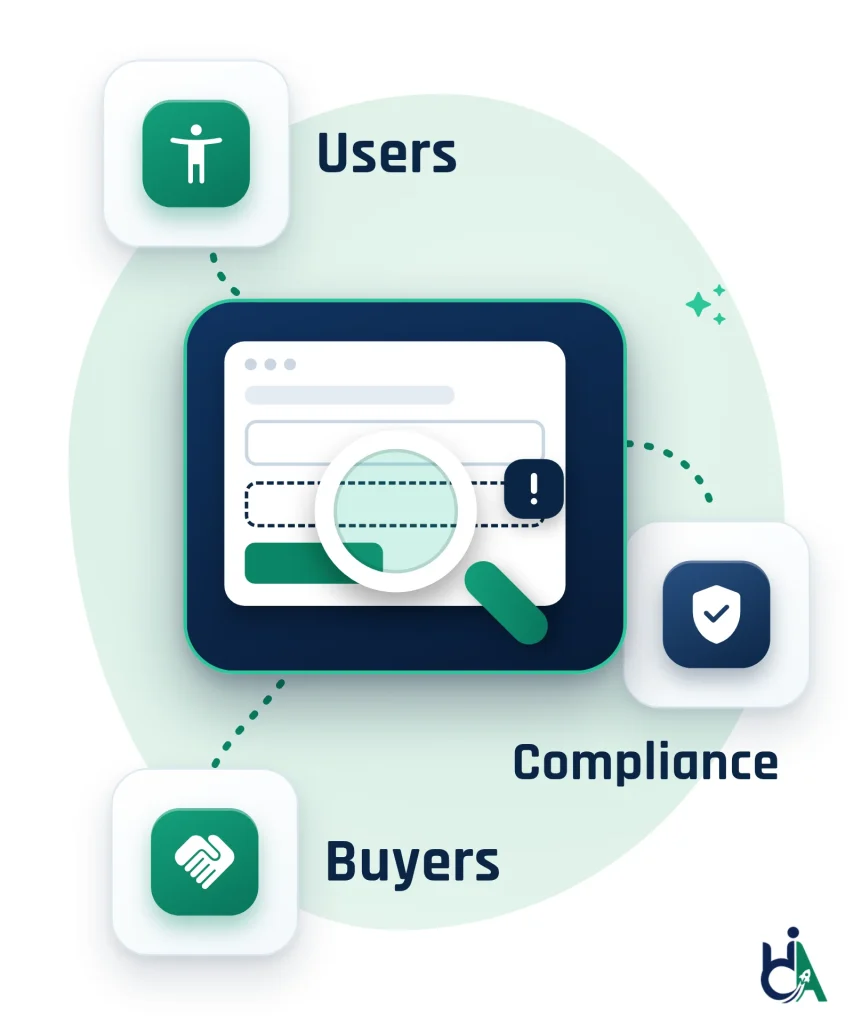
Barriers can stop customers from buying, patients from reaching care, students from finishing courses and staff from using internal tools. An audit finds them before they turn into complaints, lost deals or legal risk.
Clear form labels, visible focus, strong contrast, consistent headings, readable error messages and predictable navigation help disabled users and make your product easier for everyone.
See your gaps against WCAG 2.2, ADA expectations, Section 508, EN 301 549 and PDF/UA, with a documented baseline and a prioritized plan.
Enterprise and government buyers increasingly ask for accessibility evidence before they buy. Audit findings, a remediation plan, VPAT support and retest results help you answer with confidence.
Issues found early are usually cheaper to fix than issues found after launch. Fixing root causes in shared components stops the same defect repeating across pages and releases.
A good audit shows the patterns behind each defect, so your design, development, QA and content teams can prevent them in future work.
Our WCAG audit services cover everything your users touch: public websites, logged-in web apps and SaaS products, native mobile apps, PDFs and other documents, design systems and video. We test your key templates and user journeys by hand against WCAG 2.2 Level A and AA, with a keyboard and the screen readers people rely on: NVDA, JAWS, VoiceOver and TalkBack.
Running a SaaS product? See our SaaS accessibility services. Selling on Shopify? The Shopify accessibility audit is built for online stores. Documents that fail can go straight to PDF and document remediation.
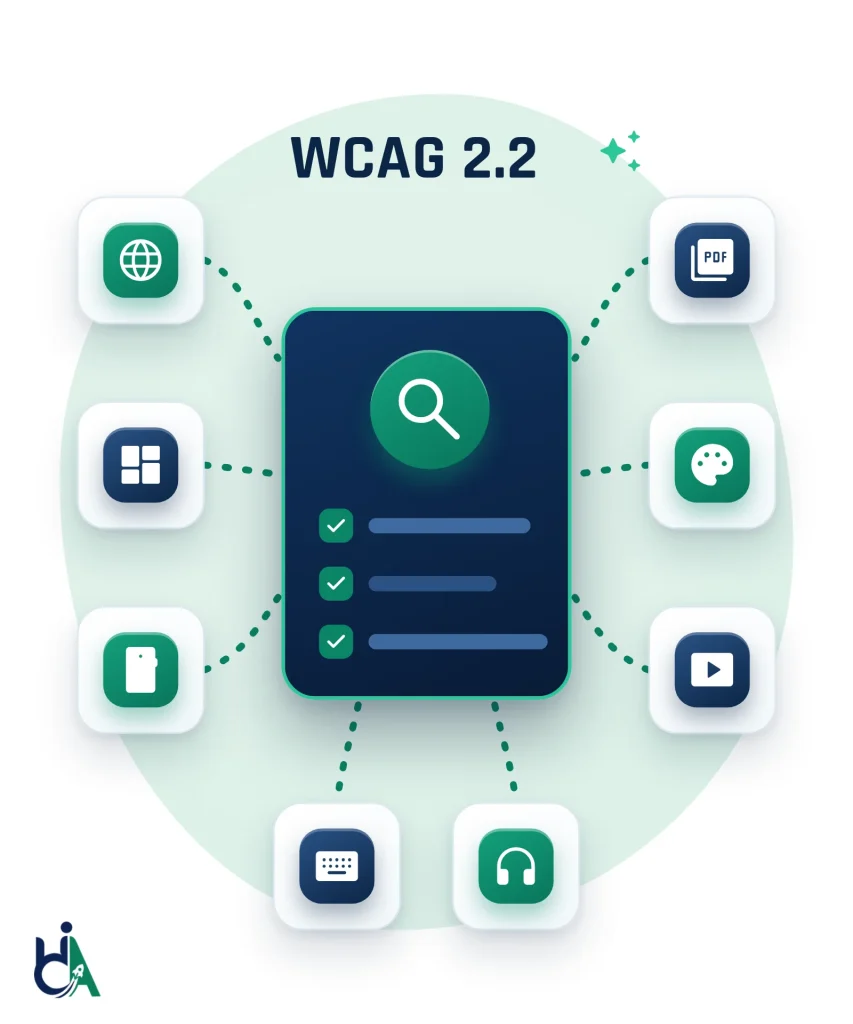
Marketing sites, landing pages, blogs, resource libraries and multilingual content, tested template by template against WCAG 2.2 AA.
Logged-in portals, dashboards, complex forms, data tables and role-based screens, tested role by role with your test accounts.
Native iOS, Android and hybrid apps checked with VoiceOver and TalkBack, plus zoom, orientation, touch targets and gestures.
PDF, Word and PowerPoint files checked for tags, reading order, alt text, form fields and tables, with every PDF tested in NVDA.
Figma files, components and design tokens reviewed before build, so one fix reaches every page that uses the pattern.
Captions, transcripts, audio description and keyboard-operable players, checked against WCAG 1.2.1 to 1.2.5.
Every accessibility audit ends with a report your team can act on, in the same format as our sample audit report. Each finding shows where it happens, who it affects, which WCAG 2.2 success criterion it fails and how to fix it.
The $500 Quick Audit gives you a top-10 issues report for up to 5 page templates. The $2,000 Complete Audit covers up to 25 templates or key user flows and adds a re-test of fixed issues and an accessibility statement draft. Compare audit pricing to see which one fits.
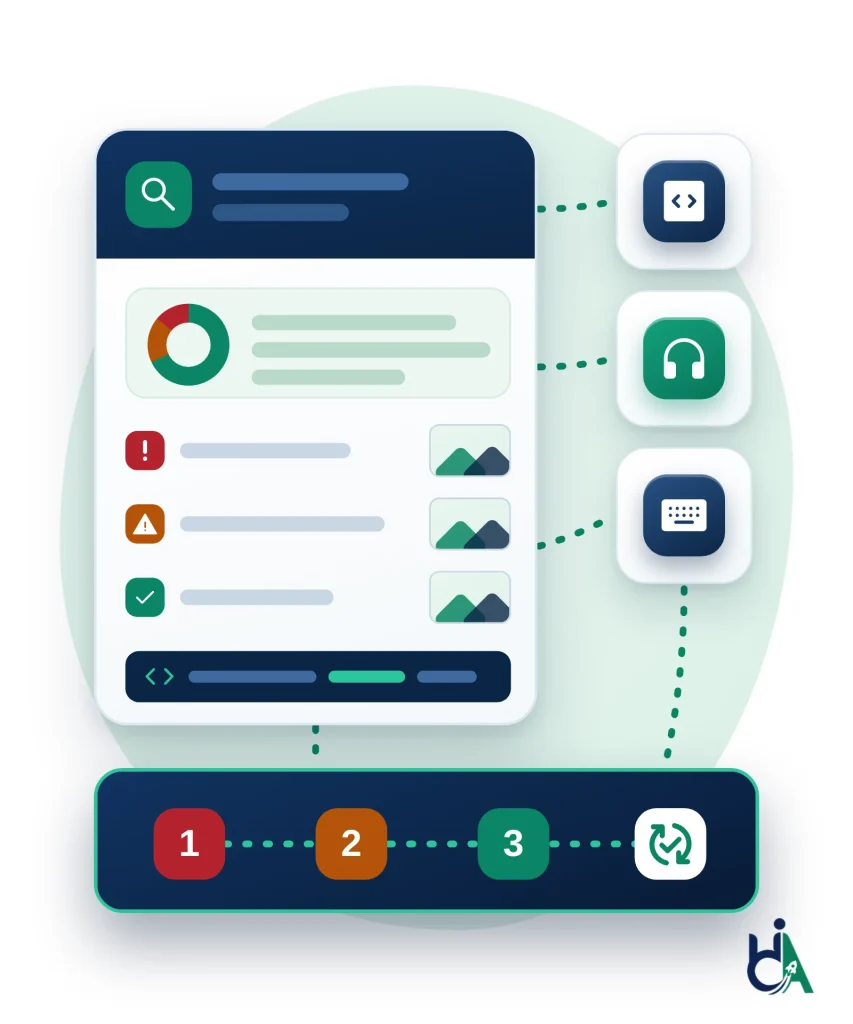
Scope, key risks, priority themes and recommended next steps on one page, for stakeholders, legal and buyers.
Each issue with screenshots, affected URLs or screens, severity, the WCAG reference and steps to reproduce it.
Code-level notes, component recommendations and examples your developers can act on straight away.
What keyboard and screen reader users ran into on the journeys we tested, so the real impact is clear.
Urgent blockers first, then high-impact component fixes, content improvements and longer-term governance work.
Included in the $2,000 Complete Audit: a re-test of fixed issues and an accessibility statement draft, so you finish with evidence.
An accessibility audit is a structured evaluation of a website, application, or digital document to identify barriers that prevent people with disabilities from accessing digital content. A complete accessibility audit combines automated tools, manual keyboard testing, screen reader testing, mobile accessibility testing, and expert review against WCAG 2.2 success criteria to produce prioritized remediation guidance. In the 2026 WebAIM Million report, an annual review of the top one million home pages, 95.9% had detectable WCAG 2 failures, and automated tools can only detect part of the problem — which is why automated scans alone are never treated as a complete audit. HalfAccessible's WCAG audit services start with a $500 Quick Audit of up to 5 page templates, and the $2,000 Complete Audit is a full manual WCAG 2.2 audit of up to 25 templates or key user flows.
Think of an accessibility audit like a building safety inspection for your website or product. Instead of checking exits and alarms, it checks whether people using keyboards, screen readers, zoom, voice control, or other assistive technologies can understand content, navigate interfaces, complete forms, and finish important tasks.
Our WCAG audit services cover public websites, authenticated web apps, SaaS platforms, mobile apps, documents, video and design systems, tested by people, not just scanners.
Marketing, ecommerce, healthcare, government, education, nonprofit, and service organizations use accessibility audits to make essential public content available to more people.
Product teams use audits to validate complex workflows, reduce accessibility debt, improve component libraries, and prepare for enterprise accessibility reviews.
Legal, compliance, procurement, and sales teams use audit evidence to answer buyer questions, support VPAT work, and document remediation commitments.
Evaluate public websites against WCAG 2.2 AA using manual testing, automated scanning, keyboard-only navigation, and assistive technologies.
Review authenticated user journeys, dashboards, complex forms, data tables, notifications, custom widgets, and enterprise workflows.
Test native and hybrid applications using VoiceOver, TalkBack, keyboard alternatives, zoom, orientation changes, touch target review, and gesture accessibility checks.
Document accessibility audit services for PDFs, Word, PowerPoint and Excel files. We assess PDF/UA support, semantic tagging, reading order, alternative text, bookmarks, form fields, headings, tables and screen reader compatibility, and check every PDF with NVDA.
Identify accessibility issues in Figma files, design systems, and component specs before development begins, reducing rework and improving handoff quality.
Evaluate products and prepare accessibility documentation that supports enterprise and government procurement conversations.
Our WCAG audit services test your site or app against WCAG 2.2 Level A and AA. The $2,000 Complete Audit is a full manual audit of up to 25 templates or key flows, with each failure mapped to its success criterion, the affected page or component and a recommended fix. W3C states that content conforming to WCAG 2.2 also conforms to WCAG 2.0 and 2.1, so one audit covers the WCAG requirements behind the ADA, Section 508 and EN 301 549.
Section 508 testing for federal agencies and the vendors who sell to them, led by a DHS Section 508 Trusted Tester. The Revised 508 Standards require electronic content to conform to WCAG 2.0 Level A and AA, and our results can go straight into the Section 508 edition of a VPAT.
Accessibility testing services for ecommerce websites cover search, filters, product pages, cart, checkout, payment and account flows, plus third-party apps such as reviews, chat and pop-ups. Shopify stores can choose the $2,000 Shopify Accessibility Audit, and any other platform can start with the $500 Quick Audit.
Product accessibility audits for SaaS platforms, customer portals, internal tools and enterprise software, tested role by role with your test accounts. For non-web software and documents we apply WCAG 2.2 using the W3C WCAG2ICT guidance, updated in December 2025, and the findings can feed an Accessibility Conformance Report.
We check prerecorded video for accurate captions, audio description or a media alternative, transcripts for audio-only content, live captions, and media players that work with a keyboard and screen reader (WCAG 1.2.1 to 1.2.5). For large libraries we sample by channel, template and player, so the findings scale across every video.
Our accessibility audit services map every issue to user impact, WCAG criteria, severity and a practical fix. These are the 12 issue types we find most often, with the success criteria we test each one against.
Missing or inaccurate alt text hides meaningful images, icons, charts, product photos and linked graphics from screen reader users.
Keyboard, switch and voice control users need every control to work without a mouse.
Low contrast makes text, buttons, icons, form controls and charts hard or impossible to perceive.
Forms block users when labels, instructions, required indicators or error messages are not accessible.
Headings, lists, landmarks and reading order let assistive technology users understand and move through a page quickly.
Accessible media needs more than alt text: video and audio need alternatives and controls everyone can use.
Dialogs, tabs, accordions, menus, carousels, comboboxes, tooltips and drawers need correct semantics and predictable keyboard behavior.
Data tables need programmatic links between headers and cells so screen reader users can follow rows, columns, totals and comparisons.
Modern apps update content without a page reload, and screen reader users miss those changes unless they are announced.
Login, MFA, password reset, account creation and session timeouts control access to the whole product, so one barrier here blocks everything.
WCAG 2.2 added six success criteria at Levels A and AA that older audits never checked, and 4.1.1 Parsing was removed. Every WCAG audit we run covers all six (What’s new in WCAG 2.2).
Mobile apps fail in ways a website scan never shows, so a person checks every flow on real devices.
| Feature | Automated Testing | Manual Testing |
|---|---|---|
| Speed | Fast (minutes) | Slower (days) |
| Cost | Low | Higher, but more accurate |
| Manual WCAG Review | No | Yes |
| Keyboard Navigation | Limited | Complete |
| Screen Reader Compatibility | No | Yes |
| Logical Reading Order | No | Yes |
| Meaningful Alternative Text | No | Yes |
| Form Usability | Partial | Yes |
| Overall User Experience | No | Yes |
A structured process gives your team clear findings, clear priorities, and a practical path to remediation.
We review your platform, page count, workflows and target standard (WCAG 2.2 AA, ADA, Section 508, EAA), then agree the scope and timeline. Our sampling lines up with the W3C WCAG-EM 2.0 methodology: define the scope, explore the product and select a representative sample of pages, templates and journeys.
We run automated tools across the defined scope to catch code-level issues quickly, giving us a baseline before manual review begins.
Our manual auditors test keyboard navigation, focus order, forms, headings, and interactive components against WCAG 2.2 success criteria.
We test with screen readers (NVDA, JAWS, VoiceOver, TalkBack), voice control, and switch access to confirm real-world usability, not just code compliance.
Findings are documented with severity, WCAG references, screenshots, and reproduction steps, then organized into a prioritized remediation roadmap.
After your team implements fixes, we retest affected pages or flows to confirm issues are resolved and no new barriers were introduced.
Audits are led by founder Mohammad Shadab Saifi, who holds all three IAAP credentials (CPACC, WAS and CPWA) and is a DHS Section 508 Trusted Tester. He reviews every audit, supported by a team that handles manual testing, remediation support and documentation.
Reports are written for action. Developers receive clear reproduction steps, expected behavior, affected users, WCAG mapping, and remediation guidance.
We support teams preparing for procurement, compliance reviews, product launches, design system improvements, and accessibility governance.
Fixed packages, no hourly billing: the $500 Quick Audit covers up to 5 page templates and the $2,000 Complete Audit covers up to 25 templates or key user flows. Send your URL through the free needs assessment and we reply within 2 business days with a recommended scope.
Whether you're launching a new website, responding to a demand letter, preparing for enterprise procurement, or improving an existing platform, our founder-led audit team will find the real accessibility barriers in your scope — not just what automated scanners catch — and hand your team a prioritized, developer-ready roadmap. Start a $500 Quick Audit today, or tell us about your project through the free needs assessment and we will reply within 2 business days with a recommended scope. Not sure where to start? Book a free 30-minute call to talk through where your site stands and get a quote. If you need hands-on technical answers now, such as walking through scan results with your developer, book the $100 one-hour consultation.
Start a $500 Quick AuditAnswers to common questions about accessibility audits, manual testing, screen readers, WCAG, remediation, procurement support, and retesting.
Our audit pricing is fixed and published. A Quick Accessibility Audit costs $500 and covers up to 5 page templates with automated and manual spot checks, a top-10 issues report, WCAG 2.2 mapping and a 30-minute review call. The Complete Accessibility Audit costs $2,000 and covers up to 25 page templates or key user flows with a full manual audit (JAWS, NVDA, VoiceOver and keyboard), a severity-ranked report, a re-test of fixed issues, an accessibility statement draft and 90 days of support. The Shopify Accessibility Audit is also $2,000, and a 1-hour technical accessibility consultation (audit walkthrough, developer Q&A or live issue review) is $100. First conversations are a free 30-minute call, where we learn where your site stands, scope the project and give you a quote. Multi-product and enterprise programs are quoted after scoping. Compare every tier and the full accessibility audit cost on our pricing page, or read our audit cost guide for market rates and what drives the price.
The $500 Quick Accessibility Audit is a fast health check: up to 5 page templates, automated and manual spot checks, a top-10 issues report and a 30-minute review call. The $2,000 Complete Accessibility Audit is a full manual audit of up to 25 page templates or key user flows with JAWS, NVDA, VoiceOver and keyboard testing, a severity-ranked report, a re-test of fixed issues, an accessibility statement draft and 90 days of support. If you are unsure which one fits, book a free 30-minute call and we will recommend a scope. If you want a fast first look, start with the Quick Audit: it shows where your biggest risks are before you commit to full coverage.
A WCAG audit tests a representative sample of your pages, templates and user journeys against WCAG 2.2 Level A and AA. Our process lines up with the W3C’s WCAG-EM 2.0 methodology, published in July 2026: define the scope, explore the product, select a representative sample, evaluate it and report the findings. Testing combines automated scans with keyboard and screen reader testing (NVDA, JAWS, VoiceOver and TalkBack), and the report maps each issue to its success criterion, severity and a recommended fix. The $2,000 Complete Audit is a full manual WCAG 2.2 audit of up to 25 templates or key flows; the $500 Quick Audit is a lighter health check of up to 5 page templates with a top-10 issues report. Request a sample report to see the format.
Timeline depends on scope. A small marketing website may take a few days, while an enterprise SaaS product, authenticated application or large document set may take several weeks. The Shopify Accessibility Audit takes 10–14 business days from scoping to final report. For other audits we confirm the scope and fixed price, usually within 2 business days, and agree the timeline before starting.
By people. Automated tools are only our first pass. The Complete Audit is a full manual audit: a human auditor tests your pages and user flows with a keyboard, NVDA, JAWS, VoiceOver and TalkBack. Audits are led by our founder, who holds the IAAP CPACC, WAS and CPWA credentials and is a DHS Section 508 Trusted Tester (see his profile). That matters because software cannot judge whether alt text is meaningful, whether focus order makes sense or whether a checkout works with a screen reader. Our ADA and Section 508 accessibility audit page explains how results map to ADA expectations.
We typically test against WCAG 2.2 Level AA, which also covers the WCAG 2.1 AA level most ADA settlements and the DOJ Title II rule refer to. If your organization needs a different target, such as WCAG 2.1, Section 508, EN 301 549 or PDF/UA, we test and report against that instead.
Yes. The Revised Section 508 Standards require electronic content to conform to WCAG 2.0 Level A and AA, which the standards incorporate by reference, and federal agencies, government contractors and many public-sector buyers ask for that evidence. Our audits are led by a DHS Section 508 Trusted Tester, test against WCAG 2.2 AA (content that conforms to WCAG 2.2 also conforms to WCAG 2.0), and can feed a VPAT or Accessibility Conformance Report. See how our Section 508 testing and ADA audit service works, or use the government accessibility audit request form if you are a public agency. The official requirements are published in the U.S. Access Board’s Section 508 Standards.
Yes. Request our sample audit report and we will send the same WCAG 2.2 report format we deliver on Quick and Complete audits, with an executive summary, issue-by-issue findings mapped to WCAG criteria, severity ratings, screenshots and developer-ready fix guidance.
Yes. After the audit we can provide remediation guidance, developer support or direct code fixes in your templates, components and documents, depending on your technology stack. Remediation is quoted after scoping; see our accessibility remediation services for how the work and the retest run.
Yes. Retesting verifies that each fix resolves the original barrier and does not introduce new issues in the affected flows. A re-test of fixed issues is included in the $2,000 Complete Accessibility Audit; for other scopes, ask about retesting on a free 30-minute call.
Yes. Audit findings can feed a VPAT or Accessibility Conformance Report (ACR), which SaaS companies and vendors selling to enterprise or government buyers are often asked for. VPAT/ACR documentation is quoted after scoping, usually within 1 to 2 business days; see our VPAT and ACR services.
No audit can make a site compliant on its own. An audit identifies the barriers and gives you a prioritized remediation roadmap; compliance improves when those issues are fixed, retested and kept in check through ongoing governance as your content changes. We do not sell “guaranteed compliance”, because nobody honestly can.
Yes. Start with a $500 Quick Audit to see the biggest barriers on up to 5 page templates, or choose the $2,000 Complete Audit when you need full manual coverage, a re-test of fixed issues and an accessibility statement draft to share with your attorney. Demand letters and lawsuits are common: Seyfarth Shaw counted 3,117 website accessibility lawsuits in U.S. federal court in 2025, up 27% from 2024. Our ADA lawsuit remediation page explains the audit, fix and re-test plan we follow. We are accessibility specialists, not lawyers, so keep your attorney involved in any legal response.
Book the free 30-minute call if this is your first conversation with us: we find out where your website or app stands, talk through what you need and recommend an audit scope with a quote. It is the right first step for most people exploring an audit. Book the $100 one-hour consultation when you need a hands-on technical session now, for example walking through an existing audit or scan report, talking with your developer about specific fixes, or reviewing issues live on screen. When you are ready for written findings, the $500 Quick Audit and the $2,000 Complete Audit are the next steps (compare pricing).
The fastest way is to start a $500 Quick Audit: share your URL and up to 5 pages or templates and we take it from there. For a larger site, app or document set, tell us the URL, application type, representative workflows, target standard and any deadlines through our free accessibility needs assessment. We reply within 2 business days with a recommended audit scope and next steps. Prefer to talk first? Book a free 30-minute call to discuss where you stand and get a quote.