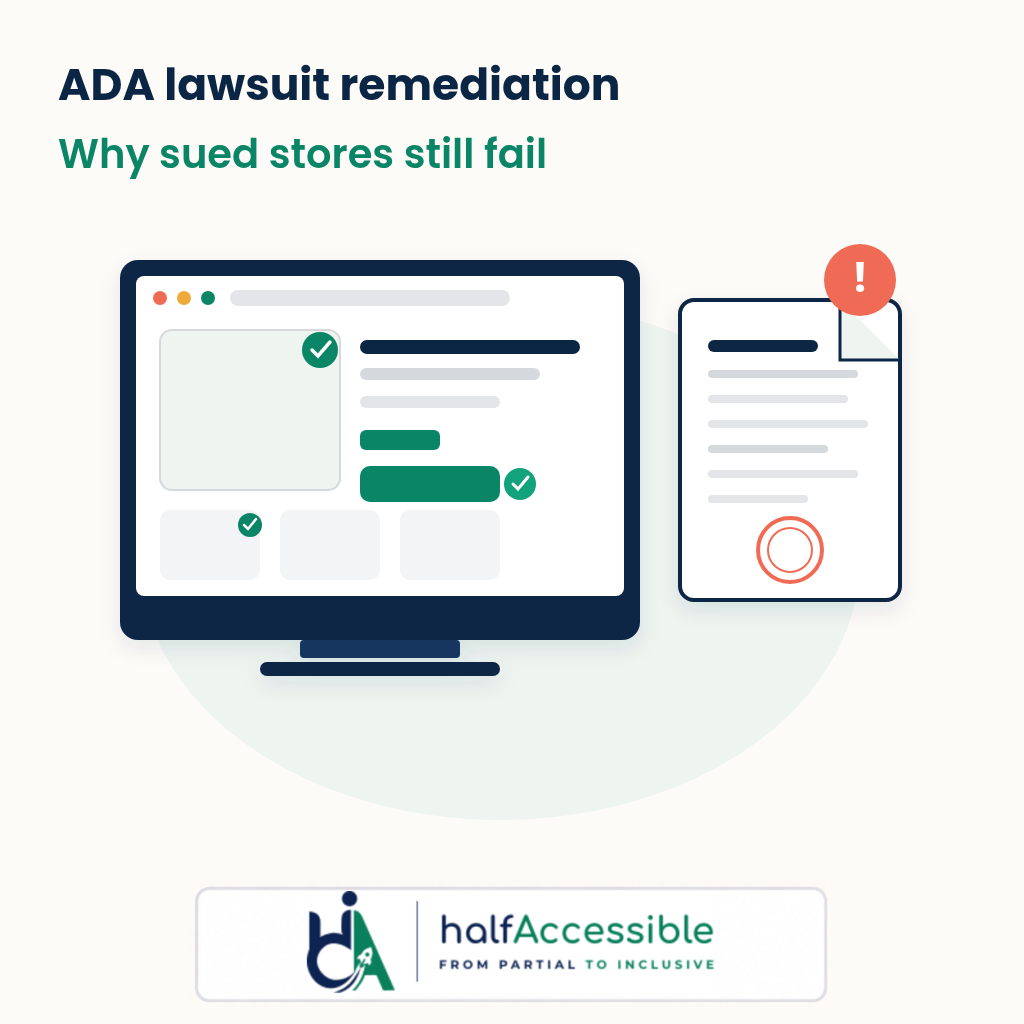
An ADA website filing is a risk signal, not a remediation programme. In late September 2026, independent scanners checked dozens of online stores that had just been named in federal ADA website lawsuits — and most still failed basic automated WCAG checks weeks after the complaint. That gap is what ADA lawsuit remediation has to close: named barriers fixed in code, verified with assistive technology, and kept clean after every theme, app, and campaign change.
This guide is written by accessibility testers who audit and remediate retail sites for a living. It is not legal advice. It explains what the late-September 2026 sued-store scans found, why settlements alone do not stop the next plaintiff, and a practical remediation sequence that matches what HalfAccessible delivers after a demand letter or complaint.
Choose Your Next Step
Received an ADA demand letter or complaint? Pick how you want to start. We test and fix websites; we do not give legal advice.
Free 30-Minute Call
Best for: anyone who just received a demand letter or complaint and is not sure where to start.
Tell us what was alleged. We explain where your site stands, what to fix first and which fixed-price next step fits, then send a quote. Keep your attorney in the loop.
Book a Free 30-Min Call (opens in a new tab)
1-Hour Technical Consultation ($100)
Best for: teams that need technical answers now, with their developer on the call.
A working session to check the barriers named in the letter against your live site, walk through an existing audit, or plan theme fixes with your developer.
Quick Audit ($500)
Best for: a prioritised, WCAG-mapped backlog of the pages a plaintiff tested.
Manual and automated testing of up to 5 page templates, with a top-10 issues report your developer and counsel can act on.
Remediation (Quote)
Best for: teams that already have an audit and need the code fixed and re-tested.
We fix shared theme templates first, then content and third-party apps, and re-test with a keyboard and screen readers. Quoted from your audit findings.
Prefer to write it down? Describe the letter in a free accessibility needs assessment (we reply within 2 business days). Or jump to what to do after an ADA demand letter and whether fixing your website can stop an active lawsuit.
What the Late-September 2026 Scans Actually Showed
Two independent automated studies published in the last week of September 2026 measured stores that had already been sued — not aspirational “best practice” demos.
Sued-Store Scans At A Glance (September 2026)
- 58 of 60: sued online stores still failed automated WCAG checks after the lawsuit was filed (Source: Thalia Bloom sued-store study)
- 32.5 days: median time between the filing and the scan that still found failures (Source: Thalia Bloom sued-store study)
- 220: median automated issues per sued Shopify store, across up to ten pages (Source: AccessComply Shopify lawsuit data)
- 13 of 17: stores sued 60 or more days before the scan still had a critical issue (Source: AccessComply Shopify lawsuit data)
Thalia Bloom: 60 sued stores, scanned 26–27 September 2026
Thalia Bloom’s sued-store study pulled defendants from CourtListener/RECAP federal dockets filed between 3 August and 25 September 2026, kept defendants that run an online store (skipping large national chains, hospitals, venues, and companies it could not match to a store with confidence), and ran axe-core WCAG 2.0 / 2.1 / 2.2 A and AA rules on each store’s home page plus the first collection and product pages it could reach (159 pages in total).
Key published findings:
- 58 of 60 stores still had at least one automated failure after being sued
- Median 40.5 failures per store (mean 65; highest 306)
- Median 32.5 days between filing and scan
- 39 of 60 had a critical failure (the kind that can stop a shopper outright)
- 50 of 60 had text too faint for low-vision shoppers
- 43 of 60 had an image, link, or button a screen reader cannot name
- Shopify powered 55 of 60; Shopify median was 44 failures
- Courts in the sample: S.D.N.Y. (43), N.D. Ill. (16), N.D. Ind. (1)
Thalia Bloom is explicit about limits that matter for ADA lawsuit remediation planning: automated checks are a floor, three pages are not a whole store, a zero count is not proof of accessibility, and a lawsuit remains an allegation — not a finding of liability.
AccessComply: 54 sued Shopify stores, scanned 21–24 September 2026
AccessComply’s Shopify ADA lawsuit data post scanned up to ten public pages on 54 Shopify stores named in federal website accessibility cases filed from May through September 2026. Updated 25 September 2026, the study reported:
- Median 220 automated issues per store
- 49 of 54 had at least one critical issue
- Most common: low text contrast (46 stores), skipped heading levels (44), tap targets under 24×24 px (40), unnamed links (31), videos without captions (30), images with no text alternative (28)
- Stores sued 60+ days before the scan still had a median of 214 issues; 13 of 17 still had a critical issue
- Median automated “score” of 85.2 / 100 (53 stores with a score) — proving a good score is not a clean store when one theme snippet fails on every page
AccessComply likewise frames the work as research, not legal advice, and notes that automated scans cannot vouch for carts, checkout, or third-party app content. It also says it is rescanning all 54 stores with an improved contrast measurement and will update its figures, so treat the numbers above as the 25 September snapshot.
Together, the two studies say the same operational thing: being sued did not reliably produce a clean storefront in the weeks that followed.
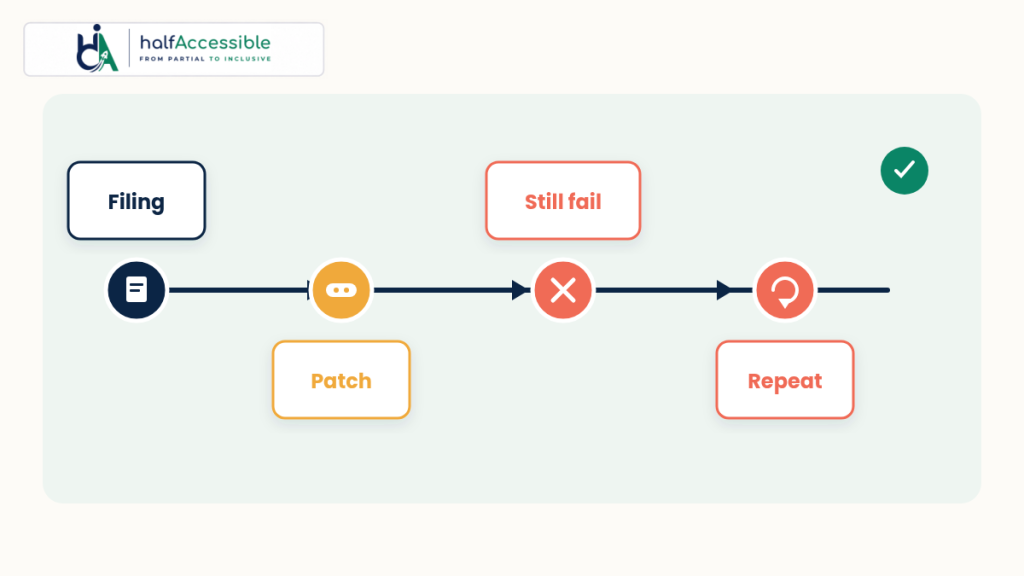
Why “We Got Sued” Is Not the Same as “We Remediated”
Plaintiffs and serial filers treat litigation history as a watch list. UsableNet’s review of 2025 digital accessibility filings reported that of more than 5,000 digital accessibility lawsuits filed by the end of 2025, 1,427 targeted companies that had already faced an ADA web accessibility claim — and in federal court alone, 46% of cases involved repeat defendants. UsableNet describes the pattern as settlement → limited remediation → new plaintiff → another filing, often within months.
Volume is rising too. Seyfarth Shaw’s ADA Title III count found 3,117 website accessibility lawsuits filed in federal court in 2025, up 27% from 2,452 in 2024 and 36% of all ADA Title III federal filings that year. Seyfarth counts federal cases only; UsableNet reports nearly 2,000 more website cases in New York and California state courts combined.
That is why HalfAccessible treats ADA lawsuit remediation as an operating model, not a one-week cleanup. Settlements bind the parties to that case; they do not freeze the site, bind the next plaintiff, or stop marketing from shipping another inaccessible banner the following Monday. For the federal ADA Title III web-and-mobile expectations plaintiffs plead against, start with the DOJ’s guidance on web accessibility and the ADA — then map every alleged barrier to a WCAG criterion you can retest.
National volume context sits in our 2026 ADA website lawsuit statistics. Venue-specific pleading patterns are covered in Minnesota ADA website lawsuits. Platform-specific traps are covered in Is Shopify ADA compliant? and our ecommerce & retail accessibility specialty.
What to Do After an ADA Demand Letter or Website Lawsuit
An ADA demand letter usually names the barriers a shopper says they met, cites the ADA (and sometimes a state law), and proposes a settlement. Whether you hold a letter or a filed complaint, the first two weeks decide whether ADA website remediation starts from evidence or from panic. This is the order we recommend to clients, working alongside their attorney:
- Do not ignore it, and send it to counsel the same day. Response deadlines in a letter or a summons are legal questions, not testing ones. We test and fix websites; we do not give legal advice.
- Preserve the site as it was. Save dated screenshots, HTML archives and any scan exports of the pages and journeys named, before anyone changes the theme (see Lesson 1 below).
- Map every alleged barrier to a WCAG success criterion. “Images with no description” is 1.1.1 Non-text Content, “could not check out with a keyboard” is 2.1.1 Keyboard, and “a button with no name” is 4.1.2 Name, Role, Value. That turns a letter into a test plan.
- Get a manual baseline of the named journeys. Test the exact flows in the complaint with a keyboard only and a screen reader such as NVDA, JAWS or VoiceOver, then the shared templates behind them. A $500 Quick Audit covers up to 5 page templates; the $2,000 Complete Audit covers up to 25 templates or key user flows.
- Fix in code, not with a widget. Remediate the theme, components and third-party apps, and log each fix as a ticket with its WCAG criterion and a re-test date. Overlays do not remove barriers from your code (see our overlay lawsuit evidence).
- Re-test and package the evidence. Re-test fixed issues with assistive technology and give counsel the audit report, the ticket log, the re-test results and an accessibility statement draft.
Want a quick look at the automated floor before the call? AccessibilityScore.in is a free WCAG scan powered by HalfAccessible and axe-core: paste one public page and it returns a score with issue-level remediation guidance. It checks a single page with automated rules, so treat it as a starting point that complements a manual audit, not as evidence for counsel. Then tell us what the letter alleges or book a $100 consultation to triage it.
Can Fixing Your Website Stop an Active ADA Lawsuit?
Sometimes, but never automatically. Federal courts treat a website claim like any other ADA Title III claim: if the defendant shows the barriers are fixed and are not reasonably expected to come back, the court can dismiss the claim as moot. The defendant carries that “voluntary cessation” burden, and courts have gone both ways:
- Dismissed as moot (S.D.N.Y., 2026). In a case Seyfarth reported in April 2026, a New York federal judge dismissed a website suit after the retailer filed a declaration describing its work with an accessibility consultant since 2023, its investigation of the alleged barriers, the one low-severity issue it then fixed, its plan for ongoing compliance and the consultant’s audit report. The plaintiff filed no evidence in reply. The dismissal was without prejudice, and the plaintiff could still bring New York state and city claims in state court.
- Dismissed as moot (S.D.N.Y., 2019). A suit against Kroger was dismissed after the company remediated the barriers (Seyfarth summary), while other judges in the same court had denied similar mootness motions.
- Not moot (11th Cir., 2018). In Haynes v. Hooters of America, a remediation plan agreed in another plaintiff’s settlement did not end a second suit: the site might not be fixed yet, the plaintiff also asked for an order to keep it maintained, and he could not enforce someone else’s settlement.
Remedies shape the stakes. Under 42 U.S.C. § 12188, the federal remedy for a private Title III plaintiff is injunctive relief (a court order to make the site accessible), not money damages, and 42 U.S.C. § 12205 lets the court award the prevailing party a reasonable attorney’s fee. State laws in New York and California can add damages claims, and UsableNet counted nearly 2,000 website cases in those two states’ courts in 2025.
The practical lesson for ADA lawsuit remediation: the evidence that persuaded the court in 2026 (a dated audit report, a fix log, re-test results and a written ongoing-compliance plan) is exactly what a proper audit and remediation programme produces. Whether it helps your case is your attorney’s call; producing it is ours. A manual WCAG audit, ADA website remediation and ongoing accessibility monitoring give counsel that file.
Lesson 1: Preserve Evidence, Then Baseline With Manual Testing
When a demand letter or complaint arrives, rush-to-overlay or silent theme swaps erase the record counsel may need. Preserve the site as it was (screenshots, HTML archives, dated scan exports). Then commission a manual baseline so you know which alleged barriers are real, which are disputed, and which live only in third-party widgets.
Automated counts from Thalia Bloom and AccessComply are useful for backlog sizing. They are not a conformance claim. Walk buy / book / apply journeys with keyboard-only navigation and at least one screen reader. Our methods guides cover manual keyboard accessibility testing, screen reader accessibility testing, automated accessibility testing, and mobile accessibility testing.
HalfAccessible’s Shopify accessibility audit, accessibility audit services, and sample audit report are built for that post-filing baseline.
Lesson 2: Fix the Barriers Plaintiffs Name Most Often — in Theme Code, Not in a Widget
Both late-September studies cluster around the same failure families that show up in shopper complaints:
- Contrast — WCAG 1.4.3 Contrast (Minimum) (Thalia Bloom: 50/60 stores; AccessComply: 46/54)
- Unnamed links and buttons — 2.4.4 Link Purpose and 4.1.2 Name, Role, Value (Thalia Bloom: 43/60 stores with an unnameable image/link/button)
- Missing image text alternatives — 1.1.1 Non-text Content (Thalia Bloom: 32/60; AccessComply: 28/54)
- Small tap targets — WCAG 2.2 2.5.8 Target Size (Minimum) (Thalia Bloom: 27/60; AccessComply: 40/54)
- Uncaptioned video — 1.2.2 Captions (Prerecorded) (AccessComply: 30/54)
- Keyboard-unreachable scroll areas and obscured focus — 2.1.1 Keyboard and WCAG 2.2 2.4.11 Focus Not Obscured (Minimum) (AccessComply: 22/54 and 27/54)
Overlays do not rewrite those failures out of your theme. Our evidence post — Do accessibility overlays prevent ADA lawsuits? — and UsableNet’s 2025 trend piece both underline the same point: widgets appear in complaints; they do not substitute for code remediation. Pair that with the DOJ web guidance when counsel asks what “accessible” means in practice for Title III shoppers.
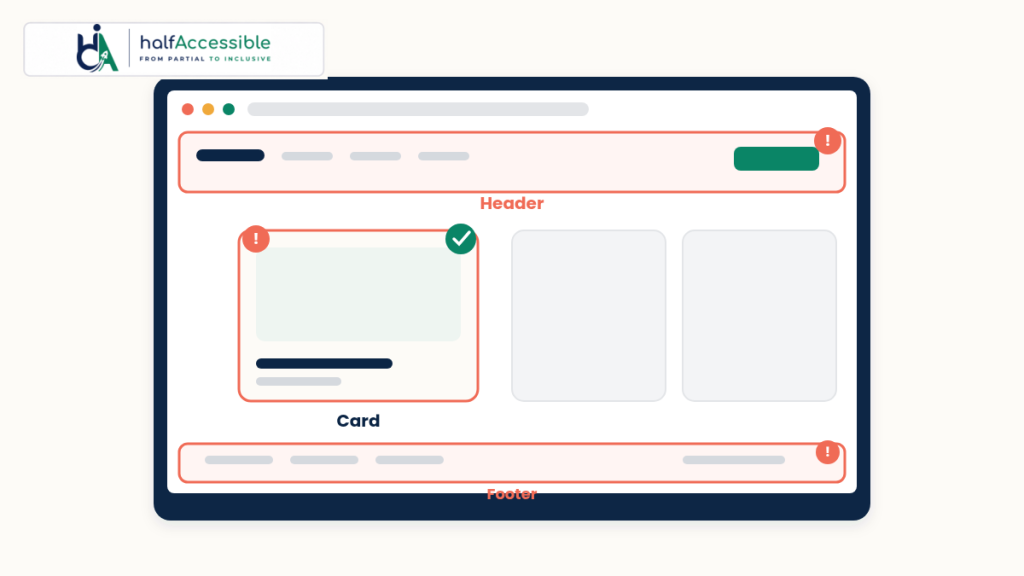
Map each finding to a ticket with the WCAG criterion, the component that owns it (header, product card, cart drawer), and a retest method. That is the difference between “we hired someone” and ADA lawsuit remediation counsel can defend.
Lesson 3: Prioritise Shared Templates Before One-Off Pages
AccessComply’s median score of 85.2 with hundreds of issues is the Shopify story in one number: one inaccessible header icon, sale badge colour, or product-card link name repeats on every page. Fix shared Liquid / theme sections, design tokens, and app embeds first. Then clear product alt text in admin for bestsellers. Then caption brand videos. Then retest the full cart-to-checkout path — including every app on the way — because public-page scanners deliberately skip authenticated flows.
Our accessible Shopify development and accessibility remediation services engagements are sequenced that way on purpose.
Lesson 4: Treat Settlement Deadlines as Programme Milestones, Not Finish Lines
Minnesota-style injunctive pleadings summarised in our Minnesota ADA website lawsuits post often read like an operating model: time-boxed audit, written policy, named owner, vendor WCAG language, staff training, and ongoing automated plus manual testing. That last item is where most failed ADA lawsuit remediation programmes die.
AccessComply’s cohort sued 60+ days earlier did not look markedly cleaner than stores sued the week before. Calendar time after a filing is not remediation. Release discipline is.
Stand up:
- A dated issue register tied to WCAG criteria
- Continuous accessibility monitoring on production
- Pre-release checks in CI where you can (continuous integration accessibility testing glossary)
- Accessibility training workshops for marketers who edit themes and landing pages
- Vendor clauses that name WCAG 2.1 or 2.2 Level AA for any app that touches browse, cart, or checkout
Lesson 5: Aim for WCAG 2.2 AA Engineering Hygiene Even When Pleadings Cite 2.1
Courts and complaints commonly reference WCAG 2.1 Level AA. AccessComply and Thalia Bloom both exercised WCAG 2.2 rules as well — and several of the highest-frequency failures (target size, focus not obscured) are 2.2 criteria. Building to WCAG 2.2 AA generally covers the 2.1 AA set (with 4.1.1 Parsing removed as obsolete) plus those newer mobile and focus criteria. Document against whatever counsel names in the settlement, and keep the engineering target current.
For European shoppers and EAA-covered services, pair this work with our European Accessibility Act guide and the EN 301 549 v4.1.1 update.
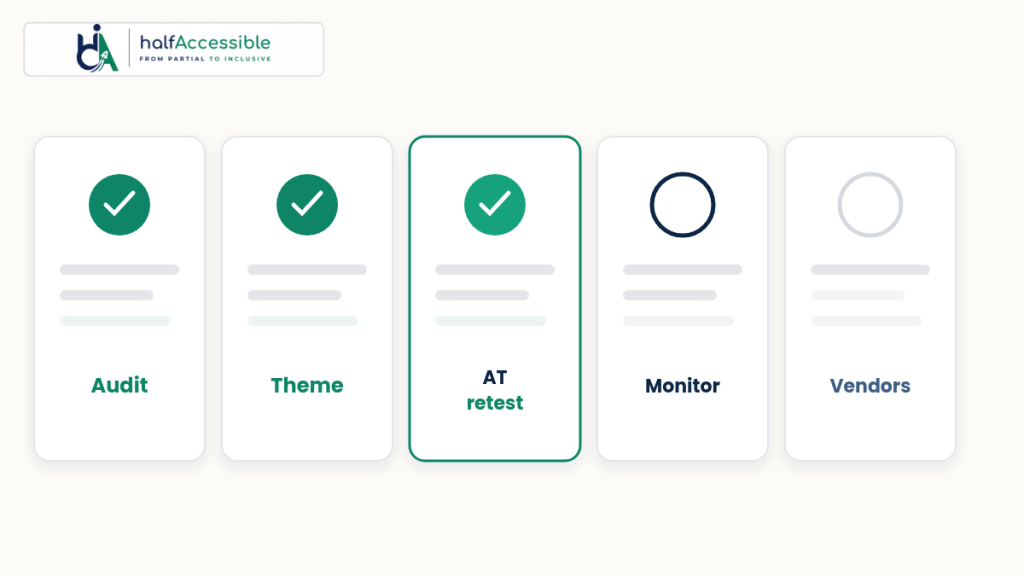
Lesson 6: Retest With People and AT — Then Publish Proof You Can Show Counsel
After code lands:
- Re-run the same automated ruleset used in your baseline so delta is apples-to-apples
- Keyboard-only purchase path
- Screen reader pass on JAWS, NVDA, or VoiceOver for the journeys named in the complaint
- Spot-check mobile tap targets and sticky chrome that obscures focus
- Archive dated before/after evidence
HalfAccessible’s ADA website remediation case study and website accessibility audit and remediation write-ups show what that verification loop looks like in client work — not a scanner badge pasted into a settlement letter.
Lesson 7: Do Not Wait for the Second Filing to Fund the First Fix
UsableNet’s 46% federal repeat-defendant rate is the cost of treating lawsuit one as theatre. The late-September scans show many first-time defendants had not even cleared the automated floor a month later. Budget remediation when the letter arrives — or better, before — so the settlement, if any, describes work already underway rather than work you hope to invent under a court clock.
If you sell through Shopify, start with the platform-specific mistakes in Is Shopify ADA compliant?, the broader ecommerce & retail accessibility playbook, and a scoped Shopify accessibility audit.
ADA Lawsuit Remediation Plan and Cost: What We Do After a Demand Letter
This is how an ADA lawsuit remediation engagement runs with HalfAccessible, and what each step costs. Our packages are fixed prices, not hourly rates, and you get the scope in writing before work starts. If the complaint covers more than one site or a public-sector portal, our ADA and Section 508 accessibility audit scopes the whole estate.
| Step and price | What you get |
|---|---|
| 1. First conversation Free | A free 30-minute call to understand what was alleged and where your site stands, so we can scope the work and send a fixed-price quote. Best if you are not sure yet what you need. |
| 2. Technical triage $100 | A 1-hour technical accessibility consultation. We check the barriers named in the letter or complaint against your live site, with your developer if you like, and send a written summary within 24 hours. |
| 3. Baseline audit $500 or $2,000 | A $500 Quick Audit covers up to 5 page templates with a top-10 issues report. The $2,000 Complete Audit from our accessibility audit services covers up to 25 templates or key user flows with full manual testing in JAWS, NVDA and VoiceOver. Shopify stores get product, cart and checkout coverage in the $2,000 Shopify accessibility audit. |
| 4. Ticketed fixes Quoted from the audit | Our ADA remediation services fix shared theme templates first, then content, captions and third-party apps, with every ticket mapped to a WCAG criterion. You pay for your real backlog, not a guess. |
| 5. Re-test and evidence Included in the Complete Audit | A re-test of fixed issues and an accessibility statement draft, so counsel gets dated before-and-after evidence. |
| 6. Keep it clean Quoted | Ongoing accessibility monitoring services plus training for the people who edit themes and campaigns, so the next release does not reopen the problem. |
Audits are led by our founder, who holds the IAAP CPACC, WAS and CPWA certifications (see IAAP and our team) and has 10+ years in digital accessibility. Compare every package on our pricing page, or read what drives accessibility audit cost before you request quotes.
Start ADA Lawsuit Remediation Before the Next Plaintiff Does
Late-September 2026 data is blunt: most recently sued stores in those samples still failed automated checks weeks later, and 2025 filing data shows nearly half of federal digital accessibility cases hit repeat defendants. Treat the complaint as a testing brief. Fix shared templates. Retest with real assistive technology. Monitor production. Put WCAG into every app contract.
If you need a prioritised post-filing backlog, start a $500 Quick Audit, tell us about the demand letter in a free needs assessment, or book a free 30-minute call to talk through where you stand. If your developer needs expert answers now, book the $100 one-hour technical consultation instead. Shopify merchants can go straight to the $2,000 Shopify accessibility audit, and teams that already have an audit can start accessibility remediation services with a team led by an IAAP-certified founder that already tests the paths plaintiffs document. Every price is on our pricing page.