Corporate Websites
Marketing websites, blogs, landing pages, CMS updates, campaign pages, navigation, forms, and downloadable resources.

accessibility isn't a one-time project. it's an ongoing program.
Websites and apps change every week, and every release can bring accessibility barriers back. HalfAccessible combines scheduled automated scans with manual WCAG 2.2 AA reviews, screen reader regression testing and governance — so you catch issues before users or a demand letter do. Led by founder Mohammad Shadab Saifi (IAAP CPACC, WAS, CPWA). New here? Book a free 30-minute call. Need hands-on technical answers now? Book the $100 hour.
Start Here
Not sure what you need yet? Start with the free call. Ready for a monitoring quote? Share your sites and release cadence. Need hands-on technical answers now (regression walkthrough, developer Q&A or live review)? Book the $100 hour. No baseline yet? A $500 Quick Audit or $2,000 Complete Audit sets one first.
get in touch
Tell us what you’re working on and where you need support. Our accessibility specialists can help with audits, remediation, VPAT/ACR, accessible development, and ongoing compliance.
Free 30-minute consultation (opens in new tab)
Free 30-minute call: talk through where you stand, scope a project or get a quote.
Need technical answers now? Book the $100 one-hour consultation to walk through an audit, talk with a developer or review your site live.
Indicates a required field.
Your information is kept private and never shared with third parties.
A one-time audit shows where you stand on one day. After that, every release, CMS edit and third-party update can bring barriers back. Our ongoing accessibility monitoring pairs scheduled scans with manual WCAG 2.2 checks and screen reader regression testing every cycle, then hands your team clear fixes, so monitoring and remediation stay in step. No baseline yet? Start with an accessibility audit, then fix what it finds with accessibility remediation.
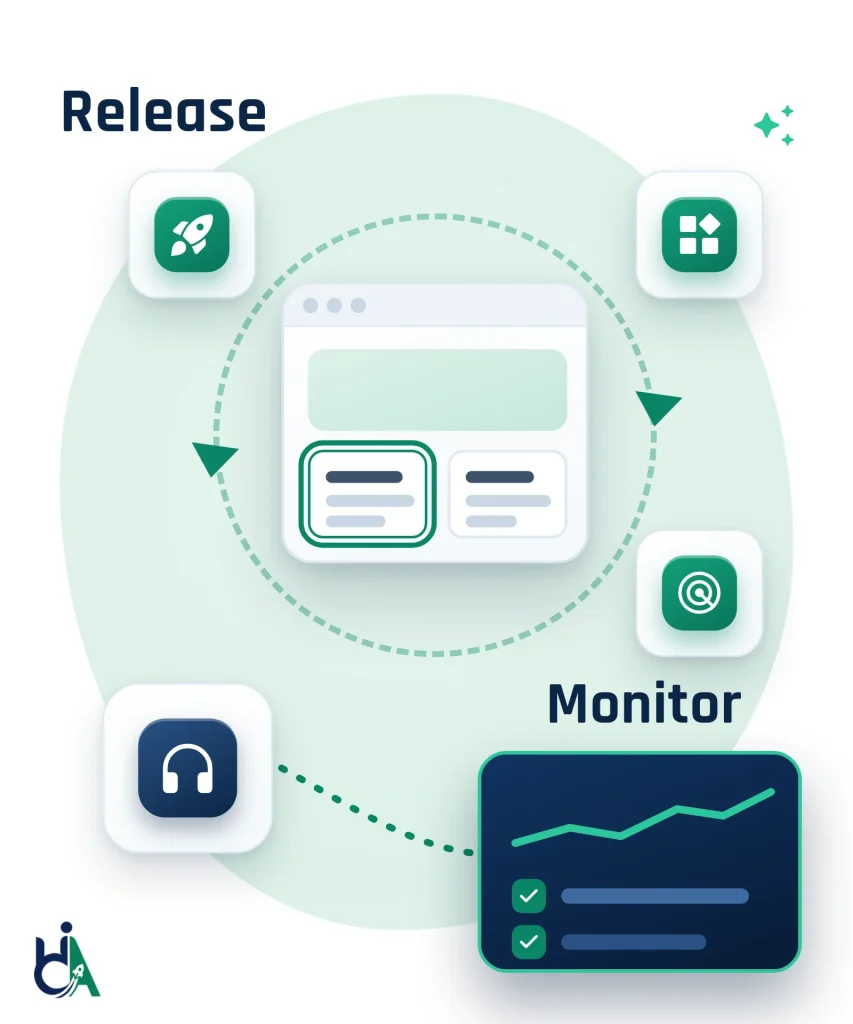
New buttons, menus, modals and form controls are checked for keyboard access, focus, names, contrast and ARIA before they spread across your product.
Chat tools, embeds, scheduling widgets, consent banners and payment flows can break accessibility outside your own code, so we test them too.
CMS edits, landing pages, uploaded PDFs, banners and campaigns can add missing alt text, broken headings and unclear links.
Dashboards, filters, data tables, AI features and self-service portals are tested before major releases, not after complaints.
Redesigns can quietly lower contrast, hide focus indicators, shrink touch targets or break layouts on small screens.
CMS, plugin, JavaScript framework and design system upgrades can change behaviour and cause regressions across many pages at once.
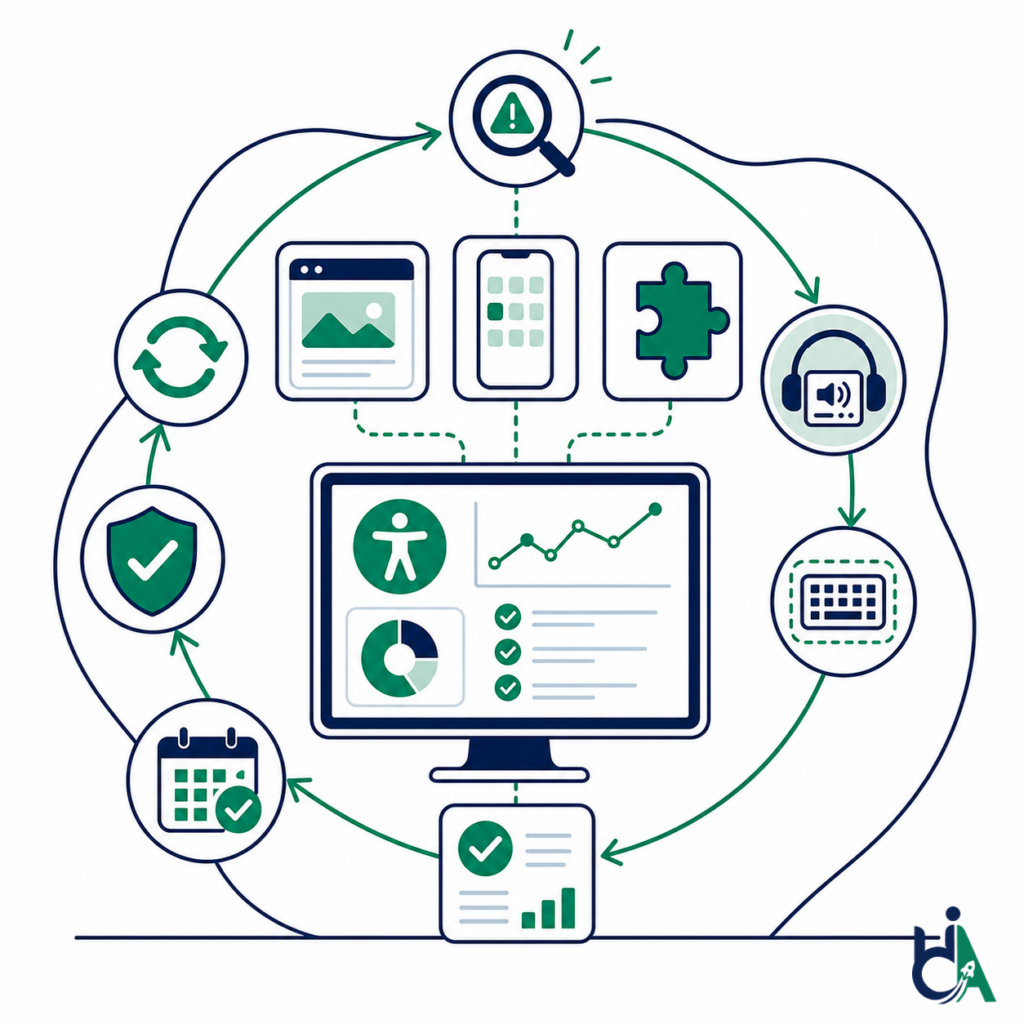
Accessibility monitoring is the ongoing process of checking websites, apps and documents for new accessibility issues as they change. An accessibility monitoring service combines scheduled automated scans, which catch repeatable WCAG failures, with manual reviews, screen reader regression testing and release checks, which catch what automation misses. A one-time audit shows where you stand on one day; continuous monitoring keeps you there.
Accessibility governance turns WCAG compliance into an operational program. It defines ownership, policies, testing checkpoints, release reviews, design standards, reporting, and continuous improvement so accessibility does not disappear after a single audit.
We monitor corporate websites, web applications, SaaS products, mobile apps, digital documents, and design systems.
Marketing websites, blogs, landing pages, CMS updates, campaign pages, navigation, forms, and downloadable resources.
Customer portals, admin dashboards, internal systems, enterprise software, workflows, forms, modals, tables, and authenticated experiences.
Multi-tenant applications, AI platforms, analytics dashboards, CRM interfaces, ERP workflows, onboarding flows, and product releases.
Android, iOS, hybrid apps, responsive web experiences, mobile navigation, gestures, forms, and screen reader interactions.
PDF libraries, government documents, annual reports, forms, policy documents, statements, and recurring document workflows.
Component libraries, reusable UI, accessibility tokens, pattern libraries, Figma components, documentation, and component QA.
Accessible design reviews, Figma reviews, component standards, design tokens, pattern guidance, annotations, and design QA.
Coding standards, accessible components, semantic HTML, ARIA review, keyboard support, code review guidance, and implementation support.
Automated testing, manual WCAG reviews, regression testing, screen reader testing, keyboard validation, and release sign-off.
Scheduled reviews, accessibility dashboards, issue tracking, KPIs, compliance trends, and recurring health reports.
Training, knowledge sharing, accessibility maturity planning, product roadmaps, backlog prioritization, and governance refinement.
Executive summaries, quarterly reports, risk areas, progress metrics, issue trends, and program maturity updates.
Accessibility monitoring services that check your sites, apps and documents every cycle. Each card shows what we check, the regressions we find most often, and what you get.
Scheduled automated scans run across your key templates and journeys, and a person reviews every new finding before it reaches your backlog.
Fixes you already paid for can break again after releases, redesigns, refactors, dependency updates and CMS changes.
Accessibility checks before production deployment, so barriers are caught before your users or a demand letter find them.
Scans cannot judge whether a page actually works for people, so a person reviews the journeys that matter most every cycle.
Screen reader regression checks confirm what assistive technology users actually hear after each release.
New PDFs, forms and reports are published every week, so document libraries need checks too.
Chat widgets, cookie banners, booking tools, payment forms and embeds change whenever the vendor updates them, not when you release.
Governance turns monitoring results into owned work, with clear policies, roles and reports.
Monitoring only helps if someone fixes what it finds.
One program can cover your marketing site, web app, customer portal and iOS and Android apps.
Multi-module platforms such as insurance claims systems, ERPs, patient portals and banking apps need a repeatable regression suite.
The ADA Title II web rule requires state and local government web content and mobile apps to meet WCAG 2.1 AA.
| What You Get | One-Time Audit | Continuous Monitoring |
|---|---|---|
| Monitoring model | One-time audit | Ongoing accessibility program |
| Release risk | Issues found after launch | Release validation before production |
| Fix durability | Fixes can regress silently | Regression testing tracks recurring issues |
| Ownership | Accessibility owned by one person | Governance defines team responsibilities |
| Reporting | Static audit report | Dashboards, KPIs, trends, and executive summaries |
| Scale | Project-by-project accessibility | Design system, CI/CD, QA, and training support |
| What gets checked | Sampled pages and journeys on one date | Priority journeys every cycle, plus the releases you flag |
| Automated scans | One scan to support manual testing | Scheduled scans between reviews, each finding confirmed by a specialist |
| Remediation | A prioritized fix list delivered once | Fixes retested every cycle so they stay fixed |
| Best for | A baseline, VPAT evidence or a demand letter response | Sites and apps that release often or must stay compliant |
| Pricing | Fixed: $500 Quick Audit or $2,000 Complete Audit | Quoted after a free needs assessment |
Our governance approach aligns accessibility with everyday product development rather than treating it as an isolated compliance task.
We start from a manual WCAG 2.2 AA audit of your key templates and journeys, from us or another vendor, so monitoring measures change against a known starting point. No audit yet? Start with a $500 Quick Audit or a $2,000 Complete Audit.
Together we choose the sites, apps, documents and user journeys to monitor, agree the target standard and name an accessibility owner in design, engineering, QA and content.
We set up recurring automated scans of your key pages and templates to flag repeatable WCAG failures, such as missing labels, low contrast and empty links, between manual reviews.
We help your developers run axe-core checks in CI/CD and component tests with GitHub Actions, GitLab CI, Azure DevOps, Jenkins, Playwright, Cypress or Storybook, so new code is checked before it ships.
On a monthly or quarterly cycle, our specialists retest priority journeys with a keyboard, NVDA, JAWS, VoiceOver and TalkBack to catch the focus, reading order and meaning issues automation misses.
Each cycle you get a report of new, fixed and regressed issues ranked by severity and user impact, with developer-ready fix guidance and KPIs your leadership can track. Our remediation team can make the fixes for you.
Every quarter we review trends, update policies, design system guidance and training, and adjust the monitoring scope as your products and legal obligations change.
Scheduled scans of key pages and templates catch repeatable WCAG failures quickly. They cannot judge alt text quality, focus order or screen reader meaning, so we never treat a clean scan as proof of conformance.
Specialists review a representative sample of pages and journeys, following the W3C WCAG-EM evaluation approach, and confirm each issue against WCAG 2.2 Level AA.
Accessibility tests in your pipeline and component library stop common regressions before release, using axe-core with Playwright, Cypress or Storybook.
Previously fixed issues are retested with a keyboard, NVDA, JAWS, VoiceOver and TalkBack, so fixes do not quietly break after a redesign, refactor or dependency upgrade.
We track the standards you answer to: WCAG 2.2 AA, ADA Title II (WCAG 2.1 AA by April 26, 2027 or April 26, 2028, depending on population), Section 508 (WCAG 2.0 AA) and the European Accessibility Act with EN 301 549.
Dashboards and reports track open, fixed and regressed issues, accessibility debt, mean time to resolution and releases validated, and can feed your accessibility statement or VPAT updates.
A clear policy that defines standards, goals, ownership, responsibilities, escalation, testing expectations, and governance requirements.
A practical operating model for product, design, engineering, QA, content, procurement, legal, and leadership teams.
A prioritized plan for monitoring, remediation, design systems, training, reporting, process changes, and maturity improvements.
Recurring reports that summarize progress, open risks, fixed issues, trends, regressions, validated releases, and program health.
Dashboards for critical issues, high-priority issues, WCAG coverage, accessibility debt, mean time to resolution, regression rate, and releases validated.
A score or summary that helps teams understand current accessibility posture and where improvement is needed.
Identification of high-risk journeys, product areas, document sets, third-party integrations, compliance gaps, and release risks.
Leadership-friendly summaries that explain accessibility progress, risk areas, team performance, and next recommended actions.
Monitoring programs are led by founder Mohammad Shadab Saifi, who holds the IAAP CPACC, WAS and CPWA credentials and is a DHS Section 508 Trusted Tester, backed by 10+ years of accessibility experience across websites, apps, documents and design systems.
We support accessibility as an ongoing operational program, not a one-time audit that disappears after delivery.
Our monitoring approach combines automated scans with manual review, regression testing, and real user-focused validation.
We help define policies, ownership models, review processes, KPIs, dashboards, and executive reporting.
Engineering teams receive practical issue descriptions, reproduction details, remediation guidance, and code-aware support.
Monthly, quarterly, and enterprise monitoring programs help maintain accessibility as products evolve.
Accessibility lasts when it is part of your design, development, testing and release process. Tell us which sites, apps and documents you need to keep accessible and how often you release, and we reply within 2 business days with a recommended monitoring scope. No baseline yet? Start with a $500 Quick Audit. Monitoring is quoted after scoping; baseline audits are a fixed $500 or $2,000, and monitoring follows the same baseline. Not sure what you need yet? Book a free 30-minute call to talk through where you stand and get a monitoring quote. If your team needs hands-on technical answers now, such as reviewing regressions live or talking with your developer about specific issues, book the $100 one-hour consultation.
Get a Free Monitoring AssessmentAnswers to common questions about accessibility monitoring, governance, regression testing, CI/CD support, release validation, web and mobile monitoring, what automated tools miss, WCAG monitoring, ADA Title II, reporting, KPIs, and long-term WCAG compliance.
Accessibility monitoring is the ongoing process of scanning, reviewing, testing, and tracking digital accessibility as websites, applications, documents, and content change over time, usually measured against WCAG 2.2 Level AA.
Frequency depends on release cadence and risk. Many organizations use monthly scans, quarterly manual reviews, and release validation for high-impact changes.
A one-time audit captures issues at one moment. New releases, CMS updates, third-party widgets, content changes, and design updates can introduce new issues after the audit is complete.
Yes. We can review authenticated applications and protected workflows when appropriate access, test accounts, and environments are provided.
Yes. Monitoring programs can include monthly accessibility reports, issue summaries, trends, risks, and recommended next actions.
Yes. We can monitor multiple websites, applications, brands, portals, product areas, and document libraries as part of one program. That suits retail groups with many storefronts (see ecommerce accessibility) and dealer groups running dozens of dealership sites (see automotive accessibility).
Enterprise monitoring programs can include release validation for major releases, high-risk features, or agreed release checkpoints.
Yes. We can review designs, prototypes, staging environments, pull requests, or release candidates before launch.
Yes. We can review third-party plugins, widgets, embeds, chat tools, cookie banners, payment flows, and other integrations that affect accessibility.
Yes. We can help create accessibility policies, standards, roles, responsibilities, review processes, escalation paths, and reporting expectations. W3C’s guidance on planning and managing web accessibility and its draft Accessibility Maturity Model are useful references, and our article on reducing post-development accessibility work shows how policy turns into everyday practice.
Yes. We support enterprise programs with governance frameworks, dashboards, KPIs, release validation, design reviews, reporting, and ongoing consulting. For U.S. organizations, the Justice Department’s ADA web guidance sets the context, and federal teams can use Section508.gov’s guidance on managing an accessibility program and testing.
Yes. We can help define KPIs such as critical issues, high-priority issues, WCAG coverage, accessibility debt, mean time to resolution, regression rate, pages tested, components reviewed, and releases validated.
Regression testing checks whether previously fixed accessibility issues have returned after releases, refactors, design changes, CMS updates, or dependency upgrades.
Yes. We can help integrate accessibility checks into GitHub Actions, Azure DevOps, GitLab CI, Jenkins, Playwright, Cypress, axe-core, and Storybook workflows.
No. Automated scans are useful for repeated checks, but manual testing is needed for keyboard behavior, screen reader meaning, focus order, complex interactions, and real usability. W3C’s evaluation overview explains why both are needed. Our guides to automated testing, keyboard testing and screen reader testing show what each method catches.
Yes. We include iOS, Android, hybrid apps and mobile web in monitoring and release validation. Priority screens and journeys are tested with VoiceOver and TalkBack against WCAG 2.2 AA, including target size, orientation, text resizing and gestures, and an app release can be checked before it goes to the app stores. See our mobile accessibility testing guide.
Yes. Monitoring can include PDF libraries, government documents, annual reports, forms, policy documents, and recurring document workflows. When monitoring finds inaccessible files, our PDF remediation services can fix them.
Yes. Dashboards can track open issues, fixed issues, trends, WCAG coverage, risk areas, accessibility debt, and team progress.
Yes. We review components, design tokens, Figma patterns, reusable UI, documentation, component QA, and accessibility guidance for design systems.
Yes. Monitoring and governance programs can include training, office hours, knowledge sharing, documentation, and role-specific guidance. For structured sessions, see our accessibility training workshops.
Release validation is accessibility testing before production deployment to identify issues in new features, components, flows, or content before users encounter them.
Yes. Monitoring helps teams track WCAG 2.2 issues over time and maintain accessibility as products evolve. Keep in mind that automated monitoring on its own cannot confirm full WCAG 2.2 Level AA conformance; automated checks catch only part of the criteria. Confirming conformance needs manual evaluation, for example following W3C’s WCAG-EM evaluation methodology and testing guidance. Our programs combine both.
Yes. We can provide executive reports that summarize progress, risks, trends, open issues, fixed issues, and recommended priorities.
Yes. We prioritize issues by severity, user impact, compliance risk, affected journeys, technical effort, and release urgency.
Monthly plans work well for steady oversight, quarterly plans fit periodic governance reviews, and enterprise plans support release validation, design reviews, training, KPI reporting, and priority support.
Tell us which sites, apps, documents and user journeys need monitoring, how often you release and which standards or deadlines apply through our free accessibility needs assessment, and we reply within 2 business days with a recommended program scope. No baseline audit yet? Start a $500 Quick Audit. Still exploring? Book a free 30-minute call to talk through where you stand and get a quote. If your developers need technical answers now, such as reviewing regressions live or walking through audit findings, the $100 one-hour consultation is the hands-on option.
A one-time audit is a detailed snapshot: specialists test your site against WCAG 2.2 AA on one date and give you a list of issues to fix. Continuous monitoring keeps checking after that date, with scheduled automated scans, manual and screen reader reviews and release checks, so new barriers and regressions are caught as your site changes. Most organizations need both: an audit to set the baseline, then monitoring to keep it. Start with a $500 Quick Audit or see our accessibility audit services.
Yes. When monitoring finds new or regressed issues, our accessibility remediation team can fix them in your code, retest them with assistive technology and confirm them in the next report, or hand developer-ready tickets to your own team. Remediation and monitoring can run as one program under a single scope.
Monitoring is quoted after scoping, because the price depends on how many sites, apps and documents you have, how often you release and how much manual and screen reader testing each cycle needs. It is part of the Enterprise Program on our pricing page. Baseline audits have fixed prices: a $500 Quick Audit (up to 5 page templates) or a $2,000 Complete Audit (up to 25 templates or key flows, full manual testing and a re-test of fixed issues). Request a free needs assessment to get a monitoring scope.
No. Automated and AI-driven scans are useful for catching repeatable failures, but they cannot judge meaningful alt text, focus order or what a screen reader announces. In a UK Government Digital Service test of 13 automated tools, the best found only 40% of 142 known barriers (GDS tool audit). Overlay widgets do not fix the underlying code either; see accessibility overlays and ADA lawsuits. Our monitoring always includes manual and assistive technology testing.
Yes. For multi-module platforms such as insurance claims systems, ERPs, patient portals or banking applications, we agree a set of priority user journeys and retest them every month or quarter, and before major releases, with a keyboard, NVDA, JAWS and VoiceOver. Effort depends on the number of modules and journeys, so we quote it after a free needs assessment.
We are a service, not a software platform. Our specialists run the scans, manual reviews and screen reader tests for you with established tools such as axe-core, WAVE and your own CI/CD pipeline. If you already license a scanning platform, we can work alongside it, validating its findings and adding the manual checks it cannot do.
Automated tools reliably catch repeatable failures such as low contrast, missing form labels, empty links and missing alt attributes. They cannot judge whether alt text is meaningful, whether focus order makes sense or what a screen reader actually announces. In Deque’s analysis of more than 2,000 audits, automated tests found 57.38% of issues by volume but flagged issues under only 16 of 50 WCAG 2.1 AA success criteria, and every focus order and focus visible issue was found manually (Deque coverage report). That is why every monitoring cycle we run includes manual keyboard and screen reader checks.
Yes. One program can cover websites, web apps, customer portals, iOS and Android apps and document libraries. We agree priority journeys for each property, test them the same way every cycle and report all findings in one place, so you can compare brands and platforms over time. Apps are tested with VoiceOver and TalkBack. A free needs assessment sets the scope.
WCAG monitoring is regular testing of your website or app against the Web Content Accessibility Guidelines, usually WCAG 2.2 Level AA, to catch new failures as content and code change. Good WCAG monitoring tracks results by success criterion, so you can see which criteria keep failing, which fixes held and where a component fix or training would stop repeat issues. Scheduled scans cover the criteria automation can test, and manual reviews cover the rest.
We start from a baseline audit of each product, then agree a shared set of priority journeys and components. Automated checks run in each product’s CI/CD pipeline and on a schedule, and our specialists retest the priority journeys monthly or quarterly with a keyboard and screen readers. Each issue is tagged by product, component and release, so a shared design system bug is fixed once and verified everywhere it is used, and portfolio reports show the regression rate and time to fix for each product.
Yes. The ADA Title II rule requires state and local government web content and mobile apps to meet WCAG 2.1 AA by April 26, 2027 for entities serving 50,000 or more people, or April 26, 2028 for smaller entities and special districts, and after that date they must continue to make sure their content meets the standard (ADA.gov fact sheet). Monitoring checks that new pages, forms and documents still conform and keeps a dated record of testing and fixes. See our ADA Title II deadline guide.
We agree an escalation path when we scope the program, so a critical issue, such as a checkout, sign-in or form that a keyboard or screen reader user cannot complete, is flagged to your named contact once it is confirmed instead of waiting for the next cycle report. It comes with the affected page or screen, the WCAG criterion, steps to reproduce and a suggested fix, and we retest it when your team ships the fix. Our remediation team can also make the fix for you.
Yes. Ongoing accessibility monitoring is a managed service here, not a dashboard you are left to interpret alone. Each cycle we run scheduled automated scans, confirm every finding by hand, re-test your priority journeys with a keyboard and screen readers such as NVDA, JAWS and VoiceOver, check the releases you flag, and send a report with WCAG 2.2 AA references and suggested fixes. When something regresses, our accessibility remediation service can fix it in your code and confirm it in the next report, so monitoring and remediation run as one program.
A typical cycle covers: automated scans of the agreed pages, templates and apps; manual WCAG 2.2 AA review of new or changed components; keyboard and screen reader regression testing on key journeys such as sign-up, search, checkout and forms; a check that previously fixed issues are still fixed; and a short report with priorities, trends and owners. Monthly plans suit sites that release often, quarterly plans suit slower-changing sites, and the exact scope is set after a free needs assessment. Programs are led by founder Mohammad Shadab Saifi (IAAP CPACC, WAS and CPWA, DHS Section 508 Trusted Tester, 10+ years).
Run a free scan for a quick snapshot. Our AccessibilityScore.in tool runs a free WCAG scan powered by axe-core and gives an accessibility score with issue-level guidance. Treat it as a starting point: automated rules cannot check every WCAG requirement, so keyboard, focus and screen reader problems still need manual testing. For a proper monitoring baseline, a $500 Quick Audit tests up to 5 templates by hand, and a $2,000 Complete Audit covers up to 25 templates or key flows.
Book the free 30-minute call if this is your first conversation with us: we find out which sites, apps and documents you run, how often you release and what is driving the work (a past audit, a demand letter, procurement or a deadline), then give you a monitoring quote. It is the right first step for most teams. Book the $100 one-hour consultation when you need a hands-on technical session now, for example reviewing a regression live, walking through an existing audit report, or talking with your developer about adding accessibility checks to your release pipeline.
Most teams start with a 3- or 6-month monitoring engagement so we can see trends across several release cycles, then renew on a monthly or quarterly plan. Shorter pilots work when you need to prove value before a longer contract. Scope and cadence are set after a free needs assessment or a free 30-minute call. If your developers need a hands-on technical session on how to plug monitoring into the pipeline, book the $100 one-hour consultation.
A list of the sites, apps and documents to cover, staging or production access (or a test account for password-protected apps), how often you release, any past audit or VPAT, and who owns fixes on your side. Designs, a component library and a release calendar help us quote faster. Share them through the free needs assessment or book a free 30-minute call. We reply within 2 business days with a recommended monitoring scope.