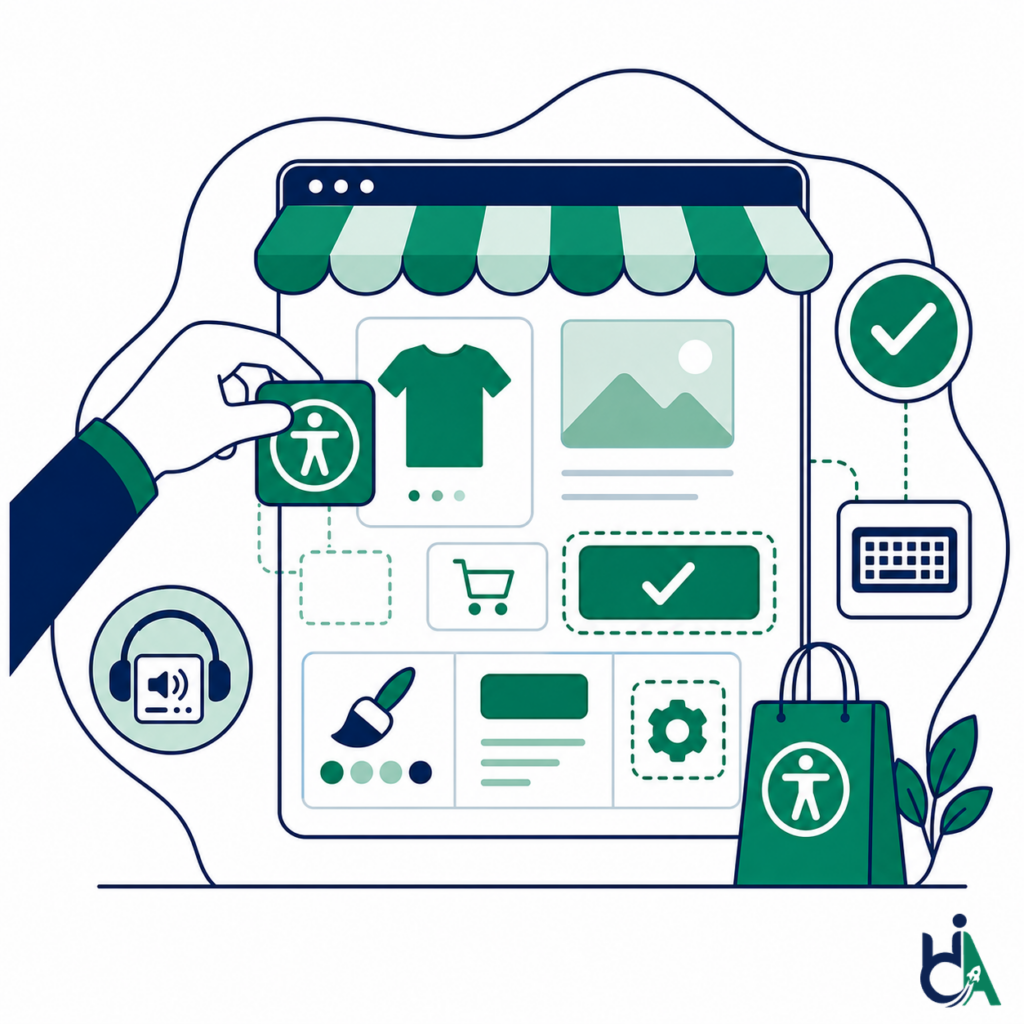
Reach More Customers
Accessible storefronts support shoppers who use keyboards, screen readers, magnification, captions, voice input, and other assistive technologies.

shopify accessibility development
Accessible Shopify development by HalfAccessible: we design and build Shopify and Shopify Plus stores, custom Liquid themes and headless storefronts to WCAG 2.2 Level AA from day one. Every build is founder-led by Mohammad Shadab Saifi (CPACC, WAS, CPWA, 10+ years) and tested with a keyboard, NVDA, JAWS and VoiceOver, not just automated scanners.
New here or still scoping? Start with the free call. Ready to build or rebuild? Get a project quote. Need technical answers from an expert now? Book the $100 hour. Store already live? A $500 Quick Audit or the $2,000 Shopify Accessibility Audit maps what to fix first.
get in touch
Tell us what you’re working on and where you need support. Our accessibility specialists can help with audits, remediation, VPAT/ACR, accessible development, and ongoing compliance.
Free 30-minute consultation (opens in new tab)
Free 30-minute call: talk through where you stand, scope a project or get a quote.
Need technical answers now? Book the $100 one-hour consultation to walk through an audit, talk with a developer or review your site live.
Indicates a required field.
Your information is kept private and never shared with third parties.
Accessible Shopify development is the process of designing and building Shopify stores that are usable by people with disabilities. It combines Shopify development best practices with WCAG accessibility requirements, ensuring customers can browse products, search, filter, add items to their cart, and complete checkout using keyboards, screen readers, and other assistive technologies. Shopify's theme accessibility best practices are written with WCAG in mind, but Shopify itself notes that following them alone does not guarantee an accessible theme, and apps, content and checkout extensions add their own barriers. We build Liquid themes and headless storefronts to WCAG 2.2 Level AA and test them manually, in line with ADA.gov web guidance for US stores and the European Accessibility Act for EU shoppers.
Instead of fixing accessibility barriers after launch, we plan, design, develop, and test Shopify experiences so accessibility is part of the store from day one.
Accessibility isn’t just about compliance—it’s about creating a better shopping experience.
Accessible storefronts support shoppers who use keyboards, screen readers, magnification, captions, voice input, and other assistive technologies.
Clear navigation, usable forms, readable content, and predictable checkout flows reduce friction across the buying journey.
Accessibility best practices improve responsive layouts, touch target sizing, zoom support, and interaction clarity on mobile devices.
Semantic HTML, descriptive text, accessible media, and clear page structure help both customers and search engines understand your store.
Accessible search, filters, sorting, pagination, and product cards help shoppers find products faster.
Skip links, landmarks, breadcrumbs, keyboard-friendly menus, and consistent headings make large catalogs easier to explore.
Accessible carts, forms, validation messages, order review screens, and payment flows help more shoppers complete purchases.
Accessible components, documented patterns, and maintainable Shopify code reduce regression risk as the store evolves.
Accessible Shopify development can cover new store builds, Shopify Plus, custom themes, headless storefronts, and platform migrations.
Build fully custom Shopify storefronts with accessibility integrated from the beginning.
Enterprise Shopify development with scalable, accessible customer journeys for high-volume merchants.
Develop accessible themes using semantic HTML, proper heading structures, responsive layouts, and keyboard-friendly components.
Modify existing Shopify themes while preserving accessibility, performance, and maintainable Liquid code.
Accessible storefronts built with Next.js, React, Hydrogen, and Remix using Shopify Storefront API patterns.
Migrate from WooCommerce, Magento, BigCommerce, or custom platforms while maintaining or improving accessibility.
We build accessibility into the high-value Shopify journeys that customers use to discover products, compare options, add to cart, and complete checkout.
We build and test against WCAG 2.2 Level A/AA success criteria that apply to your templates, components, and priority shopping journeys.
Theme and storefront work follows Shopify theme accessibility best practices for semantic HTML, keyboard access, forms, media and dynamic components. Shopify's Theme Store requirements also ask for an average Lighthouse accessibility score of at least 90 across the home, collection and product pages, 4.5:1 text contrast, visible focus and 24 by 24 pixel touch targets. We treat those as a floor: Lighthouse cannot judge alt text quality, focus order or screen reader announcements, so we test those by hand.
The DOJ has no detailed technical regulation for business websites, but its web accessibility guidance says the ADA applies to businesses open to the public, including online retail, and points to WCAG and the Section 508 Standards as helpful technical standards. US-facing Shopify stores are built and tested against WCAG 2.2 Level AA to reduce ADA Title III risk.
For merchants selling to EU consumers, storefront and checkout journeys are planned against the European Accessibility Act (Directive 2019/882), which has applied to e-commerce services since 28 June 2025 (European Commission overview). Microenterprises providing services, with fewer than 10 employees and no more than 2 million euros in annual turnover or balance sheet total, are exempt.
Menus, filters, drawers, dialogs, galleries, and forms are operable without a mouse and expose a visible focus state.
Names, roles, states, headings, landmarks, and live messages are checked on critical Shopify journeys including cart and checkout.
Layouts support zoom, reflow, readable spacing, and usable touch targets on phones and tablets.
Merchants get guidance so new apps, product content, and theme edits are less likely to reintroduce barriers after launch.
Shopify hosts and maintains checkout. Its March 2026 checkout Accessibility Conformance Report covers WCAG 2.0, 2.1 and 2.2 A/AA and lists several criteria as Partially Supports, including focus visible, contrast, non-text contrast, target size and error identification. checkout.liquid no longer works for the information, shipping and payment steps, so checkout customizations go through Checkout UI extensions and apps, which we build and test for keyboard and screen reader access.
We support reviews, loyalty programs, live chat, search, analytics, email marketing, subscription apps, and payment gateways.
Third-party apps can introduce accessibility barriers even when the underlying Shopify theme is well built, so we evaluate embedded UI before launch.
We build maintainable Liquid, React, and storefront code that your internal team or agency partners can continue improving.
Shopify projects are led by founder Mohammad Shadab Saifi, who holds the IAAP CPACC, WAS and CPWA credentials and is a DHS Section 508 Trusted Tester, with 10+ years of accessibility experience across ecommerce stores, web applications, documents and design systems.
Reusable Shopify components should be accessible before they become part of your store experience.
Whether you are launching a new Shopify storefront, upgrading to Shopify Plus, or rebuilding an existing theme, HalfAccessible builds accessibility into every stage of development. Tell us about your store in our free needs assessment and we reply within 2 business days with a recommended scope and next steps. Not sure where you stand yet? Start with a free 30-minute call. Need technical answers now? Book the $100 one-hour consultation. Already live? Start with a $500 Quick Audit or the $2,000 Shopify Accessibility Audit.
Start Your Accessible Shopify ProjectAnswers to common questions about accessible Shopify development, Shopify Plus accessibility, WCAG 2.2, and accessible ecommerce builds.
Accessible Shopify development is the process of building Shopify stores so people with disabilities can browse, search, filter, add products to cart, manage accounts, and complete checkout using assistive technologies.
We build Shopify stores using WCAG 2.2 best practices and test key journeys manually. Final conformance depends on the theme, content, apps, checkout configuration, and ongoing changes after launch.
Yes. We support Shopify Plus merchants that need scalable storefronts, advanced integrations, custom checkout considerations, and accessibility validation across complex customer journeys.
Yes. We can customize existing Shopify themes while preserving accessibility and performance. If the store is primarily being fixed after launch, our accessibility remediation service may be the better fit.
Yes. We build custom Shopify themes with semantic Liquid templates, accessible components, keyboard support, visible focus states, and screen reader-friendly patterns.
Yes. We build accessible headless Shopify storefronts with React, Next.js, Remix, Hydrogen, GraphQL, and the Shopify Storefront API. For React-heavy storefronts, see also our accessible React development service.
Yes. We integrate third-party apps and evaluate their accessibility impact because reviews, chat, loyalty, subscriptions, search, and analytics tools can introduce barriers into an otherwise accessible store.
Yes. We include screen reader validation for important Shopify journeys such as navigation, product discovery, product pages, cart, checkout, account flows, and forms.
Yes. We review checkout forms, error handling, payment flows, order review and confirmation pages. Shopify hosts checkout itself, and its March 2026 checkout Accessibility Conformance Report lists criteria such as focus visible, contrast and target size as Partially Supports, so we test your configuration rather than assume it passes. Customization options depend on your plan: checkout.liquid no longer works for the information, shipping and payment steps, and changes go through Checkout UI extensions and apps, with the widest options on Shopify Plus.
Yes. We can improve existing Shopify stores, but if the primary goal is fixing current accessibility issues, our accessibility remediation service is designed specifically for that use case.
Yes. We offer ongoing accessibility support, regression checks, component reviews, content guidance, and monitoring so accessibility does not degrade after launch.
Yes. We support migrations from WooCommerce, Magento, BigCommerce, and custom platforms while improving accessibility in the new Shopify experience.
Timeline depends on store complexity, catalog size, design requirements, integrations, content readiness, and testing scope. A focused theme build may take weeks, while Shopify Plus or headless builds can take longer.
Yes, and we recommend it. A Shopify accessibility audit ($2,000, covering your theme, apps, cart and checkout, with a re-test of fixed issues) finds current risks, component issues, app barriers and checkout problems before a rebuild or redesign begins, so the new store fixes them instead of copying them. For a smaller first look, a $500 Quick Audit covers up to 5 page templates.
We use WCAG 2.2 best practices as the foundation and align implementation with Shopify theme accessibility recommendations where applicable. For US-facing stores we also follow ADA web guidance.
Yes. We build and test filters, sorting, pagination, collection pages, and search interactions for keyboard access, clear labeling, focus management, and screen reader feedback.
Yes. We build accessible navigation patterns including skip links, landmarks, keyboard-friendly menus, mobile navigation, breadcrumbs, and mega menus.
Yes. We build accessible image galleries with useful alt text patterns, keyboard controls, screen reader context, zoom controls, and mobile-friendly behavior.
Yes. We build accessible product variant selectors for color, size, quantity, availability, and product options with proper labels and status updates.
Yes. We build cart drawers with focus management, keyboard support, accessible quantity controls, remove actions, coupon forms, and live announcements.
Yes. We support accessible registration, login, password reset, order history, wishlists, saved addresses, and account dashboards.
Yes. We design responsive layouts with appropriate touch targets, zoom support, readable spacing, and alternatives for gesture-heavy interactions.
Yes. We work with Shopify Liquid, sections, snippets, metaobjects, Shopify Functions, and theme architecture.
Yes. We build accessible React, Hydrogen, Remix, and Next.js storefronts using Shopify APIs and accessible component patterns.
Yes. Performance and accessibility are connected. We consider responsive images, lean components, semantic markup, script impact, and user experience across devices.
Yes. We help Shopify merchants reduce accessibility risk by building and testing stores against WCAG-informed practices that support ADA compliance efforts under ADA Title III and DOJ web guidance. See also our Shopify ADA compliant guide.
Yes. We can train designers, developers, marketers, and content teams on maintaining accessible Shopify templates, product content, images, apps, and components.
Accessible Shopify development focuses on building a new store correctly from day one. Accessibility remediation focuses on fixing barriers in an existing Shopify store after issues already exist. Many merchants start with a Shopify accessibility audit before choosing either path.
Usually a fix. We audit first and compare costs honestly: most Shopify themes can be remediated in place, and we only recommend a rebuild when the theme’s structure makes fixes cost more than starting clean, for example an older theme that outputs inaccessible markup on every template. A Shopify accessibility audit gives you the evidence to decide.
Often, yes. Popups, review widgets, quick-view and chat apps are frequent offenders because they inject their own markup and scripts. We test apps before you install them and suggest accessible alternatives. Shopify’s own theme accessibility best practices note that following them alone does not guarantee an accessible theme, and third-party code is a common reason.
If you sell to consumers in the EU, very likely yes, wherever your company is based. The European Accessibility Act (Directive 2019/882) has applied to e-commerce services since 28 June 2025; see the European Commission EAA overview. Microenterprises providing services, with fewer than 10 employees and no more than 2 million euros in annual turnover or balance sheet total, are exempt. Our European Accessibility Act guide summarises merchant obligations.
It depends on the number of templates, apps and checkout extensions involved. We start with a Shopify accessibility audit, then quote remediation from the findings. Because Shopify themes reuse sections and snippets, one fix to a shared product card, menu or cart drawer often resolves the same issue across hundreds of pages, and we re-test fixed issues before sign-off.
Shopify builds are quoted per project, because the cost depends on the number of templates, custom sections, apps, checkout extensions, integrations and content. Tell us about your store through our free needs assessment and we reply within 2 business days with a recommended scope. For an existing store, the Shopify Accessibility Audit is $2,000, a Quick Audit is $500 (up to 5 page templates), and a 1-hour technical accessibility consultation (audit walkthrough, developer Q&A or live issue review) is $100. First conversations are a free 30-minute call. See pricing.
We work in the theme’s sections, blocks and snippets so each fix applies everywhere the component is used. That means semantic headings and landmarks, a visible skip link, product images rendered with real alt text through image_tag, form inputs with matching labels, buttons for actions and links for navigation, aria-live announcements when a variant changes the price or stock, focus moved into and back out of cart drawers and modals, and touch targets of at least 24 by 24 pixels. Shopify’s Theme Store requirements set many of these as minimums; we then test the result with a keyboard and screen readers.
Largely, but not completely. Shopify’s checkout Accessibility Conformance Report (March 2026) reports support for keyboard access, redundant entry and accessible authentication, but lists contrast, non-text contrast, focus visible, focus order, target size, error identification and status messages as Partially Supports, and notes that PayPal, Venmo and Amazon Pay controls may create barriers. Your theme, apps and checkout extensions sit outside that report, so they need their own testing.
Start by finding where focus gets stuck. Shopify reports that its core checkout supports keyboard operation, so problems usually come from the theme’s cart drawer, a popup or upsell app, express payment buttons, or a custom checkout extension. Tab through the journey from product page to order confirmation, note each place focus disappears, gets trapped or jumps, and remove or replace the component responsible. We fix these in the theme or extension code, or a $500 Quick Audit will pinpoint them for you.
Yes, treat them as required. WCAG 2.2 success criterion 1.2.2 (Level A) requires captions for prerecorded video with audio, and the DOJ’s ADA web guidance lists missing video captions as a barrier for people who are deaf or hard of hearing. Shopify’s theme guidance also asks that video does not autoplay with sound and can be paused. We add caption support to product media and check that video controls work with a keyboard.
WCAG 2.2 added criteria that matter most on phones: 2.5.8 Target Size (minimum 24 by 24 CSS pixels) for buttons, variant swatches and quantity steppers; 2.4.11 Focus Not Obscured, so sticky headers and add-to-cart bars never hide the focused field; 3.3.7 Redundant Entry, so shoppers are not asked for the same details twice; 3.3.8 Accessible Authentication for customer account logins; and 3.2.6 Consistent Help for chat or contact links. See the WCAG 2.2 standard.
They are a reasonable starting point, not a guarantee. Shopify’s Theme Store requirements ask for keyboard access, visible focus, alt attributes, labelled inputs, sufficient contrast and an average Lighthouse accessibility score of at least 90. Once you add your own content, apps, colour settings and customizations, new barriers usually appear, and automated scores cannot catch problems such as poor alt text or confusing screen reader announcements. Read Is Shopify ADA compliant? for the most common gaps.
Start with the free 30-minute call if this is your first conversation with us: we learn where your Shopify project stands, scope the build and give you a quote. Book the $100 one-hour consultation when your team needs technical answers now, such as reviewing a theme, app or checkout extension with your developer, walking through an existing audit, or checking store issues live. If your store is already live and you want a report, the $2,000 Shopify Accessibility Audit covers theme, apps, cart and checkout, or start with a $500 Quick Audit (up to 5 page templates).
Yes. AccessibilityScore.in, our free tool, runs a WCAG scan of one public page with axe-core and shows issue-level guidance. It is a useful starting point for deciding between a rebuild and remediation, but automated checks miss many Shopify problems, such as cart drawers that trap keyboard focus, app popups that are not announced and variant changes screen readers never hear, so a manual audit is still needed to confirm what real shoppers experience.