education accessibility services

EdTech & Education Accessibility Services

WCAG 2.2 AA accessibility audits, remediation, VPATs, and compliance consulting for schools, universities, LMS platforms, and online learning providers.

EdTech Accessibility

Why Accessibility Matters for EdTech

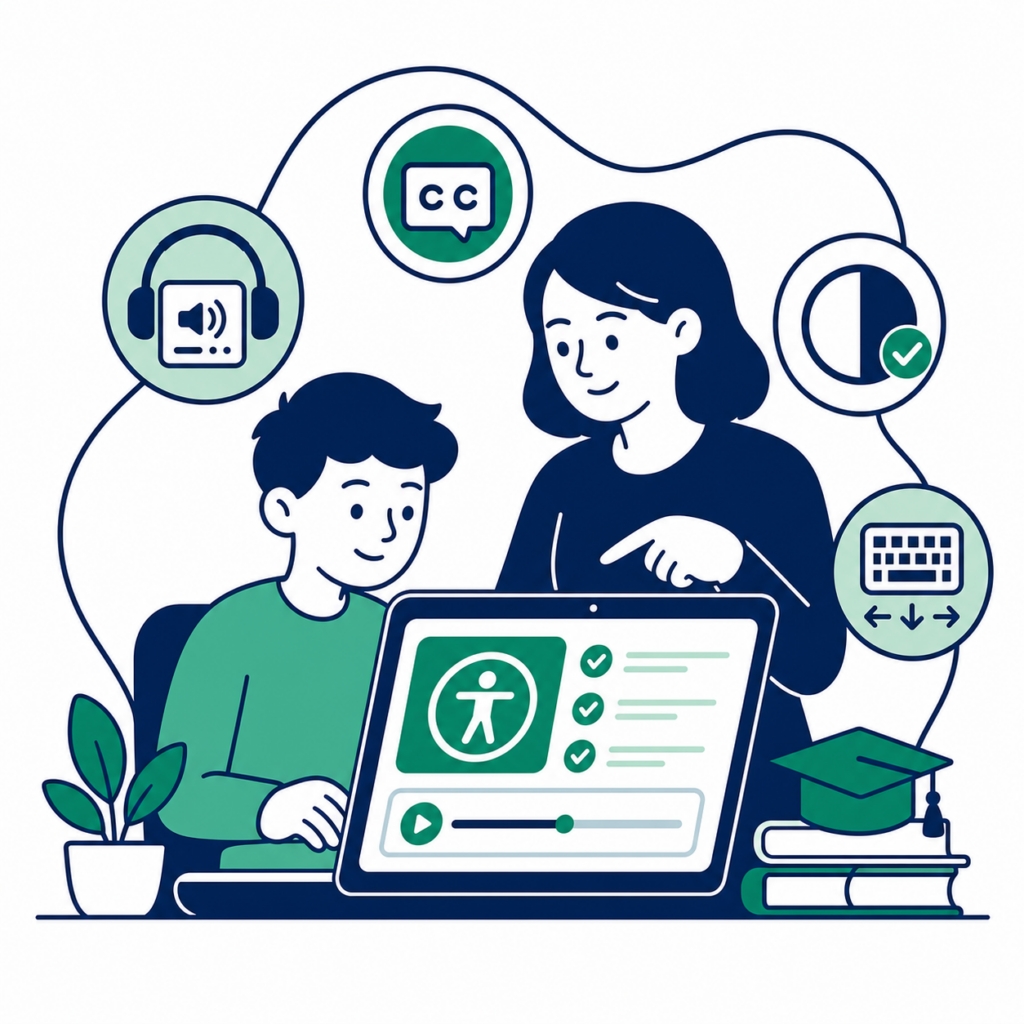
Education accessibility is about equal learning opportunities. Students, applicants, parents, faculty, and administrators use digital platforms to apply, enroll, learn, submit assignments, watch lectures, download documents, pay fees, and communicate with institutions. If an education website or LMS is not accessible, disabled learners can be excluded from essential academic experiences.

HalfAccessible helps schools, universities, EdTech companies, and online learning providers make digital education more inclusive. We audit and remediate school website accessibility, LMS accessibility, accessible online learning content, university website accessibility, and digital documents against WCAG 2.2 AA. Our work supports ADA education website expectations, Section 508 education procurement, European Accessibility Act readiness, VPAT documentation, and better everyday usability for all learners.

Accessible learning platforms also improve the student experience beyond legal compliance. Clear headings, keyboard-friendly components, readable contrast, captions, transcripts, labeled forms, accessible PDFs, and reliable screen reader support help international students, mobile learners, neurodiverse learners, temporary-injury users, and busy faculty. Accessibility makes education technology easier to understand, easier to operate, and easier to maintain.

8+ Years Experience
WCAG 2.2 Experts
ADA, Section 508 & EAA
Manual + Automated Testing
VPAT Support
CPWA Certified Team
Education Accessibility Challenges

Accessibility Challenges in Education Websites

Education platforms combine learning content, user accounts, assessment flows, documents, video, forms, and payments. Each layer can create barriers unless accessibility is designed, tested, and maintained deliberately.

Learning Management Systems

Canvas, Moodle, Blackboard, Brightspace, and custom LMS platforms often combine complex navigation, quizzes, modals, uploads, grades, announcements, and third-party widgets. We audit LMS accessibility for keyboard traps, unlabeled controls, inaccessible quizzes, confusing focus order, and screen reader gaps that can prevent students from completing coursework.

  • Canvas
  • Moodle
  • Blackboard
  • Custom LMS
  • Keyboard traps
  • Inaccessible quizzes
  • Unlabeled controls

Student Portals

Student portals are high-risk because they hold registration, grades, payments, profile management, disability services, and support workflows. We test portals for inaccessible forms, login barriers, unclear errors, session timeout issues, and content that is difficult to navigate with screen readers or keyboard-only interaction.

  • Inaccessible forms
  • Inaccessible PDFs
  • Login barriers
  • Unclear validation
  • Session timeout issues

Online Courses

Accessible online learning requires more than readable pages. Course modules need captions, transcripts, predictable navigation, accessible video players, meaningful alt text, readable slides, and assessment flows that work with assistive technology. We review full learning journeys from enrollment to completion.

  • Captions
  • Transcripts
  • Accessible video players
  • Readable slides
  • Assistive technology support

Admissions

Admissions pages and application flows often contain long forms, date pickers, uploads, payment gateways, and eligibility questions. We find and fix issues that stop applicants from submitting information independently, including missing labels, inaccessible custom controls, poor error messaging, and low-contrast instructions.

  • Application forms
  • Date pickers
  • Uploads
  • Payment gateways
  • Error messages

Digital Libraries

Digital libraries need accessible search, filters, document downloads, citations, tables, and reading interfaces. We evaluate whether students can discover, open, understand, and navigate library content with keyboards, screen readers, magnification, mobile devices, and assistive reading tools.

  • Accessible search
  • Clear navigation
  • Document downloads
  • Filters
  • Tables and citations
Education Accessibility Services

Our Accessibility Services for Education

We support audits, remediation, documentation, procurement, and training for education teams that need practical WCAG 2.2 AA progress.

Accessibility Audit

We run WCAG 2.2 AA accessibility audits for education websites, LMS platforms, online courses, portals, and procurement-ready software. Testing combines automated scans with manual review, keyboard-only workflows, screen reader testing, responsive checks, and code-level inspection.

  • Manual testing
  • Automated testing
  • Screen readers
  • Keyboard testing
  • WCAG 2.2 AA reporting

Accessibility Remediation

We help teams fix the barriers we find. Remediation can include frontend code changes, design-system updates, WordPress theme fixes, LMS template adjustments, ARIA cleanup, form corrections, focus management, and developer guidance for sustainable accessibility.

  • React
  • Next.js
  • Angular
  • WordPress
  • Shopify
  • Moodle
  • Canvas

PDF Accessibility

Education teams publish critical information in PDFs. We remediate documents so students, applicants, parents, and faculty can read them with assistive technology. That includes tags, headings, reading order, links, tables, forms, alt text, language, and PDF/UA-oriented checks.

  • Student handbooks
  • Prospectus
  • Course catalog
  • Policies
  • Certificates

VPAT and ACR Support

We help education technology vendors and software teams prepare VPATs and Accessibility Conformance Reports for government procurement, university procurement, enterprise sales, and internal risk reviews. Reports are grounded in real testing, not guesswork.

  • Government procurement
  • University procurement
  • Accessibility Conformance Reports
  • Product accessibility documentation

Accessibility Statement

We can help your school, university, or EdTech company publish an accessibility statement that reflects real conformance status, support channels, known limitations, and an improvement plan. The statement should be clear, honest, and useful for disabled users.

  • Public statements
  • Known limitations
  • Feedback channels
  • Compliance positioning

Accessibility Training

We train faculty, developers, QA teams, designers, and content editors on practical accessibility. Training can focus on WCAG basics, accessible course content, LMS publishing, document accessibility, screen reader testing, keyboard testing, or engineering patterns.

  • Faculty
  • Developers
  • QA
  • Content editors
  • Design teams
Compliance Standards

Standards We Help You Meet

WCAG 2.2 AA

The core technical standard for accessible digital learning experiences.

ADA

Accessibility expectations for schools, universities, and public-facing education services in the US.

Section 508

Federal accessibility requirements often used in education and government procurement.

EAA

European Accessibility Act readiness for digital education products and services.

AODA

Ontario accessibility requirements for organizations serving learners and staff.

EN 301 549

European ICT accessibility standard aligned with public procurement expectations.

PDF/UA

Document accessibility guidance for tagged PDFs and assistive technology support.

Supported Platforms

Platforms We Support

We test and remediate custom education products, open-source learning platforms, commercial LMS tools, and the frontend frameworks behind them.

  • Moodle
  • Canvas
  • Blackboard
  • Brightspace
  • LearnDash
  • LearnPress
  • Thinkific
  • Teachable
  • Kajabi
  • WordPress
  • Drupal
  • React
  • Next.js
Common Issues

Common Accessibility Issues We Fix

Missing form labels

Education workflows depend on forms for admissions, enrollment, student profiles, course registration, financial aid, disability accommodation requests, and support tickets. When visible labels are not programmatically connected to form controls, screen reader users may hear only “edit text” or an unclear placeholder. We fix label associations, required-field communication, grouped questions, error summaries, and instructions so students can complete forms independently.

Keyboard traps

Keyboard traps are especially harmful in LMS dashboards, quiz modals, date pickers, menus, video players, and third-party widgets. A student who cannot use a mouse should be able to enter, operate, and exit every component with predictable keyboard commands. We test Tab, Shift+Tab, Enter, Space, Escape, arrow keys, and focus recovery so learning tasks do not become blocked.

Poor heading hierarchy

Clear headings help students skim lessons, jump between sections, understand assignments, and recover context after interruptions. Many education pages use headings for visual size instead of structure, which makes screen reader navigation confusing. We repair heading order across course pages, portals, admissions content, knowledge bases, and policy pages so the document outline supports both accessibility and SEO.

Missing alt text

Course content often includes diagrams, charts, screenshots, campus photos, infographics, icons, and process illustrations. Missing or unhelpful alt text can remove essential information from blind and low-vision students. We identify which images need concise alternatives, which need longer descriptions, and which should be decorative so assistive technology users receive the same learning value.

Low contrast

Low contrast can affect navigation, cards, disabled-looking buttons, captions, badges, links, form borders, and error text. It is common in branded university designs and modern EdTech dashboards. We test contrast across normal text, large text, focus indicators, icons, graphs, and UI states, then recommend token-level fixes so teams can improve contrast consistently without redesigning every page.

Focus visibility

Students using keyboards, switch devices, or voice control need to know exactly where they are on the page. If focus styles are removed, hidden behind sticky headers, or too subtle, navigation becomes guesswork. We improve focus indicators for menus, cards, accordions, quiz answers, pagination, tabs, and embedded tools while preserving the site’s visual identity.

PDF accessibility issues

Universities and schools publish handbooks, policies, course catalogs, forms, certificates, research documents, and prospectuses as PDFs. Untagged PDFs, incorrect reading order, missing table headers, inaccessible links, and scanned images can make documents unusable. We remediate PDF structure and advise when HTML alternatives are more maintainable for frequently updated content.

Video captions and transcripts

Online courses, webinars, lecture recordings, product tutorials, and admissions videos need accurate captions and transcripts. Captions support deaf and hard-of-hearing learners, multilingual students, noisy environments, and mobile learning. We review caption availability, quality, synchronization, transcript access, and player controls so video content remains part of the accessible learning experience.

ARIA problems

ARIA can improve custom components, but incorrect ARIA often makes EdTech interfaces worse. We commonly see invalid roles, missing accessible names, incorrect expanded states, broken comboboxes, fake buttons, and live regions that announce too much or too little. We simplify markup where native HTML works and use ARIA carefully where custom interactions genuinely need it.

Accessible tables

Education sites use tables for timetables, fees, grades, comparison charts, course requirements, library results, and academic calendars. Tables need headers, captions where useful, simple structure, and responsive behavior that does not destroy relationships. We review table semantics and mobile presentation so students can understand row and column meaning with screen readers and zoomed layouts.

Accessible charts

Dashboards and reports often show learner progress, quiz outcomes, attendance, analytics, and institutional metrics as charts. Color-only meaning, canvas-only rendering, missing data tables, and unlabeled controls can exclude users. We provide accessible chart patterns with text summaries, data alternatives, keyboard access, contrast-aware palettes, and screen reader-friendly descriptions.

Mobile accessibility

Many students rely on phones for lessons, assignments, communication, and payments. Mobile accessibility issues include cramped touch targets, sticky elements covering content, zoom restrictions, poor reflow, inaccessible menus, and orientation assumptions. We test responsive layouts with mobile assistive technology expectations in mind, including readable text, touch target size, visible focus, and logical content order.

Screen reader issues

Screen reader testing reveals issues automated scans miss: confusing labels, repeated navigation, missing status messages, broken dialogs, inaccessible quiz feedback, vague links, and poor reading order. We test with assistive technology such as NVDA and VoiceOver, then translate findings into developer-friendly fixes that explain the user impact, affected WCAG criteria, and implementation guidance.

Testing Process

Our Accessibility Testing Process

Why HalfAccessible

Why Choose HalfAccessible

Need an Accessibility Audit for Your Education Platform?

Book a practical consultation for your school website, university portal, LMS, online course, or EdTech product.

Get Free Consultation
Education Accessibility FAQs

Frequently Asked Questions

Answers to common questions about WCAG, ADA, LMS accessibility, audits, remediation, VPATs, PDFs, and accessibility training for education teams.

Is WCAG required for universities?

WCAG is commonly used as the technical benchmark for university website accessibility, even when a law or procurement policy does not name every success criterion directly. WCAG 2.2 AA is the practical standard we recommend for education websites, LMS platforms, course content, PDFs, and public-facing student services.

Do schools need ADA compliance?

Schools, universities, and education providers may have accessibility obligations under the ADA, Section 508, state rules, procurement terms, or institutional policies. We help education teams understand the digital barriers that create risk and prioritize WCAG-based fixes.

How much does an education accessibility audit cost?

Cost depends on the number of templates, workflows, PDFs, videos, LMS screens, and assistive technology scenarios. A small marketing site costs less than a full LMS audit. We can scope a focused audit after reviewing your pages and target user journeys.

How long does an accessibility audit take?

Small education websites may take one to two weeks. Larger student portals, LMS platforms, and online course libraries can take longer because they include authentication, roles, quizzes, media, documents, forms, and integrations.

Can you audit Moodle?

Yes. We can audit Moodle themes, course pages, quizzes, forms, navigation, plugins, documents, and learner workflows. We test both common LMS patterns and institution-specific customizations.

Can you audit Canvas?

Yes. We can review Canvas course content, custom pages, embedded media, documents, quizzes, navigation, and integration points. We focus on the student experience and the content-authoring patterns that affect accessibility over time.

Can you audit Blackboard or Brightspace?

Yes. We can review Blackboard, Brightspace, and other LMS experiences where your institution controls content, configuration, themes, embedded tools, documents, and custom learning flows.

Can you remediate PDFs?

Yes. We remediate education PDFs such as handbooks, prospectuses, course catalogs, policies, certificates, forms, and reports. We can also advise when HTML is a better format for frequently updated documents.

Do you provide VPATs?

Yes. We help create VPATs and Accessibility Conformance Reports for EdTech vendors, procurement teams, and education software products. VPAT support is based on real testing and clear documentation.

Do you test with NVDA?

Yes. NVDA testing is part of our assistive technology review when it fits the target platform and browser support. We use screen reader testing to find issues automated tools cannot detect.

Do you test with VoiceOver?

Yes. We can test with VoiceOver on macOS and mobile accessibility patterns when relevant. This is useful for education platforms used on Apple devices by students, faculty, and staff.

Can you train our developers?

Yes. We provide practical accessibility training for developers working in React, Next.js, Angular, WordPress, LMS themes, and design systems. Training can include keyboard testing, screen reader basics, semantic HTML, ARIA, forms, focus management, and WCAG interpretation.

Can you train faculty and content editors?

Yes. Faculty and content editors influence accessibility through headings, links, documents, videos, images, tables, and LMS publishing choices. We can tailor training to the authoring tools your team uses.

Do you test online courses?

Yes. We can review online course modules, lessons, quizzes, assignments, downloadable resources, videos, and completion flows. The goal is to make learning content usable with keyboards, screen readers, captions, transcripts, zoom, and mobile devices.

Can you check video accessibility?

Yes. We review captions, transcripts, player controls, keyboard access, focus order, contrast, and media alternatives. We also flag where lecture content needs additional text descriptions or accessible supporting material.

Can you make an LMS WCAG compliant?

We can help move an LMS toward WCAG 2.2 AA by auditing, prioritizing issues, remediating controlled templates and content, advising plugin choices, and retesting. Full conformance depends on your platform, third-party tools, content practices, and governance.

What is included in an LMS accessibility audit?

An LMS audit usually includes navigation, login, dashboard, course pages, quizzes, assignments, forms, media, documents, notifications, mobile behavior, keyboard support, screen reader output, and selected learner workflows.

Do you support Section 508 education requirements?

Yes. We test against WCAG-based expectations commonly used for Section 508 and procurement. We can also support documentation such as VPATs for education technology products.

Can you work with our internal engineering team?

Yes. We can provide audit reports, remediation tickets, code guidance, retesting, office hours, and implementation support so your internal team can fix issues efficiently.

Do you offer ongoing accessibility support?

Yes. Ongoing support can include periodic audits, release checks, component reviews, content training, document remediation, procurement documentation, and accessibility governance for education teams.