

banking and fintech accessibility audits

Finance and Banking Accessibility Services

Banking accessibility services for online banking, fintech apps, payment flows and financial PDFs. We audit login and MFA, account opening, transfers, loan applications and statements to WCAG 2.2 AA with NVDA, JAWS, VoiceOver and TalkBack, then give your developers ticket-ready fixes. Starting a project? Book a free 30-minute call. Ready to test? Start a $500 Quick Audit.

Banking Accessibility Audits

Banking Accessibility Services for Online Banking, Fintech and Financial PDFs

Banking accessibility services make sure every customer can open an account, log in with MFA, check balances, move money, apply for a loan or card, read statements and contact support using a keyboard, a screen reader, magnification or a small phone screen. We cover online banking portals, fintech and mobile banking apps, payment and card flows, loan and mortgage applications, investment dashboards, insurance portals and financial PDF accessibility for statements, disclosures and reports. We audit to WCAG 2.2 AA, which includes every WCAG 2.1 AA requirement, so one engagement covers today’s legal benchmark in the US, the EU and India.

Every financial audit is founder-led by Mohammad Shadab Saifi (IAAP CPACC, WAS and CPWA) with 10+ years of accessibility work. Our WCAG 2.2 AA audits of 15+ financial-sector websites show the method in practice. Review the sample audit report, compare packages on the pricing page, or pick a starting point below.

Financial Accessibility Deadlines at a Glance

Get Started

Choose Your Next Step

New here, comparing options or need a quote? Start with the free call. Already have audit findings, or a developer or document team with a technical question? Book the technical hour.

  • $100

    One-Hour Technical Consultation

    Best for: developers and document teams who need technical answers now

    Review a login, OTP or transfer flow live, walk through existing audit findings, or check sample statements with your developer or document team.

    Book the $100 consultation
  • $500

    Quick Accessibility Audit

    Best for: a fast expert snapshot of your key banking journeys

    Manual WCAG 2.2 review of up to 5 templates, such as login, account opening, a transfer, a loan application and a statement page, with a top-10 issues report.

    Start a $500 Quick Audit
  • Quote

    Financial PDF Remediation

    Best for: statements, disclosures, fact sheets and annual reports

    Tagged, ordered and screen-reader-tested PDFs checked against WCAG 2.2 AA and PDF/UA, quoted per document set after we see samples.

    See financial PDF remediation
WCAG 2.2 Experts
Manual + Automated Testing
Screen Reader Testing
Secure Banking Workflow Testing
PDF Accessibility
VPAT Support
Financial Accessibility

What We Test for Banks, Fintechs and Insurers

Financial PDFs and documents, the journeys that fail most often, and the US, EU and India rules your audit has to cover.

Financial PDF Accessibility for Statements, Disclosures and Annual Reports

Most banks, insurers and investment firms still send their most important information as PDFs. A financial PDF is accessible when a screen reader user can read it in the right order, move through it by headings and understand every table.

  • Documents: monthly, credit card and loan statements, fee schedules, key fact statements, policy documents, fund fact sheets, tax certificates and annual reports.
  • Tables: real header cells, so NVDA announces “Date”, “Description” and “Amount” with every value (W3C tables tutorial).
  • Charts and scans: charts get a text alternative with the actual figures, and scanned pages get real text.
  • Basics: document language and title set, and labelled form fields in application or claim PDFs.
  • How we test: PAC or veraPDF, a manual tag and reading-order review against the Matterhorn Protocol, and a read-through with the free NVDA screen reader; see our document accessibility testing guide.
See financial PDF remediation

Financial Document Accessibility Solutions: Fix the File, the Template or the Format

There are three practical solutions for financial document accessibility, and most institutions need a mix of them. Document work is quoted per document set, because ten one-page letters and ten 80-page annual reports are very different jobs.

  • Remediate the PDF: best for documents that rarely change, such as annual reports, prospectuses, policy wordings and terms and conditions.
  • Fix the template: statements, confirmations and notices are generated thousands a day, so we find the template and data-mapping problems and give your document or core-banking team fixes that make every new statement tagged correctly.
  • Offer accessible HTML: transactions, balances and statement details as accessible web pages inside online banking, tested to WCAG 2.2 AA with the rest of the portal.
  • Next step: scope it on a free 30-minute call, or book the $100 technical consultation to review sample files with your document team.
Scope document work on a free call

The Best Accessibility Testing for Financial Services: What It Should Cover

The best accessibility testing for financial services follows real customer journeys: signing in with MFA, opening an account, completing KYC, adding a payee, sending money, applying for a card or loan, downloading a statement and raising a dispute, with NVDA, JAWS, VoiceOver, TalkBack and the keyboard. These WCAG 2.2 criteria fail most often:

  • 3.3.8 Accessible Authentication: customers must be able to paste or autofill passwords and one-time codes (W3C guidance on 3.3.8).
  • 2.2.1 Timing Adjustable: session timeouts need a warning and a simple way to extend, with at least 20 seconds to respond.
  • 3.3.7 Redundant Entry: long applications should not make customers type the same details twice.
  • 2.4.11 Focus Not Obscured: sticky headers, cookie banners and chat widgets must not hide the focused field.
  • 4.1.3 Status Messages and 3.3.1 Error Identification: “transfer complete”, “card declined” and field errors are announced, not just shown in colour.
  • Scope: the $500 Quick Audit covers up to 5 templates; the $2,000 Complete Audit covers up to 25 templates or key journeys with a retest.
Explore accessibility audit services

US Rules for Banks: ADA Title III and Section 508

In the United States, banks and other financial services that serve the public are covered by ADA Title III. The Department of Justice’s web accessibility guidance points businesses to WCAG and the Section 508 Standards, and settlements commonly reference WCAG 2.1 AA.

See ADA and Section 508 audits

European Accessibility Act Requirements for Banking

The European Accessibility Act has applied since June 28, 2025 to consumer banking services, payment services and e-money, including the websites and apps that deliver them.

  • Annex I for banking: identification methods, electronic signatures, security and payment services must be perceivable, operable, understandable and robust.
  • Plain language: information must not be more complex than CEFR level B2, so we review plain language as part of EAA work.
  • Standards: EN 301 549 V4.1.1, published in September 2026, adopts WCAG 2.2, although V3.2.1 stays the version cited in the Official Journal until the European Commission cites the new one.
See EU accessibility compliance audits

Banking and Fintech Accessibility in India: RBI and SEBI Requirements

Indian financial firms now have regulator-backed accessibility duties after the Supreme Court’s April 30, 2025 judgment in Pragya Prasun v. Union of India. HalfAccessible is based in India and tests against IS 17802 and WCAG 2.1 AA, the baseline Indian rules use, and reports to WCAG 2.2 AA.

  • RBI: the August 14, 2025 circular (RBI/2025-26/74) told all banks, NBFCs, payment system providers and other regulated entities to comply with the judgment.
  • Payment systems: an October 11, 2024 circular (RBI/2024-25/83) asked payment system participants to review payment systems and devices, including point-of-sale machines, for accessibility.
  • SEBI: the July 31, 2025 circular made digital accessibility mandatory for every SEBI-regulated entity, and an October 30, 2026 circular moved the audit and fix deadline to January 31, 2027.
  • Guide: read our India digital accessibility compliance guide.
See the India accessibility compliance audit
Financial Services Industries

Financial Organizations We Audit for Accessibility

We audit online banking, member portals, fintech apps, payment journeys and financial PDFs for banks, credit unions, fintechs, investment firms, insurers and lenders.

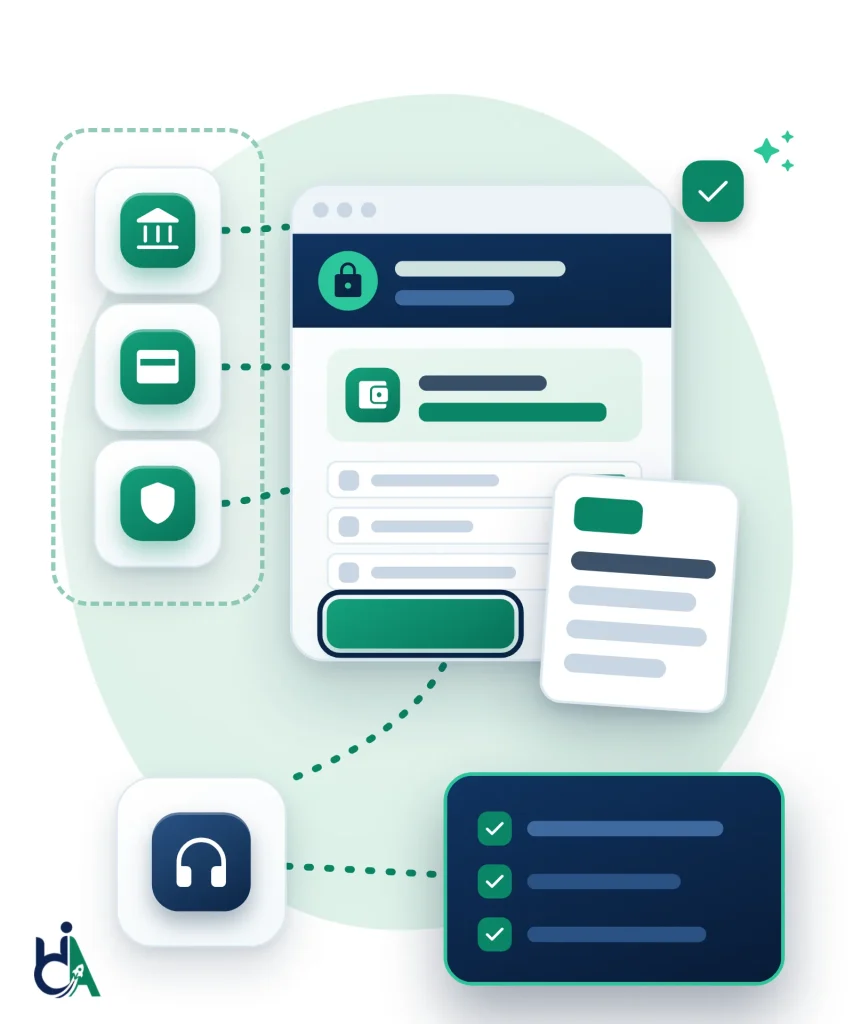
Diagram: tiles for a bank, a payment card and an insurance shield connect to a secure online banking window with an account balance, a list of transactions and a button with a focus ring, beside a statement document. Dashed lines lead to a headphones tile and a navy checklist with three green ticks, showing banking journeys tested with a keyboard and screen readers.
  • Retail Banks

    Public banking sites, online banking logins, account dashboards, card and loan applications, statements and branch finders, tested against WCAG 2.2 AA.

  • Investment Firms

    Portfolio dashboards, charts, research reports, disclosures and trading journeys, plus the statements and PDFs investors download.

  • Credit Unions

    Member portals, loan applications, mobile banking, forms and financial education content for credit unions serving local communities.

  • FinTech

    Custom components, onboarding and identity checks, embedded payments and mobile-first flows, with VPAT and ACR reports for the banks that buy your product.

  • Insurance

    Quote journeys, policy portals, claims, calculators and policy documents that customers use to manage their cover on their own.

  • Mortgage Companies

    Long application forms, rate calculators, document uploads, disclosures and loan status portals, tested with a keyboard and screen readers.

More Financial Organizations We Support

Payment Platforms

Payment platforms and gateways must support accessible card entry, saved payment methods, error recovery, confirmations, fraud checks, and timeout messaging without breaking secure workflows.

  • Card payments
  • Payment gateways
  • Confirmations
  • Timeout warnings

NBFCs and Microfinance

NBFCs and microfinance organizations can reach more customers when applications, repayment flows, dashboards, documents, and mobile experiences work for disabled users.

  • Loan products
  • Repayments
  • Customer dashboards
  • Mobile-first journeys

Digital Wallets

Digital wallets require accessible onboarding, KYC, balance views, transfers, QR payments, notifications, and transaction history across mobile and web experiences.

  • KYC
  • Transfers
  • QR payments
  • Transaction history

Trading Platforms

Trading interfaces need accessible charts, watchlists, order forms, confirmations, alerts, data tables, and time-sensitive interactions that remain usable with assistive technology.

  • Watchlists
  • Order forms
  • Stock charts
  • Alerts

Loan Providers

Loan providers need accessible eligibility checks, applications, document uploads, EMI calculators, approval statuses, repayment schedules, and customer communications.

  • Eligibility checks
  • EMI calculators
  • Applications
  • Repayment schedules

Financial Dashboards

Financial dashboards must expose balances, account summaries, charts, tables, filters, notifications, and actions to keyboard and screen reader users without losing security context.

  • Balances
  • Tables
  • Filters
  • Notifications
Banking Accessibility Services

Accessibility Services for Banks

Each service is designed for secure financial workflows, regulated documentation, and customer-facing digital products.

WCAG Accessibility Audit

We audit banking websites, fintech platforms, portals, dashboards, authenticated journeys, calculators, documents, and design systems against WCAG 2.2 AA. Testing includes automated scans, manual review, keyboard testing, screen reader testing, responsive checks, and secure workflow review.

  • Manual testing
  • Automated testing
  • Assistive technology testing
  • Secure journey review

Accessibility Remediation

We help teams fix accessibility barriers in product code, templates, forms, dashboards, PDFs, and design systems. Remediation support can cover React, Angular, Next.js, Java, .NET, WordPress, native apps, and third-party integration patterns.

  • React
  • Angular
  • Next.js
  • Java.NET
  • WordPress
  • Native Apps

Mobile Accessibility Testing

We test mobile banking apps and responsive web experiences with mobile accessibility expectations in mind, including TalkBack, VoiceOver, focus order, touch targets, zoom, gestures, notifications, and secure authentication flows.

  • Android
  • iOS
  • TalkBack
  • VoiceOver
  • Touch accessibility

PDF Accessibility

Financial institutions produce high-volume PDFs that customers must understand. We remediate and review statements, investment reports, insurance documents, annual reports, loan agreements, disclosures, and customer communications.

  • Bank Statements
  • Investment Reports
  • Insurance Documents
  • Annual Reports
  • Loan Agreements

VPAT & ACR

We support VPATs and Accessibility Conformance Reports for financial software, vendor procurement, government procurement, enterprise sales, and institutional risk reviews. Documentation is based on actual testing and transparent conformance notes.

  • Vendor procurement
  • Government procurement
  • Enterprise sales
  • Accessibility Conformance Reports

Accessibility Consulting

We help finance teams create accessibility policy, roadmap, governance, training, release checks, procurement expectations, and accessibility statements. Consulting helps accessibility become part of digital risk management rather than a one-time audit.

  • Policy
  • Roadmap
  • Governance
  • Accessibility Statements
Compliance Standards

Standards We Help You Meet

We help finance teams align digital experiences and documents with accessibility standards used across markets and procurement contexts.

WCAG 2.2 AA

Recommended audit target for accessible banking, fintech, insurance, and financial websites. It includes every WCAG 2.1 AA requirement commonly referenced in ADA settlements and EU standards.

ADA

ADA Title III covers banks and other financial services that serve the public. DOJ web guidance points businesses to WCAG, and settlements commonly use WCAG 2.1 AA. The April 2027 and April 2028 Title II deadlines apply to state and local governments, not private banks.

Section 508

Federal agencies buying banking, payments or financial software must meet the Revised Section 508 Standards, which incorporate WCAG 2.0 AA. Vendors usually document conformance in a VPAT 508 edition.

European Accessibility Act

Applies since June 28, 2025 to consumer banking services, payment services and e-money, including their websites and apps, and to new ATMs and payment terminals. Microenterprise service providers are exempt, and EU countries may let terminals already in use stay until the end of their useful life, up to 20 years.

EN 301 549

European ICT accessibility standard used in procurement and EU compliance. V4.1.1 (September 2026) adopts WCAG 2.2 and maps to the EAA; until the Commission cites it in the Official Journal, V3.2.1 (based on WCAG 2.1 AA) remains the cited version.

PDF/UA

ISO 14289 (PDF/UA) defines the structure of accessible PDFs. We remediate statements, disclosures, fact sheets and reports to PDF/UA-aligned practice and check them with NVDA.

RGAA

France’s RGAA (version 4.1.2), published by the government digital agency DINUM, is the method used to check WCAG conformance for French websites and apps. RGAA 5 is being drafted, with publication planned for the end of 2026.

India: RPwD Act, IS 17802, RBI and SEBI

Indian banks, NBFCs and payment providers were told by the RBI on August 14, 2025 to comply with the Supreme Court accessibility judgment. SEBI-regulated entities must complete an accessibility audit and fix its findings by January 31, 2027. IS 17802 and WCAG 2.1 AA set the baseline.

Banking Systems and Platforms

Banking Systems and Platforms We Audit

We test these banking, fintech and insurance systems. Authentication, transfers, statements, charts and support journeys are covered in the issue cards below, not as duplicate pills.

  • Online Banking
  • Mobile Banking Apps
  • Internet Banking
  • Customer Portals
  • Loan Applications
  • Investment Platforms
  • Insurance Portals
  • Credit Card Websites
  • Payment Gateways
  • Financial Dashboards
  • Admin Portals
  • ATM/Kiosk Interfaces
Banking Accessibility Issues

Common Accessibility Issues in Banking Websites

Each card shows what we check on banking and fintech platforms, the failures we find most often, and the typical fix, mapped to WCAG 2.2.

Login & Authentication

Accessible login and accessible authentication decide whether customers can manage money at all.

We check: CAPTCHA alternatives, OTP entry, MFA prompts, password visibility, timeout warnings, error recovery, paste into one-time codes, and focus management with NVDA, JAWS, VoiceOver and keyboard-only navigation.

Common failures: puzzles that block paste, OTP fields that reject autofill, timeouts with no warning, and error text shown only in colour.

Typical fix: accessible authentication that allows paste (3.3.8), timeout warnings (2.2.1), text errors (3.3.1) and announced status messages (4.1.3). See our accessibility audit services.

Banking Forms

Loan, credit-card, KYC and account-opening forms are where most banking journeys stall for assistive-technology users.

We check: labels, instructions, grouped controls, required-field messaging, validation errors, date pickers, autocomplete, conditional fields and keyboard traps across account opening, beneficiary management and support forms.

Common failures: placeholder-only labels, errors that clear the field, date pickers that work only with a mouse, and multi-step forms that lose entered data after an error.

Typical fix: visible labels (3.3.2), identified errors (3.3.1), real fieldset/legend grouping (1.3.1) and no redundant re-entry (3.3.7).

Transaction Workflows

Transfers, bill pay and card payments must stay clear when money is on the line.

We check: money transfer, bill payment, UPI, wire and card flows, confirmation dialogs, fee disclosure, fraud warnings, timeout notices and success messages on desktop and mobile.

Common failures: confirm buttons with no accessible name, fees announced after submit, dialogs that leave focus behind, and success toasts that are never spoken.

Typical fix: keyboard-operable steps (2.1.1), announced status (4.1.3), review-before-submit for financial data (3.3.4) and focus that is not hidden by sticky UI (2.4.11). Teams that need code-level help can use our accessibility remediation.

Account Statements and PDFs

Financial PDF accessibility is how customers read balances, fees, disclosures and tax data after the portal session ends.

We check: bank statements, tax documents, annual reports, investment statements, insurance packs and loan agreements for tags, reading order, headings, tables, links, alt text, language and form fields.

Common failures: scanned image-only PDFs, tables with no header cells, missing document titles, and untagged multi-column layouts that NVDA reads out of order.

Typical fix: tagged structure and real table headers (1.3.1), meaningful alt text (1.1.1) and NVDA checks on every remediated file. See our PDF document remediation service.

Financial Charts

Portfolio charts and EMI calculators often lock performance data behind colour or hover-only labels.

We check: investment graphs, stock charts, interest and EMI calculators, performance dashboards, hover tooltips and data exports.

Common failures: colour-only series, canvas charts with no text alternative, calculators that skip labels, and hover data that never reaches the keyboard.

Typical fix: text alternatives and summaries (1.1.1), information not by colour alone (1.4.1) and keyboard-reachable controls with names (4.1.2).

Mobile Banking

Mobile banking accessibility fails when targets, gestures or zoom block everyday money tasks.

We check: target size, gestures, focus order, zoom, touch labels, biometric login prompts, notifications and responsive layouts with VoiceOver and TalkBack.

Common failures: icons under 24×24 CSS pixels, swipe-only actions with no button alternative, fixed fonts that refuse zoom, and sticky bars that cover the focused control.

Typical fix: minimum target size (2.5.8), reflow without loss of content (1.4.10) and pointer alternatives for path-based gestures (2.5.1). Book a free 30-minute call to scope a mobile banking audit.

Payment Gateways

Payment gateway accessibility is where card errors, 3DS prompts and loading states often disappear for screen reader users.

We check: gateway forms, embedded frames where possible, keyboard order, focus return, accessible names, timeout behaviour and failure recovery on card and alternate payment methods.

Common failures: iframe fields with no accessible name, 3DS dialogs that trap focus, spinner states that are never announced, and error banners that vanish before they are read.

Typical fix: named fields and buttons (4.1.2), text errors (3.3.1), adjustable timing (2.2.1) and status messages (4.1.3).

Timeouts and Security Warnings

Automatic logout and fraud prompts protect accounts only when customers can hear and act on them in time.

We check: timeout warnings, reauthentication, fraud prompts, session extension controls and recovery after logout without touching real customer data.

Common failures: silent logout, warnings shorter than the reading time, focus sent to the top of the page, and lost form data after reauthentication.

Typical fix: adjustable timing (2.2.1), announced alerts (4.1.3) and no unexpected context change without a user request (3.2.5). Ongoing checks fit our accessibility monitoring and governance service.

Customer Support and Messaging

Secure messages and chat are the backup path when a transfer, login or statement already failed.

We check: secure messaging, chat widgets, dispute forms, ticket flows, conversation history, attachments and help-centre search with keyboard and screen readers.

Common failures: chat launchers with no name, live regions that stay silent, attachment buttons that are mouse-only, and history that is not in a readable order.

Typical fix: named controls (4.1.2), live status updates (4.1.3) and full keyboard operation (2.1.1). Start with a $500 Quick Audit of the support templates that matter most.

Search, Filters and Tables

Transaction history and holdings tables are how customers find fees, disputes and tax lots.

We check: searchable tables, sortable headers, filter labels, pagination, empty states, export controls and responsive layouts for account activity, card statements, policies, holdings and loans.

Common failures: layout tables with no headers, sort buttons announced only as “button”, filters with no accessible name, and columns that disappear without an alternative on small screens.

Typical fix: semantic tables and headers (1.3.1), descriptive names (4.1.2) and clear headings and labels (2.4.6).

Testing Process

Our Accessibility Testing Process

  1. 01

    Scope Secure Journeys

    Start with a $500 Quick Audit or book a consultation. We prioritise account opening, login and MFA, dashboards, transfers, loan applications and statements.

  2. 02

    Automated Scan

    Automated checks map templates, components and embedded tools such as calculators, identity verification and chat.

  3. 03

    Manual WCAG 2.2 AA Audit

    We manually test against WCAG 2.2 AA in authenticated test accounts, including timeouts, MFA, error handling and data tables.

  4. 04

    Screen Reader Testing

    We verify key journeys with NVDA, JAWS, VoiceOver and TalkBack, and test statements, disclosures and PDF forms with NVDA.

  5. 05

    Developer-Ready Report

    Findings include customer impact, WCAG references, affected components, reproduction steps and fix guidance your developers can act on.

  6. 06

    Remediation and Retesting

    Your team fixes with our guidance, or we support hands-on remediation. We then retest fixes to confirm barriers are resolved without regressions.

  7. 07

    Compliance Validation

    We help document progress for risk and compliance reviews, accessibility statements, VPATs and vendor due diligence.

Assistive Technology, Benefits and Expertise

Why Choose HalfAccessible

Published, Fixed Pricing

A one-hour consultation is $100, the Quick Audit is $500 for up to 5 representative pages or templates, and the Complete Audit is $2,000 for up to 25. No surprise quotes.

15+ Financial Websites Audited

Between December 2025 and April 2026 we audited more than 15 financial-sector and investment websites to WCAG 2.2 AA across six contracts, each rated 5.0 out of 5.0.

Founder-Led CPACC, WAS & CPWA Audits

Audits are led by Mohammad Shadab Saifi, IAAP certified (CPACC, WAS, CPWA), previously at Deque Software and Pivotal Accessibility, with 10+ years of audits, remediation and accessible development.

Real Screen Reader Testing

We test banking journeys with NVDA, JAWS, VoiceOver, TalkBack and keyboard-only navigation, not automated scans or overlay widgets alone.

Secure, Authenticated Testing

We test logged-in portals with approved test accounts or staging, including MFA, one-time passcodes, session timeouts, transfers and error recovery, without touching real customer data.

See a Sample Report First

Review our sample audit report to check the severity ratings, WCAG 2.2 mapping and code-level fix guidance before you commit.

Financial PDF Expertise

Statements, disclosures, fact sheets and annual reports are remediated to PDF/UA-aligned practice and checked with NVDA, so your documents are as accessible as your portal.

Fixes and Retesting

Our developers can fix issues at code level, as we did for two investment platforms in our financial case study, and the Complete Audit includes a retest of fixed issues.

Need a Banking Accessibility Audit?

Still scoping ADA, EAA, SEBI or Section 508 work? Book a free 30-minute call or get a free needs assessment. Ready to test? Start a $500 Quick Audit of up to 5 templates from your banking website, fintech app or customer portal. Need technical answers on a portal, app or statement template now? Book the $100 one-hour technical consultation. Financial PDF remediation covers statements, disclosures and reports.

get in touch

Know where you stand. Know what to work on next.

Tell us what you’re working on and where you need support. Our accessibility specialists can help with audits, remediation, VPAT/ACR, accessible development, and ongoing compliance.

Free 30-minute consultation (opens in new tab)

Free 30-minute call: talk through where you stand, scope a project or get a quote.

Need technical answers now? Book the $100 one-hour consultation to walk through an audit, talk with a developer or review your site live.

Let’s find the barriers before your users do

Indicates a required field.


Your information is kept private and never shared with third parties.

Finance and Banking Accessibility FAQs

Frequently Asked Questions

Answers to common questions about WCAG, ADA, EAA, RBI and SEBI rules, banking portals, secure login, mobile banking, VPATs, financial PDFs and document accessibility, and accessibility testing for financial services.

What is banking website accessibility?

Banking website accessibility means customers can use digital banking services with assistive technology, keyboard navigation, zoom, captions, clear forms, accessible authentication, readable documents, and predictable transaction flows. It applies to public websites, authenticated portals, mobile banking, PDFs, calculators, dashboards, and support journeys.

What does a banking accessibility audit include?

A banking accessibility audit tests the journeys customers rely on: account opening and KYC, login with MFA or one-time passcodes, dashboards, transfers and bill payments, card and loan applications, statements, secure messaging and support. We combine automated scans with manual WCAG 2.2 AA testing, keyboard-only checks and screen reader testing with NVDA, JAWS, VoiceOver and TalkBack. Each finding includes the WCAG success criterion, severity, affected component and fix guidance, as shown in our sample audit report. Most teams start with the $500 Quick Audit and move to a full accessibility audit for authenticated portals.

How do you make financial PDFs accessible?

Financial PDF accessibility means statements, disclosures, prospectuses, fact sheets, tax forms and annual reports can be read with a screen reader and navigated by keyboard. We fix tags, reading order, headings, data tables with proper header cells, alternative text for charts, form fields, bookmarks, document language and metadata, following PDF/UA (ISO 14289) practice and the W3C PDF techniques for WCAG, then verify the result with NVDA. For recurring statements we also advise on accessible templates so new documents do not need manual fixes. See our PDF document remediation service and our guide to WCAG-compliant PDFs.

What is the best accessibility testing approach for financial services?

Automated scanners are a useful first pass, but W3C notes that evaluation tools cannot check every accessibility requirement. For financial services, the most reliable approach combines automated scanning with manual WCAG 2.2 AA review of authenticated journeys, real screen reader testing on desktop and mobile, checks of timeouts, MFA and error recovery, and PDF testing for statements and disclosures. Each issue should be mapped to its WCAG criterion with a concrete fix for developers, followed by a retest. That is how we ran the WCAG 2.2 AA audits for 15+ financial websites.

What is financial PDF accessibility?

Financial PDF accessibility means statements, disclosures, policy documents, fund fact sheets and annual reports can be read with a screen reader, navigated by keyboard and zoomed without losing content. In practice that needs correct tags and reading order, real header cells on transaction and fee tables, text alternatives that give the figures shown in charts, a set document language and title, and labelled form fields. We test financial PDFs against WCAG 2.2 AA and PDF/UA with PAC, a manual tag review and NVDA, then remediate the files or the templates that produce them.

What financial document accessibility solutions do you offer?

Three, usually combined: remediating existing PDFs such as annual reports and policy wordings; fixing the templates behind automatically generated statements, confirmations and notices so every new document is accessible; and testing accessible HTML statement pages inside online banking. Document work is quoted per document set after we see samples. Book a free 30-minute call to scope it, or a $100 technical consultation to review sample files with your document team.

Can you fix our statement templates instead of remediating every PDF?

Yes, and for high-volume statements it is the only approach that scales. We audit a sample of generated statements, trace each failure (missing tags, tables without headers, wrong reading order, untagged logos and charts) back to the template or data mapping, and give your document or core-banking team specific template fixes. We then retest new output to confirm the fixes hold.

What does the European Accessibility Act require for banking services?

Since June 28, 2025 the European Accessibility Act has covered consumer banking services, including their websites and apps. On top of the general web and app requirements, Annex I asks banks to make identification methods, electronic signatures, security and payment services perceivable, operable, understandable and robust, and to keep information no more complex than level B2 (upper intermediate) of the Common European Framework of Reference for Languages. Microenterprises providing services are exempt. Our EU accessibility compliance audit tests against WCAG 2.2 AA and EN 301 549.

What are the RBI and SEBI accessibility requirements for financial firms in India?

The RBI’s August 14, 2025 circular (RBI/2025-26/74) told all banks, NBFCs, payment system providers and other regulated entities to comply with the Supreme Court’s April 30, 2025 accessibility judgment. SEBI made digital accessibility mandatory for all regulated entities in July 2025, and its October 30, 2026 circular moved the deadline for appointing an IAAP-certified auditor, completing the accessibility audit and fixing its findings to January 31, 2027 (it had been October 31, 2026). We run India accessibility audits against IS 17802 and WCAG 2.1 AA, with WCAG 2.2 AA reporting.

Which WCAG 2.2 criteria matter most for online banking login and OTP screens?

3.3.8 Accessible Authentication (Minimum) is the big one: customers must be able to paste or autofill passwords and one-time codes rather than retype them, as the W3C explains. 2.2.1 Timing Adjustable requires a warning and an easy way to extend a session before it times out. 4.1.3 Status Messages covers announcing “code sent” or “incorrect code” to screen readers, and 2.4.11 Focus Not Obscured stops banners and chat widgets from hiding the field in focus. We test these on every banking login in a $500 Quick Audit.

Can you test credit card and loan eligibility checks in banking apps?

Yes. Eligibility checks for credit cards, loans and overdrafts are multi-step forms with income fields, consent checkboxes, live validation and instant decisions, so they often fail for screen reader and keyboard users. We check that every field has a visible label, errors are announced and explained, status messages such as the eligibility result are announced, time limits can be extended, and the flow works at 400% zoom and on mobile. Developers get component-level fixes, and we can help implement them through our accessibility remediation service.

What results have you delivered for financial websites?

Between December 2025 and April 2026, an agency serving financial-sector clients engaged us six times to audit and remediate websites for more than 15 investment and financial brands. Every finding was mapped to WCAG 2.2 AA with severity and a concrete fix, two platforms were remediated at code level and re-verified, and all six contracts were rated 5.0 out of 5.0. Read the full financial websites case study.

Is WCAG required for banks?

WCAG is widely used as the technical benchmark for banking accessibility. Depending on market, product, and customer base, banks may also consider ADA risk, Section 508 procurement, European Accessibility Act expectations, EN 301 549, and internal accessibility policies.

In the United States, banks are places of public accommodation under ADA Title III. There is no Title III regulation that names a WCAG version, but the Department of Justice’s web accessibility guidance points businesses to WCAG and the Section 508 Standards as helpful technical guidance, and courts and settlements commonly reference WCAG 2.1 AA. We recommend WCAG 2.2 AA as the practical audit target because it includes every WCAG 2.1 AA requirement. The April 2027 and April 2028 ADA Title II deadlines apply to state and local governments, not to private banks.

Do fintech companies need accessibility compliance?

Fintech companies should plan for accessibility because they deliver essential financial services through digital products. Accessibility supports customer trust, enterprise readiness, procurement, risk reduction, and usability for people with disabilities.

How much does a banking accessibility audit cost?

Our packages are listed on the accessibility audit pricing page. A one-hour technical consultation (audit walkthrough, developer Q&A or live issue review) is $100; first conversations are a free 30-minute call. The Quick Audit is $500 for up to 5 representative pages or templates, with a top-10 issues report mapped to WCAG 2.2. The Complete Audit is $2,000 for up to 25 templates or key user flows, such as login, transfers and loan applications, with a retest of fixed issues. Large authenticated portals, mobile banking apps, statement PDFs and VPAT documentation are scoped separately. For context on why many financial institutions budget for this work, see our ADA website lawsuit statistics for 2026 and our analysis of whether accessibility overlays prevent ADA lawsuits.

Can you test secure login pages?

Yes. We can test secure login, OTP, MFA, password visibility, timeout warnings, error recovery, and focus management. We coordinate with your team to use safe test accounts and avoid production-risk behavior.

Can you audit online banking portals?

Yes. We can audit authenticated online banking portals, including dashboards, statements, transfers, bill payments, forms, secure messaging, alerts, and account management flows.

Do you test mobile banking apps?

Yes. We test mobile banking experiences on iOS and Android using VoiceOver, TalkBack, touch target checks, gesture review, focus order, zoom behavior, and mobile screen reader expectations.

Do you remediate accessibility issues?

Yes. We can help remediate issues in frontend code, design systems, forms, dashboards, PDFs, and content. We also provide developer guidance and retesting so teams can fix issues confidently.

Can you make bank statements PDF/UA compliant?

We can remediate bank statements and other financial PDFs toward PDF/UA-oriented accessibility by improving tags, headings, reading order, tables, links, language, form fields, and document metadata. See our PDF remediation services for high-volume statement and disclosure work.

Do you provide VPATs for financial software?

Yes. We support VPATs and Accessibility Conformance Reports for banking platforms, fintech products, insurance portals, investment software, and financial SaaS products. Reports are based on actual testing.

Which screen readers do you use?

Depending on scope, we test with NVDA, JAWS, VoiceOver on macOS, VoiceOver on iPhone, and TalkBack on Android. We also include keyboard-only, zoom, contrast, and responsive checks.

How long does a banking accessibility audit take?

A smaller financial website may take one to two weeks. Authenticated banking portals, mobile apps, transaction flows, and PDF-heavy projects can take longer because secure workflows require careful setup and testing.

Do you test payment gateways?

Yes. We test payment forms, card entry, validation, focus order, error messages, confirmations, processor states, timeout behavior, and embedded payment experiences where access and scope allow.

Can you test authenticated user journeys?

Yes. We can test authenticated journeys with approved test accounts, staging environments, or guided access. This is important for banking because many barriers only appear after login.

Can you help prepare for the European Accessibility Act?

Yes. We can help financial institutions and fintech teams assess WCAG alignment, EN 301 549-related expectations, EAA readiness, remediation priorities, and accessibility documentation.

The European Accessibility Act (Directive (EU) 2019/882) has applied since June 28, 2025. Its scope includes consumer banking services such as credit agreements, payment services and payment accounts, electronic money, and certain retail investment services, as well as the websites and mobile apps used to deliver them, plus self-service terminals such as ATMs and payment terminals. Member States enforce the Act through national laws (see the European Commission’s EAA overview). Whether a specific product is in scope is a legal question for your counsel.

What is accessible authentication for banking applications?

Accessible authentication means login and verification methods do not create unnecessary barriers for users with disabilities. This includes usable OTP flows, alternatives to inaccessible CAPTCHA, clear errors, visible focus, compatible MFA, and WCAG 2.2 Accessible Authentication considerations.

Can you test financial calculators?

Yes. We test EMI calculators, loan calculators, interest calculators, retirement calculators, and premium calculators for labels, keyboard access, validation, screen reader output, chart alternatives, and result announcements.

Can you audit investment charts and dashboards?

Yes. We review charts, portfolio dashboards, stock tables, filters, watchlists, and performance summaries for text alternatives, accessible tables, keyboard access, color contrast, and screen reader clarity.

Do you test ATM or kiosk interfaces?

We can review ATM and kiosk web-style interfaces or design prototypes where access is available. Scope depends on platform, hardware, test environment, and assistive technology requirements.

Can you support internal accessibility governance?

Yes. We help financial institutions define policies, roadmaps, release checks, procurement expectations, accessibility statements, training, and reporting practices.

Do you train finance product and engineering teams?

Yes. We train developers, designers, QA, product managers, content teams, and compliance stakeholders on practical accessibility for banking forms, secure flows, dashboards, PDFs, and mobile experiences.

Can you retest after remediation?

Yes. Retesting confirms whether fixes resolve the original barriers and whether critical banking journeys remain usable with keyboard, screen readers, zoom, and mobile assistive technology.

Should I book the free 30-minute call or the $100 consultation?

Book the free 30-minute call if you are starting a project, comparing options or need a quote: we talk through your portal, apps, documents and deadlines and tell you where you likely stand. Book the $100 one-hour technical consultation if your team needs expert answers now, for example walking through audit findings, reviewing an OTP or transfer flow live, or checking sample statements with your developer or document team.

Can we run a free accessibility scan on our banking site first?

Yes, for a quick snapshot of a public page. Our AccessibilityScore.in tool is a free WCAG scan powered by axe-core that checks one public page and gives an accessibility score with issue-level guidance. Treat it as a starting point: automated rules cannot sign in, so they cannot judge whether an OTP field accepts paste, whether a timeout warning is announced or whether a transfer error can be found and fixed. Those journeys need manual testing, which the $500 Quick Audit provides for up to 5 templates.