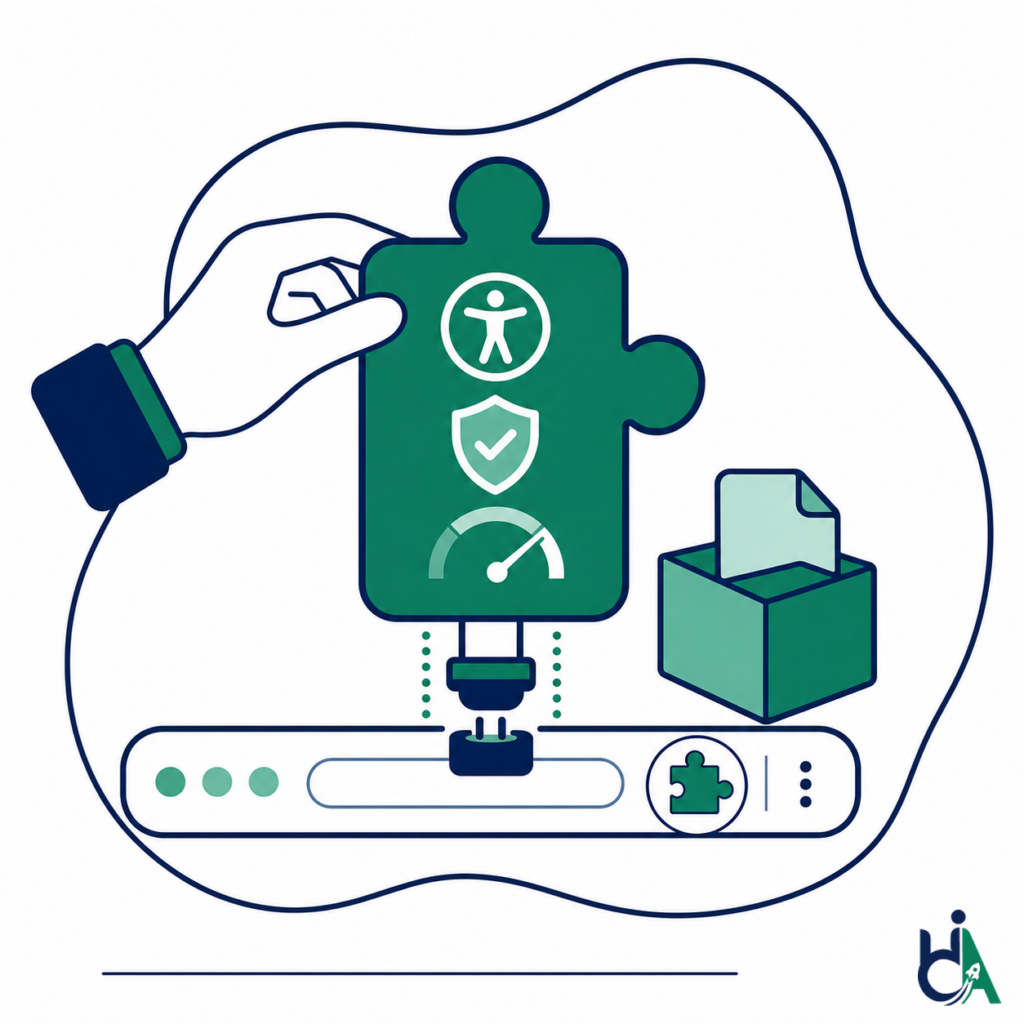
Improve Customer Productivity
Extensions can reduce context switching, bring actions closer to user workflows, and make browser-based tasks faster.

chrome extension development on manifest v3
Custom Manifest V3 Chrome extensions for SaaS, AI, enterprise and agencies — with Edge and Firefox builds when you need them.
Every popup, side panel and injected UI is keyboard- and screen-reader tested against WCAG 2.2 by founder Mohammad Shadab Saifi (IAAP CPACC, WAS and CPWA). We also ship the Featured HalfAccessible Accessibility Toolkit on the Chrome Web Store.
New here or still scoping an extension idea? Start with the free call. Ready for a scoped build or Manifest V3 migration? Get a project quote. Need hands-on technical answers now (permissions, service workers, injected UI)? Book the $100 hour. Want an accessibility review of an existing extension or the web app behind it? A $500 Quick Audit or $2,000 Complete Audit is a fixed-price start.
get in touch
Tell us what you’re working on and where you need support. Our accessibility specialists can help with audits, remediation, VPAT/ACR, accessible development, and ongoing compliance.
Free 30-minute consultation (opens in new tab)
Free 30-minute call: talk through where you stand, scope a project or get a quote.
Need technical answers now? Book the $100 one-hour consultation to walk through an audit, talk with a developer or review your site live.
Indicates a required field.
Your information is kept private and never shared with third parties.
Chrome extension development is the process of creating browser extensions that extend Google Chrome with custom functionality. Modern extensions are built using Manifest V3, JavaScript or TypeScript, HTML, CSS, and Chrome Extension APIs to automate workflows, integrate with web applications, enhance productivity, or provide new browser capabilities. Manifest V3 is now the only option: Chrome 138 disabled Manifest V2 extensions for all users in July 2025, and the remaining Manifest V2 extensions were removed from the Chrome Web Store on August 31, 2026.
A Chrome extension adds product features directly inside the browser, from AI assistants and SaaS workflows to enterprise automation, developer tools, and productivity interfaces.
A Chrome extension can transform an existing website or web application into a more powerful product without requiring users to leave their browser.
Extensions can reduce context switching, bring actions closer to user workflows, and make browser-based tasks faster.
A companion extension can connect your SaaS product to web pages, CRMs, dashboards, inboxes, support tools, and internal workflows.
Browser automation can help users complete form entry, data capture, page actions, and recurring browser tasks more efficiently.
AI extensions can summarize, translate, generate content, answer questions, review pages, and assist users inside the browser.
Extensions keep your product accessible from the toolbar, side panel, context menu, and pages where users already work.
Enterprise extensions can streamline internal dashboards, employee tools, corporate portals, and business automation workflows.
A Chrome extension can be a standalone product, an acquisition channel, a SaaS companion, or a specialized workflow tool.
Store-ready extensions can reach users searching for productivity, AI, accessibility, developer, education, finance, and automation tools.
We support custom extension builds, Manifest V3 migrations, publishing, enterprise deployment, AI extensions, and long-term maintenance.
Build extensions tailored to your product, users, workflows, and business goals.
Upgrade legacy Manifest V2 extensions to Manifest V3 with modern architecture, service workers, permissions, and APIs.
Prepare and publish extensions with store-ready assets, metadata, permissions explanations, packaging, and listing support.
Develop internal extensions for organizations, including deployment through managed enterprise environments.
Integrate OpenAI, Gemini, Claude, or custom AI services into secure browser workflows.
Provide ongoing feature development, compatibility updates, Chrome API support, policy updates, and release support.
We build the browser automation, injected UI, API integrations, AI workflows, storage, and extension surfaces that turn extension ideas into products.
Primary architecture baseline for modern chrome extension development, and now the only option: Chrome 138 disabled Manifest V2 extensions for all users in July 2025, and the remaining Manifest V2 extensions were removed from the Chrome Web Store on August 31, 2026 (Manifest V2 support timeline). Official overview: Chrome Extensions documentation, Get started, and What is Manifest V3.
Store-bound builds must align with permissions, privacy and listing rules. Under Manifest V3, all extension logic must ship inside the package, so code can no longer be loaded from your server or a CDN (Improve extension security). Source: Chrome Web Store Program Policies.
Popup, side panel, options, and injected UI are web surfaces. We map practical checks to WCAG 2.2; see also the W3C WAI WCAG overview.
For disclosure widgets, tabs, dialogs, and composite controls inside extensions, we follow patterns from the WAI-ARIA Authoring Practices Guide (APG).
When a public-facing extension serves US customers, accessible UI reduces exclusion risk. Context: ADA.gov guidance on web content and apps (not legal advice).
When Edge or Firefox versions matter, we plan against the shared WebExtensions APIs documented on MDN WebExtensions. Firefox has supported Manifest V3 since Firefox 109 (Firefox Extension Workshop), and Microsoft Edge Add-ons has required Manifest V3 for new extensions since July 2022 (Microsoft Learn).
Our free HalfAccessible Accessibility Toolkit (WCAG target size, text spacing and axe checks) is live on the Chrome Web Store with the Featured badge, a 5.0 rating and 2,000 users as of October 2026, on version 3.0.1 (updated July 12, 2026).
Extension interfaces are reviewed by founder Mohammad Shadab Saifi, who holds the IAAP CPACC, WAS and CPWA credentials and is a DHS Section 508 Trusted Tester, with 10+ years of accessibility experience.
Chrome extensions can support many product categories, from AI assistants and SaaS companions to enterprise utilities and developer tools.
Tell us what your extension should do, who will use it, which browsers and integrations you need, and your launch date — we reply with a scoped plan and estimate. Not sure where you stand yet? Start with a free 30-minute call. Need technical answers now? Book the $100 one-hour consultation. Already shipping an extension and want an accessibility review? Start with a free accessibility needs assessment, or a $500 Quick Audit / $2,000 Complete Audit.
Get a Chrome Extension QuoteAnswers to common questions about Manifest V3, Chrome Web Store deployment, AI extensions, browser automation, enterprise extensions, accessibility, security, and maintenance.
Manifest V3 is the current Chrome extension architecture that defines how modern extensions declare permissions, service workers, content scripts, extension pages, APIs, and security requirements. See Google What is Manifest V3 overview and the Chrome Extensions documentation.
Yes, and it is now urgent. Chrome 138 disabled Manifest V2 extensions for all users in July 2025, Chrome 139 removed the enterprise policy that kept them running, and the remaining Manifest V2 extensions were removed from the Chrome Web Store on August 31, 2026 (Google’s Manifest V2 support timeline). We migrate the manifest, move background pages to a service worker, replace blocking web requests with declarativeNetRequest, bundle any remotely hosted code, and re-check permissions and Chrome Web Store readiness.
Yes. We can prepare extension packages, listing copy, screenshots, icons, metadata, privacy disclosures, permissions explanations, and support the Chrome Web Store review process.
Yes. We build internal Chrome extensions for organizations, including managed deployment considerations for enterprise environments.
Yes. Extensions can connect to SaaS platforms through REST APIs, GraphQL, OAuth, webhooks, embedded UI, CRM workflows, dashboards, and authenticated user accounts.
Yes. We build AI extensions that integrate OpenAI, Gemini, Claude, or custom AI services for chat, summarization, translation, writing assistance, accessibility suggestions, and workflow automation.
Yes. We support secure authentication flows, OAuth integrations, token handling, API access, and user state management for browser extension products.
Yes. We can build Chrome side panel extensions with accessible layouts, responsive UI, keyboard support, and integration with extension background logic.
Yes. We build extensions for autofill, form automation, page interactions, data extraction, workflow automation, and CRM or SaaS integrations.
Yes. We provide compatibility updates, Chrome API support, policy updates, feature development, bug fixes, performance improvements, and store release support.
Yes. Most Manifest V3 code can be shared across Chrome, Microsoft Edge and Firefox because they all use the WebExtensions model. Edge Add-ons has required Manifest V3 for new extensions since July 2022, and Firefox has supported Manifest V3 since Firefox 109, with some differences (Firefox uses event pages instead of service workers, for example). We build a shared core with small browser-specific layers and can publish to the Chrome Web Store, Microsoft Edge Add-ons and Firefox Add-ons. See the Firefox Manifest V3 guide.
It depends on how many interfaces the extension has (popup, side panel, options page, injected UI), the sites it works on, login, integrations, AI features and testing. We give you a written scope and timeline after a short discovery call. Chrome Web Store review time is outside anyone’s control, so we plan launch dates with a buffer and prepare permission justifications and privacy disclosures in advance to reduce the risk of rejection. Share your idea to get a timeline.
We use Manifest V3, JavaScript, TypeScript, React, Vite, Tailwind CSS, Chrome Extension APIs, Firebase, Supabase, Node.js, REST APIs, and GraphQL where appropriate.
Yes. We build accessible toolbar popup interfaces with keyboard navigation, focus management, forms, buttons, state updates, and responsive layouts.
Yes. We build settings and options pages for account preferences, feature configuration, integrations, permissions guidance, and extension controls.
Yes. Content scripts can analyze, enhance, modify, or inject UI into webpages, subject to permissions, browser rules, website behavior, and user privacy expectations.
Yes. We can add context menu actions for selected text, links, pages, images, forms, and workflow-specific commands.
Yes. Extensions can support keyboard shortcuts where appropriate, and those shortcuts should be documented, configurable when possible, and tested for conflicts.
Yes. Extensions can send browser notifications, scheduled reminders, background task updates, and status alerts when designed with appropriate permissions and user expectations.
We use minimal permissions, secure authentication, bundled code, safe storage choices, least-privilege architecture, careful messaging, privacy-conscious data handling, and Chrome Web Store policy alignment.
Yes. We build extension popups, side panels, options pages, injected UI, and forms with keyboard navigation, screen reader support, visible focus, semantic HTML, and proper ARIA usage aligned with WCAG 2.2 and the WAI-ARIA APG.
Yes. We can audit existing extension UI, popup flows, side panels, options pages, injected overlays, forms, keyboard behavior, and screen reader support.
Yes. We can review permissions, authentication, storage, message passing, content scripts, third-party scripts, data handling, and privacy-related risks.
Yes. We build developer utilities, debugging tools, accessibility testing tools, QA helpers, API tools, and workflow accelerators.
Yes. We build CRM extensions, prospecting tools, sales enablement workflows, data capture, account research helpers, and SaaS companion tools.
Yes. We can build browser-based accessibility testing tools, WCAG checkers, developer utilities, audit helpers, and accessibility evaluation workflows.
Manifest V3 changes background processing, permissions, extension APIs, service worker behavior, remotely hosted code rules, and security expectations compared with older Manifest V2 extensions.
Yes. We can review rejection reasons, update permissions, metadata, privacy disclosures, code behavior, policy compliance, and resubmit store-ready builds.
Every extension is quoted after scoping, because the cost depends on the interfaces, integrations, AI features, browsers and maintenance you need. Send your idea through our project form and we reply with a scoped estimate. If you only need an accessibility review of an existing extension or the web app behind it, start with a free accessibility needs assessment. Our audits are fixed-price: $500 Quick Audit and $2,000 Complete Audit (see pricing).
No. Chrome 138 disabled Manifest V2 extensions for all users in July 2025, and Chrome 139 removed the enterprise policy that kept them running. On August 31, 2026 the remaining Manifest V2 extensions were removed from the Chrome Web Store, so they can no longer be installed fresh or updated (Chrome for Developers). Any extension you sell or maintain must be Manifest V3.
No. In Manifest V3 all extension logic must be part of the package, and Chrome Web Store policy does not allow loading and running JavaScript from your server or a CDN. You can still load remote configuration (for example a JSON file that turns features on), call your own web service or API, or run remote code inside a sandboxed iframe. We plan this architecture before development starts (Google’s guidance).
Yes. We build and maintain the free HalfAccessible Accessibility Toolkit, a WCAG testing extension with a target size checker (WCAG 2.5.8), text spacing checks, axe audits, an HTML copier and DOM insights. It carries the Chrome Web Store Featured badge, is rated 5.0 and had 2,000 users as of October 2026. See it with our other free accessibility tools.
A short description of what the extension should do, who will use it (public Chrome Web Store users or employees), which websites or apps it works with, any APIs, login or AI services involved, the browsers you need (Chrome, Edge, Firefox) and your launch date. Share it through our contact form. Designs, an existing codebase or a Manifest V2 extension to migrate help us quote faster.
Book the free 30-minute call if you are exploring an extension idea, need a quote, or want to understand where you stand before a project starts. Book the $100 one-hour consultation when you need a hands-on technical session — for example walking through Manifest V3 permissions, reviewing injected UI with your developer, or checking audit findings live.
Yes. Use AccessibilityScore.in as a starting point to spot common issues on the web app your extension will sit on. It complements — it does not replace — a manual audit of extension popups, side panels and injected UI. Ready for a human review? Start with a $500 Quick Audit or book a free 30-minute call.