
- Success Criterion 1.1.1
- Conformance level A
- W3C reference F72
ASCII Art With No Text Description for Screen Readers
1.1.1 — Non-text Content
Scenario
Setting
A music streaming app's playlist screen
What’s wrong
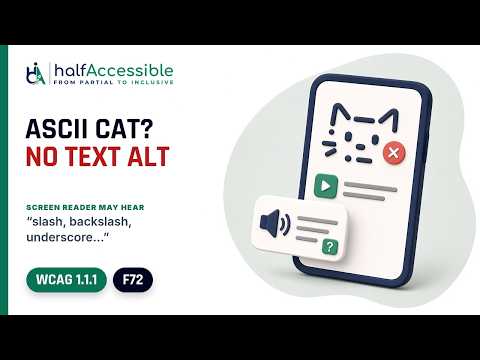
The playlist's cat mascot is ASCII art: a picture drawn with keyboard characters such as /, \, _, ( and ^ inside a <pre>. It has no text alternative, so a screen reader gets the characters, not the picture, and nothing says it shows a cat (F72).
Example
<pre>
 /\_/\
( o.o )
 > ^ <
</pre>
<p>Now playing: Cat Café Lo-fi</p>
Why it matters
A listener browsing playlists with a screen reader never learns there's a cat picture. Depending on the screen reader and its punctuation setting, they may hear the symbols read one by one ("slash, backslash…"), only fragments such as "o dot o", or very little at all. A braille display shows the raw characters line by line. With a mascot on every playlist card, they have to get past each one before reaching the playlist name.
How to test
Look for pictures drawn with characters, such as faces, logos, dividers or charts built from /, \, |, _ and *. For each one, check its text alternative in the browser's accessibility tree (DevTools): the block should have the role img and a name that says what the picture shows, or a short description should sit right before or after it. If it's purely decorative, check that it has aria-hidden="true" and nothing inside it can take focus. A plain <pre> or <div> with only aria-label doesn't count. If the art has no text alternative and isn't hidden, it fails (F72). Then listen with a screen reader: you should hear the label, such as "Cat face" plus "image" or "graphic", or nothing at all, not the characters.
How to fix
Give the ASCII art a short text alternative that says what the picture is (technique H86): put role="img" and aria-label="Cat face" on the <pre>. role="img" makes the block one image that can carry a name, so screen readers read the label instead of the characters. aria-label alone on a plain <pre> or <div> isn't enough: those elements have no role that supports a name, so screen readers may ignore it. To reuse visible text as the label, point aria-labelledby at it, or put a short description right before or after the art. If the art is purely decorative and the nearby text already says everything, aria-hidden="true" is fine instead, as long as nothing inside it can take focus. Don't add visually hidden text that tells screen reader users something sighted users can't read. ASCII art that carries data, such as a chart, also needs a full description (scenario 7), and words typed in lookalike characters are a different problem (scenario 8).
<pre role="img" aria-label="Cat face">
 /\_/\
( o.o )
 > ^ <
</pre>
<p>Now playing: Cat Café Lo-fi</p>
Outcome
A listener hears a short label such as "Cat face, image" and then "Now playing: Cat Café Lo-fi", instead of a run of symbols, and moves through the playlists quickly. Sighted users still see the cat.
Who is affected
Screen reader and braille display users, and people using text-to-speech or read-aloud tools, who get the characters instead of the picture on every playlist card that has ASCII art.
Learn more
- Understanding Understanding document (opens in a new tab)
- Technique Failure F72: Using ASCII art without providing a text alternative (opens in a new tab)
- Technique Technique H86: Providing text alternatives for emojis, emoticons, ASCII art, and leetspeak (opens in a new tab)
- Technique Technique G94: Providing a short text alternative that serves the same purpose and presents the same information (opens in a new tab)
Related scenarios
- Product Photo Added as a CSS Background With No Alt Text
- Chart Alt Text That Never Explains What Each Color Means
- Outdated Alt Text That No Longer Matches the Image
- Alt Text Left as a Filename Instead of a Real Description
- Decorative Image Not Hidden From Screen Reader Users
- Decorative Image Given Alt Text Instead of Being Marked Silent