
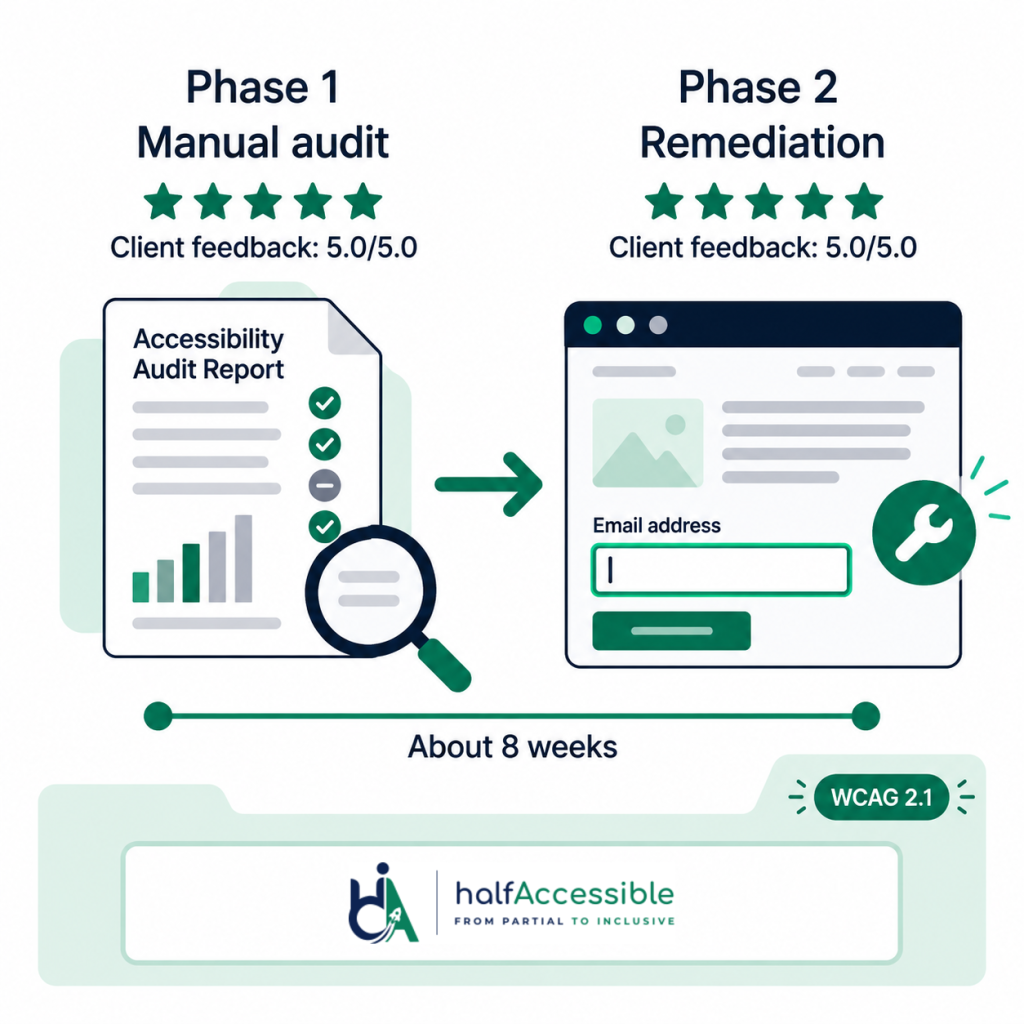
Client & Context
A growth and digital marketing agency engaged HalfAccessible in mid-2026 for accessibility audit remediation on one of its client websites — structured as two back-to-back phases on a single engagement: a full manual accessibility audit, followed immediately by code-level remediation of everything the audit found. The engagement closed in about eight weeks, and both phases were rated 5.0 out of 5.0.
Choose Your Next Step
Want the same audit-then-fix result on your site? Start with a conversation, get a fixed-price quote for both phases, or book a technical hour. Fixed prices start at the $500 Quick Audit and the $2,000 Complete Audit (see accessibility audit pricing).
Free 30-Minute Call
Best for: first conversations, scoping and quotes
Tell us about your site, your deadline and who maintains the code. We explain where you stand, whether you need an audit, fixes or both, and send a quote. No technical prep needed.
Book a free 30-minute call (opens in a new tab)
Audit + Remediation Quote
Best for: teams ready to find and fix everything in one engagement
A manual WCAG audit with screen-recorded findings, then code-level fixes and a retest, scoped and priced in writing before work starts.
$100 Technical Consultation
Best for: teams that need expert technical answers now
A one-hour working session to walk through audit findings, talk fixes through with your developer, or review issues on your site live.
The Challenge
Marketing agency sites are usually optimized for speed and visual polish first: page builders, third-party embeds, custom forms and animated components. That combination is where WCAG barriers pile up fastest. These are the barriers we look for first on agency-built sites:
| Barrier | What users experience | WCAG 2.1 criterion |
|---|---|---|
| Incomplete keyboard support, custom dropdowns with no keyboard path | Keyboard-only users cannot open menus or reach controls | 2.1.1 Keyboard (opens in a new tab) |
| Modals that trap focus | Keyboard and screen reader users get stuck and cannot close or leave the dialog | 2.1.2 No Keyboard Trap (opens in a new tab) |
| Unlabeled or vaguely labeled form fields | Screen readers announce a field with no name, so the form cannot be completed with confidence | 3.3.2 Labels or Instructions (opens in a new tab) |
| Form errors shown only visually | Screen reader users are not told what went wrong or how to fix it | 3.3.1 Error Identification (opens in a new tab) |
| Low-contrast brand colors | Low-vision users struggle to read text and buttons | 1.4.3 Contrast (Minimum) (opens in a new tab) |
| Missing or unhelpful text alternatives | Images and icon buttons are announced as file names or not at all | 1.1.1 Non-text Content (opens in a new tab) |
A remediation pass without a documented audit first tends to fix only what is visible on the surface and miss the rest.
Accessibility Audit Remediation: Audit First, Then Fix
The engagement ran as two back-to-back phases, with the second working directly from the first:
| Phase | What we did | What the client received |
|---|---|---|
| Phase 1: Manual audit | Keyboard-only navigation and screen reader testing, including NVDA (opens in a new tab), rather than an automated scanner alone | Every flagged issue documented and screen-recorded, so the client’s team could see, not just read, what a screen reader or keyboard-only user meets |
| Phase 2: Code-level remediation | Each finding fixed in the site’s code against WCAG 2.1 (opens in a new tab) criteria: semantic structure, keyboard operability, focus visibility, form labels, color contrast and image alternatives | Plain HTML fixes instead of ARIA overrides wherever native HTML could do the job |
Automated tools help with coverage, but W3C WAI notes that evaluation tools cannot check every accessibility aspect (opens in a new tab); human judgement with assistive technology remains required.
The Results
- A full manual accessibility audit, with every issue documented and screen-recorded for the client’s team
- Every flagged WCAG 2.1 barrier remediated directly in the site’s code
- Both phases of the engagement rated 5.0 out of 5.0 on Upwork
- Delivered end-to-end in roughly eight weeks, from audit kickoff to verified remediation
Why Audit-Then-Remediate Works Better Than Remediation Alone
Skipping straight to remediation without a documented audit is a common shortcut, and it usually shows. Scans find a lot, but not everything:
Why Scans Alone Miss Barriers
- 95.9%: of the top one million home pages had detected WCAG 2 failures in 2026 (Source: WebAIM Million 2026 (opens in a new tab))
- 57.38%: of issues found by automated tests in Deque’s first-time audit sample; the rest needed manual testing (Source: Deque coverage report (opens in a new tab))
- 42 of 143: barriers on a GOV.UK test page were missed by all of the automated tools tested (Source: GOV.UK accessibility blog (opens in a new tab))
| Area | Remediation alone | Audit, then remediation |
|---|---|---|
| Scope | Fixes cluster around whatever the developer happened to notice | A documented, prioritized list covers every tested page and flow |
| Hidden flows | A modal that traps focus, a custom dropdown with no keyboard path or a visual-only form error often goes untouched | Those flows are tested with a keyboard and a screen reader before anything is fixed |
| Brief | A vague “make it accessible” request | Screen-recorded findings mapped to WCAG criteria |
| Proof | A claim that the site was fixed | A record of what was broken and how each fix was verified |
Work With Us
If your site needs the same two-phase accessibility audit remediation, our accessibility audit services and accessibility remediation can run back-to-back on one engagement, the same way this one did. Every audit is led by founder Shadab Saifi, who holds the IAAP (opens in a new tab) CPACC, WAS and CPWA certifications and DHS Trusted Tester, with 10+ years in accessibility. See what you receive in our sample audit report.
Not sure where to start? Book the free 30-minute call (opens in a new tab): a first conversation to understand where your site stands, scope the audit and the fixes, and get a quote. Choose the $100 one-hour technical consultation when your team needs hands-on help now, for example walking through audit findings with your developer or reviewing issues on your site live (see how our accessibility consultation sessions work). You can also review accessibility audit pricing and browse our services.
Agencies that white-label this work for clients should also see our digital agencies white-label accessibility specialty and agency partner program. Prefer neighbouring proof? See our white label accessibility audits case study and ADA website remediation case study for agency and remediation-led programmes.
Why This Matters
This engagement followed the WCAG 2.1 success criteria published by the W3C (opens in a new tab), the same technical baseline referenced in ADA.gov web guidance (opens in a new tab) and parallel ICT frameworks such as Section 508 (opens in a new tab). Structuring the work as audit-then-remediation, rather than remediation alone, gave the client’s team a documented baseline to measure progress against and a clear audit trail for future compliance reviews.