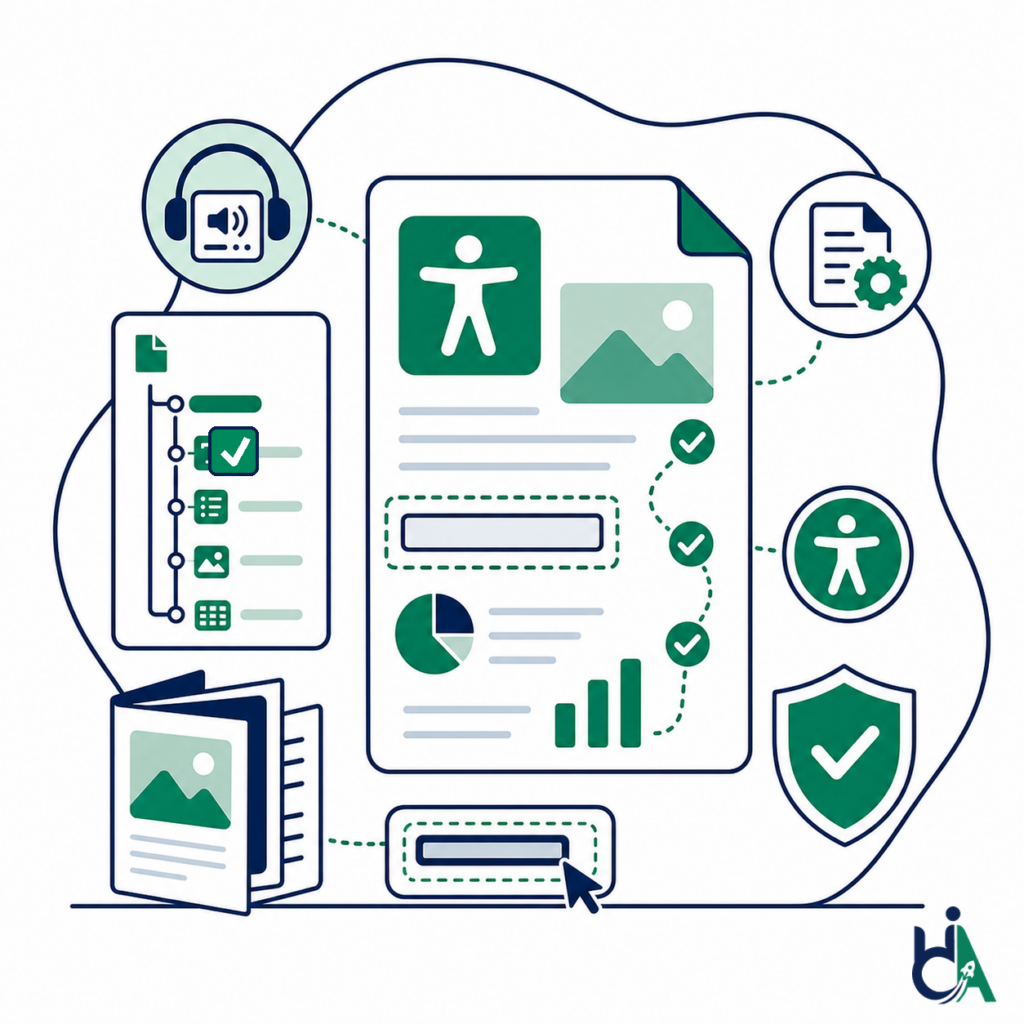
Reports should be readable
Inaccessible PDF reports can prevent screen reader users from understanding annual reports, ESG reports, public notices, financial statements, research papers, and corporate documentation.

make every pdf accessible to everyone
Founder-led PDF remediation for reports, statements, forms, course materials and healthcare documents. Mohammad Shadab Saifi (CPACC, WAS, CPWA, 10+ years) leads the work: we tag and repair each file, then test it with PAC and NVDA against PDF/UA, WCAG 2.2 AA and Section 508. Send a sample for a fixed quote, or start with a free 30-minute call.
Start Here
Not sure what you need yet? Start with the free 30-minute call. Have PDFs ready to fix? Send a sample for a fixed remediation quote. Need a hands-on technical session now, such as reviewing existing PDF findings or export settings with your designer or developer? Book the $100 hour. PDF testing can also be added to a $500 Quick Audit or $2,000 Complete Audit of your website.
get in touch
Tell us what you’re working on and where you need support. Our accessibility specialists can help with audits, remediation, VPAT/ACR, accessible development, and ongoing compliance.
Free 30-minute consultation (opens in new tab)
Free 30-minute call: talk through where you stand, scope a project or get a quote.
Need technical answers now? Book the $100 one-hour consultation to walk through an audit, talk with a developer or review your site live.
Indicates a required field.
Your information is kept private and never shared with third parties.
PDF remediation services repair existing PDFs so people using screen readers, keyboards and other assistive technology can read and complete them. Remediation adds or corrects tags, reading order, headings, alternative text, table headers, form field labels, bookmarks, the document title and the document language, so the file conforms to PDF/UA (ISO 14289) and to the WCAG success criteria that apply to documents. In the U.S., Section 508 applies WCAG 2.0 AA to federal agency documents, and the ADA Title II rule requires state and local governments to make the PDFs they provide online meet WCAG 2.1 AA from April 26, 2027 or April 26, 2028, depending on population. In Europe, clause 10 of EN 301 549 covers non-web documents. Automated checkers such as PAC catch only part of the problem, so every file we remediate is also read with the NVDA screen reader.
PDF accessibility means the document is not just visually readable, but structurally understandable to screen readers and assistive technologies. PDF remediation repairs the document structure so users can navigate headings, lists, tables, links, forms, and images in a logical way.
Millions of organizations rely on PDFs for communication, compliance, procurement, education, finance, healthcare, and public services.
Inaccessible PDF reports can prevent screen reader users from understanding annual reports, ESG reports, public notices, financial statements, research papers, and corporate documentation.
PDF forms need labels, instructions, tab order, tooltips, field structure, validation support, and a logical reading order so users can complete them with assistive technology.
Statements, prospectuses, invoices, tax documents, and investor disclosures often include complex tables, notes, headings, and metadata that require careful remediation.
Patient information, consent forms, discharge instructions, medical brochures, and healthcare notices need accessible structure so users can read and understand critical information.
Course materials, student handbooks, research papers, examinations, and institutional PDFs should work with screen readers and keyboard navigation.
Accessible PDFs support Section 508, ADA, EAA, PDF/UA, WCAG, and procurement requirements while reducing requests for alternate document formats.
The DOJ ADA Title II rule requires state and local governments to make web content, including PDFs and other electronic documents, meet WCAG 2.1 AA by April 26, 2027 (populations of 50,000 or more) or April 26, 2028 (smaller entities and special districts). U.S. federal agencies already apply WCAG 2.0 AA to documents under Section 508.
We remediate reports, forms, statements, manuals, educational materials, healthcare documents, and marketing PDFs.
Investor reports, corporate reports, ESG reports, shareholder communications, financial summaries, and long-form PDF publications.
Policies, forms, public notices, regulations, program documents, citizen services, public consultation PDFs, and archives.
Statements, prospectuses, invoices, tax documents, disclosures, financial reports, account documents, and tables-heavy PDFs.
Patient information, consent forms, discharge instructions, medical brochures, care plans, provider resources, and health education materials.
Course materials, student handbooks, research papers, examinations, admissions PDFs, academic forms, and institutional documentation.
Brochures, catalogs, whitepapers, case studies, sales sheets, product guides, and downloadable marketing PDFs.
We assess scanned PDFs for OCR feasibility, text recognition quality, reading order, and whether remediation or source recreation is the best path.
We repair existing tags, role mapping, reading order, headings, lists, tables, forms, figures, links, metadata, and artifacts.
We create semantic structure for untagged documents, including tags, headings, lists, tables, figures, reading order, and metadata.
We remediate fillable PDFs, form labels, tab order, tooltips, instructions, field grouping, validation messaging, and keyboard access.
We remediate invoices, annual reports, financial statements, research papers, manuals, product catalogs, government forms, and marketing brochures.
We support batch remediation for government archives, university document libraries, healthcare portals, financial disclosures, and corporate knowledge bases.
PDF remediation repairs document structure, reading order, tags, forms, tables, links, metadata, and screen reader compatibility.
We add and correct semantic tags so paragraphs, lists, tables, figures, headings, links, and artifacts are represented properly in the PDF structure tree.
We fix logical reading sequence issues in multi-column layouts, floating elements, sidebars, callouts, headers, footers, and complex page designs.
We create meaningful heading hierarchy, document outline, bookmarks, navigation structure, and section relationships for long documents.
We add or improve alternative text for images, charts, graphs, icons, logos, figures, and complex visuals that convey information.
We remediate table headers, merged cells, complex tables, scope, relationships, reading order, summaries, and structural issues that affect screen reader users.
We fix ordered lists, unordered lists, nested lists, list labels, list body structure, and semantic relationships.
We repair meaningful link text, link annotations, destinations, navigation, and link structure so users understand where links go.
We fix form fields, labels, tab order, instructions, tooltips, validation, field grouping, and keyboard accessibility in fillable PDFs.
We review text, icons, charts, graphics, and visual elements for contrast issues that affect readability and compliance.
We create or repair bookmarks for long reports, multi-section documents, manuals, policy documents, and complex PDFs.
We add or correct document language, title, author, keywords, subject, and other metadata needed for accessible PDF behavior.
We run OCR on scanned pages, correct the recognised text by hand, and tag it, because a screen reader cannot read a picture of text. When the scan quality is too poor, we recommend recreating the document from source.
We mark page numbers, running headers, footers and decorative graphics as artifacts, so screen reader users are not interrupted by repeated or meaningless content.
| PDF Element | Before Remediation | After Remediation |
|---|---|---|
| Tags | Before: Untagged document | After: Fully tagged PDF |
| Reading order | Before: Incorrect reading order | After: Logical reading flow |
| Images | Before: Missing alt text | After: Descriptive alternatives |
| Tables | Before: Broken tables | After: Accessible table structure |
| Bookmarks | Before: Missing bookmarks | After: Navigable document |
| Forms | Before: Unlabeled forms | After: Accessible form fields |
Our process evaluates, remediates, manually tests, quality-assures, and delivers accessible PDF documents.
We review a sample of your PDFs, check whether they are tagged, scanned or form-based, confirm the target standard (usually WCAG 2.2 AA and PDF/UA) and agree the scope and turnaround.
When you have the Word, PowerPoint or InDesign source, we fix headings, alternative text and tables there first, so future exports stay accessible.
We add or correct tags, reading order, headings, lists, tables, links, bookmarks, the document title and the document language in Adobe Acrobat Pro or CommonLook PDF.
We label form fields and set a logical tab order, and we run OCR on scanned pages and check the recognised text by hand.
Each file is checked with the PDF Accessibility Checker (PAC), then read with the NVDA screen reader and a keyboard, because an automated pass alone does not prove a PDF is usable.
You receive the remediated PDFs with a validation summary, notes on anything that needs a source change, and guidance for keeping new documents accessible.
The international standard for universally accessible PDF documents, covering tags, reading order, alternative text, tables, forms and metadata.
WCAG applies to PDFs you publish on your website or in your app. We check each document against the success criteria that apply to non-HTML content.
The Revised Section 508 Standards apply WCAG 2.0 Level A and AA to electronic documents that U.S. federal agencies publish, including PDFs.
The DOJ rule requires state and local governments to make web content, including PDFs and other conventional electronic documents, meet WCAG 2.1 AA. Compliance dates are April 26, 2027 (50,000 or more people) and April 26, 2028 (smaller entities and special districts), with limited exceptions such as archived content and preexisting documents nobody needs to use.
The European standard used for EU public sector websites and the European Accessibility Act. Its clause 10 sets requirements for non-web documents such as PDFs.
PAC (PDF Accessibility Checker), the Adobe Acrobat Pro accessibility checker and manual review with the NVDA screen reader and a keyboard.
A remediated PDF with corrected tags, structure, reading order, metadata, links, tables, forms, and accessibility improvements.
PDF remediation aligned with PDF/UA concepts where applicable to the document and source quality.
A summary of checks performed, major issues addressed, and validation notes for delivery.
For projects that need documentation, we can provide an issue summary, remediation notes, and remaining limitations.
When source files are available, we can recommend Word, PowerPoint, InDesign, or export workflow improvements to prevent recurring issues.
Support for large PDF sets, document libraries, archives, portals, and recurring document workflows.
Guidance for teams that need repeatable accessible document production and QA processes.
We understand tags, reading order, forms, tables, bookmarks, metadata, screen reader behavior, and document accessibility standards.
Founder Mohammad Shadab Saifi (CPACC, WAS, CPWA) brings 10+ years in accessibility to your documents, websites and apps, so PDF fixes line up with the rest of your compliance work.
Every document receives human review so accessibility is evaluated from a real user perspective, not just an automated checker.
We support document remediation for procurement, public sector, healthcare, education, finance, and enterprise content workflows.
We scope documents clearly and can support urgent or phased remediation needs depending on volume and complexity.
We can help organizations plan remediation for large document libraries and recurring PDF workflows.
Send one annual report or a whole document library. We review a sample, confirm the standard you need (PDF/UA, WCAG 2.2 AA, Section 508 or ADA Title II) and reply with a fixed quote. Not sure where to start? Book a free 30-minute call. Need a live technical session on existing findings? Book the $100 technical hour.
Get A PDF Remediation QuoteAnswers to common questions about PDF remediation cost, PDF/UA, Section 508 and ADA Title II rules, InDesign files, scanned PDFs, forms, validation and batch remediation.
PDF remediation is the process of modifying a PDF so it becomes accessible to people using assistive technologies. It can include tags, reading order, headings, alt text, tables, forms, links, bookmarks, and metadata.
PDF/UA is ISO 14289, the international standard for accessible PDF documents. It focuses on document structure, tags, semantics, and accessibility behavior. For WCAG, W3C publishes PDF techniques that show how success criteria apply to PDF files (see W3C’s WCAG overview).
Yes, we can assess scanned PDFs and OCR quality. Some scanned documents can be remediated, while others may require source recreation for the best accessibility result.
Yes. We remediate PDF form fields, labels, tab order, tooltips, instructions, grouping, and keyboard accessibility.
We aim to preserve visual integrity while improving accessibility. Some source or layout issues may require recommendations if the visual design conflicts with accessibility requirements.
It depends on page count, tables, forms, scanned pages, source file quality and the validation level you need. A short tagged report can be turned around quickly, while a library of hundreds of files is usually phased by priority. We confirm the timeline in your quote, so send us a sample with your deadline.
Yes. Annual reports, ESG reports, investor reports, and corporate reports are common PDF remediation projects.
Yes. We remediate government forms, policies, notices, regulations, public-facing documents, and healthcare consent forms, lab reports and discharge instructions. For U.S. federal agencies and their contractors, Section 508 covers electronic documents as well as websites, and Section508.gov has guidance on creating accessible PDFs. See our government and public sector accessibility page and our healthcare accessibility services for patient-portal and medical PDF workflows.
Yes. We remediate statements, invoices, prospectuses, disclosures, tax documents, and financial reports. See how we handle financial PDF accessibility together with online banking and fintech audits.
Yes. We support batch remediation for archives, document libraries, portals, disclosures, and large collections of PDFs.
We test remediated PDFs with the NVDA screen reader, together with keyboard navigation checks, to confirm that reading order, headings, tables, links and form fields are announced correctly.
We can use PAC validation where appropriate, alongside Adobe Acrobat accessibility tools and manual review.
Yes. We remediate PDFs exported from InDesign and, when you share the InDesign file, we fix the source too: paragraph styles mapped to export tags, reading order set in the Articles panel, images anchored in the text flow with alternative text, and the document title and language in the file metadata. Adobe’s own accessible PDF guidance for InDesign recommends building this structure into the source document, so each new export needs less clean-up.
Yes. We can remediate PDFs exported from Word and recommend source document improvements to reduce future remediation work.
Yes. We can remediate PDFs exported from PowerPoint and advise on accessible source slide structure.
We fix tags, reading order, headings, tables, lists, links, forms, alt text, bookmarks, metadata, artifacts, and screen reader compatibility issues.
Yes. We remediate table headers, relationships, merged cells, scope, complex tables, and reading order where the PDF structure allows it.
Yes. We add and improve alternative text for images, charts, graphs, icons, logos, figures, and meaningful visual content.
Yes. We add or repair bookmarks for long reports, manuals, policy documents, and multi-section PDFs.
Yes. Correcting reading order is a core part of PDF remediation, especially in multi-column layouts and complex reports.
Most remediation is structural and does not visibly change the document. If visible changes are needed for contrast or readability, we discuss options first.
Yes. We can provide an accessibility validation summary and optional accessibility report depending on the project scope.
Yes. We can recommend accessible Word, PowerPoint, InDesign, and export workflows so future documents require less remediation. If your team wants to build accessible PDFs in-house, our complete guide to WCAG-compliant PDFs walks through the process step by step.
We can support urgent projects depending on document complexity, volume, and current availability.
Send the PDF files, source files if available, target standards, deadline, and any validation requirements. We will review complexity and recommend a scope.
PDF remediation is quoted per project, because cost depends on page count, tables, forms, scanned pages and whether you have the source files. Send a sample through our free needs assessment and we reply with a fixed quote. PDF remediation can also be added to a $500 Quick Audit or a $2,000 Complete Audit (see pricing), and if you are not sure about scope yet, start with a free 30-minute call. The $100 technical hour suits teams that want a working session to plan a large document library.
Usually, yes, but far less. Good InDesign set-up (styles mapped to tags, an Articles panel reading order, alt text and anchored images) gives you a tagged PDF with the right structure. Complex tables, form fields, artifacts, link text and layered layouts still need checking and fixing in Acrobat afterwards, then testing with PAC and NVDA. We do both steps: fix the InDesign file, then remediate and test the exported PDF.
Yes, for state and local governments. The DOJ rule covers web content, including PDFs and other conventional electronic documents, and requires WCAG 2.1 AA by April 26, 2027 for entities serving 50,000 or more people and April 26, 2028 for smaller entities and special districts (ADA.gov fact sheet). Archived content and preexisting documents are excepted only when nobody still needs them to apply for or use a service. See our government accessibility services.
Yes. The Revised Section 508 Standards (E205.4) apply WCAG 2.0 Level A and AA to public-facing electronic content, including PDFs, and to official agency communications such as forms, templates, notices and training materials (U.S. Access Board). Federal contractors are often asked for 508-conformant documents in procurement. Our ADA and Section 508 audit can include documents.
PDF/UA-1 (ISO 14289-1) is the accessible PDF standard for PDF 1.x files, which is what most organizations publish today. PDF/UA-2 (ISO 14289-2:2024, published in March 2024) is the version for PDF 2.0 files. It does not replace PDF/UA-1. We confirm which one your contract or procurement asks for before we start.
No. The Matterhorn Protocol lists 136 PDF/UA failure conditions, and 47 of them need human judgment, such as whether alternative text is accurate, whether the reading order makes sense and whether headings describe their sections. We use PAC and the Acrobat checker first, then read every file with the NVDA screen reader and a keyboard.
Yes. Agencies can resell our PDF remediation under their own brand through the white label partner program. See our digital agencies specialty for how delivery works.
Yes. A $500 Quick Audit or a $2,000 Complete Audit covers your website, and PDFs, Word and PowerPoint files are tested separately as an add-on, so we scope both in one quote. Our document accessibility testing guide explains what we check in each file.
Start with the free 30-minute call if you are still working out scope: how many PDFs you have, which standard applies, or whether to fix the source files first. It is a first conversation that ends with a clear next step and a quote. Book the $100 one-hour technical consultation when you already have PDFs or audit findings and want a hands-on working session, for example reviewing PAC results, walking your designer through InDesign or Word export settings, or checking a form with a screen reader together.
You receive the remediated files with a validation summary and notes on anything that needs a source change, plus guidance so new Word, PowerPoint or InDesign exports stay accessible. If the PDFs live on your website, the pages around them matter too. AccessibilityScore.in, our free tool, runs a WCAG scan of one public page with axe-core as a starting point, and a $500 Quick Audit adds the manual keyboard and screen reader testing an automated scan cannot cover.