

ecommerce wcag audits and remediation

eCommerce Accessibility Services for Online Retailers

Online stores are the most sued sector: 79% of ADA website lawsuits in the first half of 2026 targeted ecommerce sites (UsableNet). We audit and fix the journeys shoppers rely on, from search, filters and product pages to cart, checkout and accounts, against WCAG 2.2 AA with manual NVDA, JAWS and VoiceOver testing. New here? Book a free 30-minute call. Need technical answers now? Book the $100 one-hour consultation.

Ecommerce Accessibility Services

Accessibility Services for Online Stores

HalfAccessible covers the whole shopping journey for online stores. We audit product discovery, product pages, cart, checkout and accounts against WCAG 2.2 AA, help fix the barriers in your theme and code, and retest so every shopper can find, choose and pay.

Start with a fixed-price $500 Quick Audit or, for Shopify stores, our Shopify accessibility audit. Fixes run through our remediation service, and you can preview the findings format in our sample audit report.

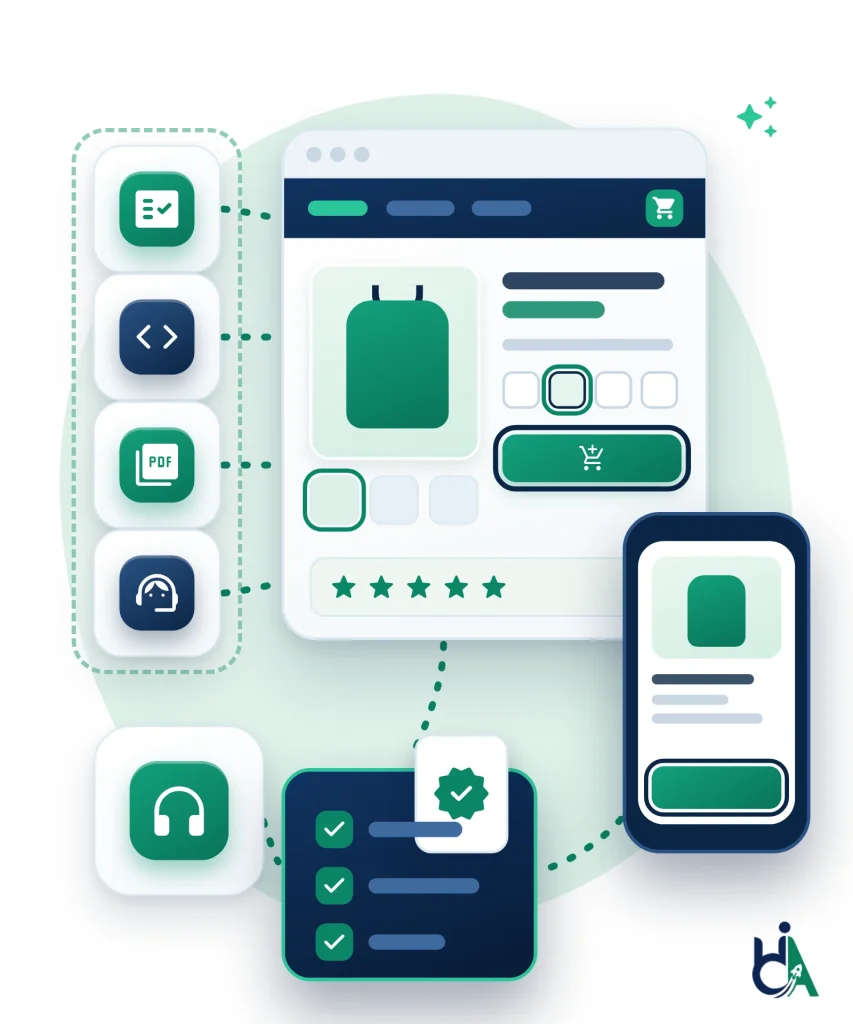
Diagram: four tiles for an audit checklist, code, a PDF document and a support agent connect by dotted lines to an online store product page with a product photo, size options, a focused add-to-cart button and star reviews. A phone shows the same product, and dotted lines lead on to a headphones tile and a navy panel of green ticks with a verified badge, showing a store tested on desktop and mobile, fixed and documented.
  • WCAG Accessibility Audit

    Product discovery, navigation, product pages, cart, checkout, accounts, PDFs, mobile shopping and third-party integrations, tested with automated, manual, keyboard, screen reader and user journey testing.

  • Accessibility Remediation

    Fixes for Shopify, WooCommerce, Magento, BigCommerce, React, Next.js and custom stacks: theme and component updates, form corrections, focus management, ARIA cleanup and retesting.

  • Mobile Commerce Accessibility

    Android, iOS and mobile browsers: responsive layouts, sticky bars, touch targets, menus, product galleries, filters, cart, checkout and account flows.

  • PDF Accessibility

    Product catalogs, warranty documents, user manuals, invoices, return policies, size guides and product sheets remediated so customers can read them with assistive technology.

  • VPAT & Accessibility Documentation

    VPATs, Accessibility Conformance Reports and accessibility statements for enterprise retail, government sales, B2B procurement and partner requirements.

  • Accessibility Consulting

    Accessibility strategy, design reviews, development support, training, launch readiness, seasonal checks and ongoing accessibility programs.

get in touch

Know where you stand. Know what to work on next.

Tell us what you’re working on and where you need support. Our accessibility specialists can help with audits, remediation, VPAT/ACR, accessible development, and ongoing compliance.

Free 30-minute consultation (opens in new tab)

Free 30-minute call: talk through where you stand, scope a project or get a quote.

Need technical answers now? Book the $100 one-hour consultation to walk through an audit, talk with a developer or review your site live.

Let’s find the barriers before your users do

Indicates a required field.


Your information is kept private and never shared with third parties.

Ecommerce WCAG Auditing

Ecommerce WCAG Auditing and Remediation Services

Ecommerce accessibility services make sure every shopper can find a product, choose a size or colour, pay and track an order using a keyboard, a screen reader, magnification or a small phone screen. HalfAccessible provides ecommerce WCAG auditing and remediation for Shopify, WooCommerce, Magento and Adobe Commerce, BigCommerce, Salesforce Commerce Cloud, headless and custom storefronts, including the third-party apps and plugins (reviews, chat, upsells, loyalty and payment fields) where many store barriers live.

Online retail carries the highest legal risk. Title III of the ADA covers businesses open to the public, the Justice Department’s web accessibility guidance points businesses to WCAG, and the European Accessibility Act has applied to stores selling to EU consumers since 28 June 2025. A scanner or overlay is not enough: our ADA lawsuit remediation analysis found that 58 of 60 recently sued stores still had automated WCAG failures weeks after the complaint.

Ecommerce Lawsuit Risk at a Glance

Get Started

Choose Your Next Step

New here or still scoping? Start with the free call. Already have findings or a live checkout issue? Book the technical hour.

  • $100

    One-Hour Technical Consultation

    Best for: teams that need technical answers now

    Walk through audit findings, talk directly with a developer or review checkout issues live on screen.

    Book the $100 consultation
  • $500

    Quick Audit

    Best for: a fast, expert snapshot of your store

    Manual WCAG 2.2 review of up to 5 representative pages with a top-10 issues report.

    Start a $500 Quick Audit
  • $2,000

    Shopify Accessibility Audit

    Best for: Shopify stores ready for a full audit

    Storefront, product pages, cart and checkout tested by hand against WCAG 2.2 AA.

    See the Shopify audit
WCAG 2.2 Specialists
Manual + Automated Testing
Checkout Accessibility Experts
Screen Reader Testing
Mobile Commerce Testing
Shopify & WooCommerce Specialists
Audit and Remediation

How Our Ecommerce WCAG Auditing and Remediation Works

What we test, what WCAG 2.2 changes for stores, how fixes get done and what it costs.

2026 ADA Lawsuit Data for Online Retailers

UsableNet’s 2026 midyear lawsuit report found that 20% of the top 500 ecommerce retailers had already faced a digital accessibility lawsuit in 2026, and it projects about 6,176 filings for the year.

  • Store size: businesses under $50M in revenue were 68% of first-half lawsuits; companies over $50M were 32%.
  • Platforms: Shopify 952, custom-coded 661, WordPress 265 and Magento 52 lawsuits (EcomBack).
  • Most sued sectors: fashion and apparel (565), health, beauty and wellness (308), home, furniture and garden (206).
  • Shopify sellers: read whether Shopify stores are ADA compliant.
ADA website lawsuit statistics for 2026

Ecommerce WCAG Auditing: What We Test in Your Store

Our ecommerce WCAG auditing follows the journeys a shopper actually completes, not a random page sample. Every template is tested against all WCAG 2.2 Level A and AA success criteria with automated scans plus manual keyboard, zoom, NVDA, JAWS and VoiceOver testing on desktop and mobile, because evaluation tools cannot check every accessibility requirement.

  • Discovery: home page, mega menu, search and autocomplete.
  • Browsing: category pages with filters and sorting.
  • Product pages: variant pickers, image galleries and videos.
  • Purchase: cart, mini-cart and checkout.
  • After purchase: account sign-in, order tracking and returns.
  • Report: severity, failed WCAG criterion, affected page or component and code-level fix guidance.
See the sample audit report

What WCAG 2.2 Changes for Online Stores

WCAG 2.2 added six Level A and AA success criteria, and each one shows up in online stores.

  • Focus Not Obscured (2.4.11): sticky headers, cookie banners and chat bubbles must not hide the item a keyboard user just moved to.
  • Dragging Movements (2.5.7): price-range sliders and swipe carousels need a single-tap alternative.
  • Target Size (2.5.8): colour swatches, size buttons and quantity steppers need 24 by 24 CSS pixel targets or enough spacing.
  • Consistent Help (3.2.6): chat, phone and help links stay in the same order across pages.
  • Redundant Entry (3.3.7): shoppers should not retype shipping details for billing.
  • Accessible Authentication (3.3.8): allow paste and password managers, or offer another way to sign in.
Compare accessibility audit services

Ecommerce WCAG Remediation Services: How Fixes Get Done

Most store barriers live in a few shared templates, so our ecommerce WCAG remediation starts there: one fix to the product card, variant picker or filter panel corrects every page that uses it. Our developers fix your theme through accessibility remediation, accessible Shopify development or accessible WordPress and WooCommerce development.

  • Templates first: product cards, variant pickers and filter panels.
  • Forms next: cart, checkout and account labels, errors, focus order and status announcements.
  • Content: product image alt text, video captions and PDF size guides.
  • Third-party apps: vendor tickets with WCAG references and steps to reproduce.
  • Retest: every fix is checked with screen readers, then kept clean with ongoing monitoring.
Get a remediation plan from a free needs assessment

Accessibility of Third-Party Ecommerce Apps and Plugins

Reviews, live chat, upsell pop-ups, loyalty widgets, subscription and buy-now-pay-later blocks, cookie banners and size-guide apps are often installed after a theme has been tested. They are a common source of keyboard traps, unlabeled buttons and focus lost behind modals.

  • In context: we test every ecommerce plugin and app on your live templates.
  • Clear ownership: you learn which fixes your developers can make in the theme and which the vendor must make.
  • Replace or keep: we flag apps that are worth replacing.
  • Overlays are not a fix: EcomBack counted 496 first-half 2026 lawsuits against sites that already had one.
Read: accessibility overlays and ADA lawsuits

Published Ecommerce Audit Pricing

Prices are published on our accessibility audit pricing page, so you know the cost before you talk to us. Check the sample audit report to see the format before you buy.

  • $500 Quick Audit: up to 5 representative pages with a top-10 issues report.
  • $2,000 Shopify Accessibility Audit: storefront, product pages, cart and checkout.
  • $2,000 Complete Audit: up to 25 templates or key flows on any platform, with a retest of fixed issues.
  • WooCommerce stores: start with a WordPress accessibility audit.
  • B2B sellers: add VPAT and ACR documentation for procurement.
View accessibility audit pricing
eCommerce Platforms and Retail Businesses

Ecommerce Platforms, Plugins and Retail Businesses We Support

We audit and fix stores on every major ecommerce platform, including the apps, plugins and third-party widgets layered on top, and we test the retail journeys your shoppers rely on most.

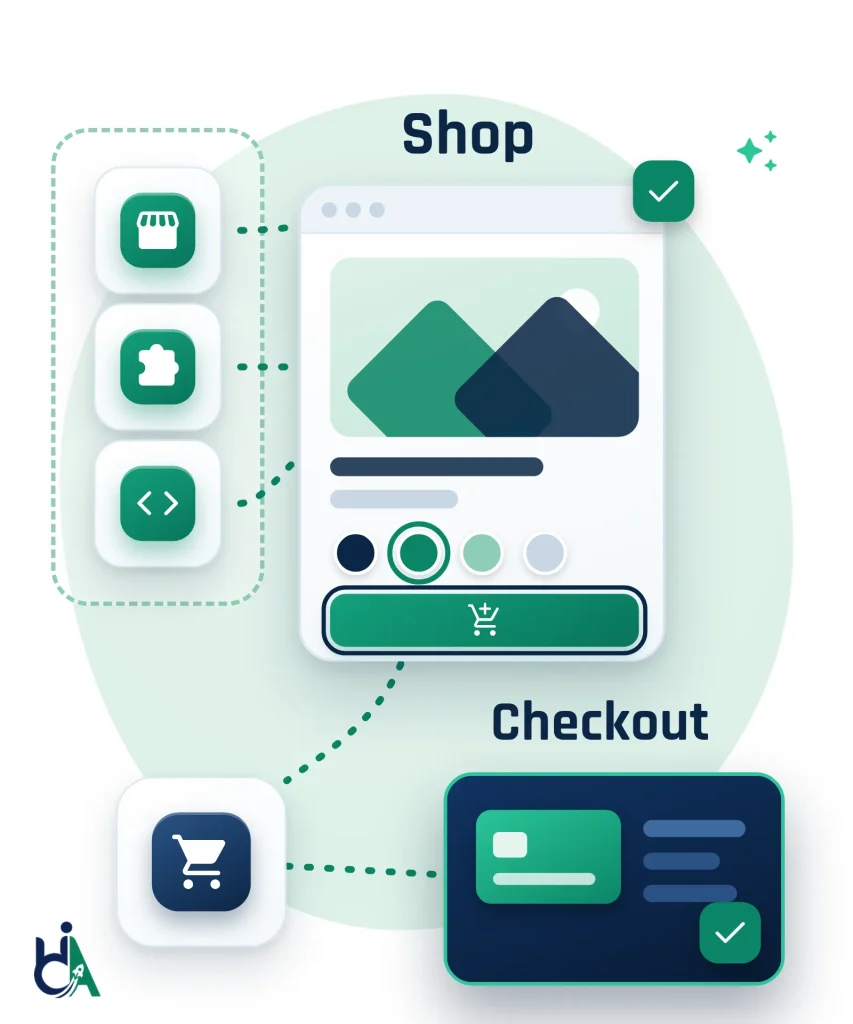
Diagram: storefront, puzzle-piece and code tiles in a dashed frame connect to a product page labelled Shop, where a colour swatch and the add-to-cart button show visible focus rings. Dashed lines lead to a cart tile and a navy card labelled Checkout with a payment card and a green tick, the shopping journey we test on every platform.
  • Shopify and Shopify Plus

    Themes, product pages, cart, Shopify apps and Plus custom storefronts and B2B workflows, tested by hand against WCAG 2.2 AA with fixes your developers can ship.

  • WooCommerce

    WordPress themes, product templates, checkout and payment plugins, account areas and filters, including custom WooCommerce builds.

  • Magento and Adobe Commerce

    Large catalogs, layered navigation, configurable products, customer accounts, checkout and extensions.

  • BigCommerce and Salesforce Commerce Cloud

    Storefronts, product grids, variant selectors, promotions, personalization and account journeys, including headless builds.

  • Wix Stores and Squarespace Commerce

    Hosted templates, navigation, product pages, forms, media and mobile checkout paths.

  • Headless and Custom Commerce

    React, Next.js Commerce, PWAs and design systems, with recommendations your product team can build into shared components.

  • Apps, Plugins and Third-Party Widgets

    Reviews, chat, size guides, subscriptions, cookie banners and payment widgets, tested inside your real shopping journey, because one inaccessible app can block a purchase.

Retail Businesses We Work With

Fashion and Luxury Brands

Fashion and luxury retail need accessible product galleries, size selectors, color swatches, lookbooks, product videos, wishlists, and mobile-first shopping journeys.

  • Size selectors
  • Color swatches
  • Lookbooks
  • Wishlists

Electronics, Furniture and Home Decor

Stores with complex specs, comparisons, bundles, delivery options, filters, variants, and rich PDPs need accessible product discovery and checkout flows.

  • Specs
  • Comparisons
  • Bundles
  • Delivery options

Grocery, Beauty and Pharmacy

High-frequency retail experiences need accessible search, subscriptions, product details, coupons, age or prescription-related flows, and mobile checkout.

  • Subscriptions
  • Coupons
  • Product details
  • Mobile checkout

B2B Wholesale and Specialty Retail

Wholesale B2B, jewelry, pet stores, automotive parts, and specialty retailers often need accessible account pricing, bulk ordering, product data, forms, and support.

  • Bulk ordering
  • Account pricing
  • Product data
  • Support
Compliance Standards

Standards and Documentation We Help You Meet

We help ecommerce teams align with WCAG, ADA, EAA, EN 301 549, PDF/UA, and procurement documentation where applicable.

WCAG 2.2 AA

Primary technical benchmark for accessible ecommerce and retail websites.

ADA

Title III of the ADA covers businesses open to the public. DOJ web guidance points to WCAG, and 79% of ADA web lawsuits in H1 2026 targeted ecommerce sites (UsableNet).

European Accessibility Act

Applies to ecommerce services offered to EU consumers since 28 June 2025. Microenterprises providing services are exempt.

EN 301 549

European ICT accessibility standard useful for procurement and EAA alignment.

PDF/UA

Document accessibility guidance for catalogs, manuals, invoices, and policies.

VPAT / ACR

Procurement documentation for enterprise retail, B2B, and government sales.

Store Platforms and Technologies

Ecommerce Platforms and Technologies We Audit

We test stores built on the major ecommerce platforms and custom commerce stacks. The shopper journeys we test (search, filters, PDP, cart, checkout, accounts and widgets) are covered in the issue cards below.

  • Shopify
  • Shopify Plus
  • WooCommerce
  • Magento
  • Adobe Commerce
  • BigCommerce
  • Salesforce Commerce Cloud
  • Wix Stores
  • Squarespace Commerce
  • Custom React Stores
  • Next.js Commerce
  • Headless Commerce
eCommerce Accessibility Issues

Common Accessibility Issues in eCommerce Websites

Each card shows what we check, the failures we find most often on ecommerce sites, and the typical fix, mapped to WCAG 2.2.

Product Search

Product search is how most shoppers start, so it has to work without a mouse or visual-only cues.

We check: the search field, submit control, autocomplete and suggestions, no-results states and result announcements.

Common failures: unlabeled search fields, suggestions that cannot be reached by keyboard, results that update without any announcement.

Typical fix: a labelled search field with an accessible name, keyboard-operable suggestions and WCAG 4.1.3 status messages when results change.

Category Pages and Product Filters

Category pages and filters are where shoppers narrow thousands of products to a shortlist.

We check: filter checkboxes, range sliders, sort controls, result counts, selected states, pagination or infinite scroll and the product grid.

Common failures: unlabeled filters, result counts that are never announced, focus lost after a filter changes, sliders that only work by dragging.

Typical fix: labelled filters, announced result counts (4.1.3), focus kept on the control that changed and keyboard-operable sliders (WCAG 2.5.7).

Product Detail Pages (PDP)

Product Detail Pages carry the media, variants and add-to-cart controls that turn browsing into a sale.

We check: image galleries and zoom, product videos, colour and size selectors, specs, stock states and the add-to-cart button.

Common failures: product photos without alt text, keyboard traps in zoom or 360 viewers, videos without captions, variant swatches shown only by colour.

Typical fix: meaningful alt text (1.1.1), keyboard-operable galleries, captions (1.2.2) and named variant controls with a text selected state.

Shopping Cart

The cart is where shoppers adjust quantity, apply codes and decide whether to check out.

We check: quantity steppers, remove buttons, discount codes, shipping estimates, live cart totals and the checkout CTA.

Common failures: quantity controls that cannot be used from the keyboard, remove buttons without accessible names, totals that update silently.

Typical fix: keyboard-operable quantity controls, named remove buttons and live announcements (4.1.3) when the cart total changes.

Checkout Accessibility

Checkout is the highest-value step in the journey, and barriers here show up as abandoned carts.

We check: guest checkout, shipping and billing forms, address autocomplete, payment widgets, coupon codes, validation errors and the confirmation page.

Common failures: placeholder-only labels, errors shown only in red, focus order that skips required fields, payment iframes that trap keyboard users.

Typical fix: visible labels with autocomplete (1.3.5), text error messages (3.3.1), a logical focus order and a review step before paying (3.3.4).

Product Variants

Colour swatches, size selectors and bundles have to tell every shopper which option is selected and what it costs.

We check: swatches, size and fit selectors, inventory updates, dynamic pricing, bundles and subscription options.

Common failures: selected states shown only by colour, unavailable combinations with no text explanation, price changes that are not announced.

Typical fix: a text selected state next to each swatch (1.4.1 Use of Color), clear unavailable messaging and announced price updates.

Customer Accounts

Account journeys are what repeat customers use for orders, returns, wishlists and saved payments.

We check: login and registration, password reset, order history, saved addresses, payment methods, wishlists, subscriptions and returns.

Common failures: login that depends on a puzzle CAPTCHA, forms without labels, order tables that are not navigable by screen reader.

Typical fix: accessible authentication (3.3.8), labelled fields and semantic order tables with row and column headers.

Loyalty Programs

Loyalty dashboards, gift cards and referral flows often hide status and redemption behind visual-only UI.

We check: points balances, reward progress, coupon redemption, gift card forms, memberships and referral controls.

Common failures: progress shown only as a coloured bar, redemption buttons without names, balances that update with no announcement.

Typical fix: text next to every progress indicator, named redemption controls and status messages when points or coupons change.

Product Reviews

Reviews influence purchase decisions, so ratings and review forms have to be readable and operable.

We check: star ratings, review forms, sorting, helpful buttons, photo uploads and moderation messages.

Common failures: stars that are not keyboard operable, unlabeled helpful buttons, upload controls without accessible names.

Typical fix: keyboard-operable rating widgets with an accessible name, labelled form fields and alt text for review photos.

Third-Party Integrations

Third-party chat, payments, personalization and cookie banners are common sources of store-breaking barriers.

We check: live chat launchers, payment gateways, review widgets, loyalty embeds, marketing popups, cookie banners and recommendation carousels in the live theme.

Common failures: chat windows that trap focus, popups with no close button, payment fields that cannot be reached by keyboard.

Typical fix: a named, keyboard-reachable chat button, dismissible popups and payment widgets tested end to end in the real checkout. See our Shopify accessibility audit for app-heavy stores.

Seasonal Readiness

Peak sale periods (Black Friday, Cyber Monday, launches) multiply traffic and multiply barriers if templates change unchecked.

We check: sale banners, promotional modals, coupon flows, high-traffic templates, mobile checkout and campaign landing pages before peak.

Common failures: auto-opening modals with no focus management, countdown timers without pauses, mobile checkout regressions after a theme update.

Typical fix: dismissible modals with focus moved in and out, pause controls for moving content (2.2.2) and a pre-sale retest of cart and checkout.

Accessibility and SEO for Product Pages

Clear headings, alt text and product descriptions help both accessibility and how product pages are understood.

We check: heading structure, descriptive alt text, product description markup, link purpose and readable content on category and PDP templates.

Common failures: heading levels skipped or used only for style, filename alt text, “click here” links, walls of unlabelled text.

Typical fix: a logical heading order (1.3.1), meaningful alt text, descriptive link text (2.4.4) and plain-language product copy.

Testing Process

Our Accessibility Testing Process

  1. 01

    Scope Shopping Journeys

    Start with a $500 Quick Audit or book a consultation. We prioritise homepage, search, filters, product pages, cart, checkout and account templates.

  2. 02

    Automated Scan

    Automated checks map theme templates, apps and third-party widgets such as reviews, chat, upsells and payment fields.

  3. 03

    Manual WCAG 2.2 AA Audit

    We manually test against WCAG 2.2 AA using real shopper tasks: finding a product, choosing variants, applying discounts and paying.

  4. 04

    Screen Reader and Mobile Testing

    We verify key journeys with NVDA, JAWS, VoiceOver and TalkBack on desktop and mobile, not browser extensions alone.

  5. 05

    Detailed Report

    Findings include shopper impact, WCAG references, affected templates and apps, reproduction steps and fix guidance ranked by severity.

  6. 06

    Remediation and Retesting

    Your team or agency fixes with our guidance, or we remediate hands-on. We then retest fixes to confirm barriers are resolved without regressions.

  7. 07

    Compliance Validation

    We help document progress for ADA demand letter response, accessibility statements, European Accessibility Act readiness and ongoing monitoring.

Validation, Benefits and Expertise

Why Choose HalfAccessible

Published, Fixed Pricing

A one-hour consultation is $100, the Quick Audit is $500 for up to 5 representative pages, and the Complete Audit and the Shopify Accessibility Audit are $2,000 each. No surprise quotes.

Founder-Led CPACC, WAS & CPWA Audits

Audits are led by Mohammad Shadab Saifi, IAAP certified (CPACC, WAS, CPWA), previously at Deque Software and Pivotal Accessibility, with 10+ years of audits, remediation and accessible development.

Real Screen Reader Testing

We test shopper journeys with NVDA, JAWS, VoiceOver, TalkBack and keyboard-only navigation, not automated scans or overlay widgets alone.

Full Shopper Journey Coverage

Search, filters, product variants, image galleries, cart, discount codes, guest checkout, payment errors, accounts and returns are tested as real tasks.

Apps and Plugins Tested in Context

Reviews, chat, upsell, loyalty and payment widgets are tested inside your store, and findings are split between your theme code and the app vendor so the right team fixes each one.

See a Sample Report First

Review our sample audit report to check the severity ratings, WCAG 2.2 mapping and code-level fix guidance before you commit.

5.0 Rated Client Work

Our case studies include a chatbot accessibility review for dealership group Ken Garff rated 5.0 out of 5.0 on Upwork, and WCAG 2.2 AA audits across 15+ financial websites.

Fixes and Retesting

Our developers can fix theme and checkout issues for you, and the Complete Audit includes a retest of fixed issues so you can document progress.

Need an Ecommerce Accessibility Audit?

Start with a $500 Quick Audit of up to 5 representative pages. Still scoping or need a quote? Book a free 30-minute call to talk through where your store stands. Developers who need technical answers now can book the $100 one-hour consultation.

eCommerce Accessibility FAQs

Frequently Asked Questions

Answers to common questions about ecommerce accessibility audits, WCAG 2.2 compliance, remediation, Shopify, WooCommerce, Magento, checkout and payment accessibility, third-party apps and plugins, overlays, lawsuit risk, customer accounts, mobile shopping, product PDFs, VPATs and ongoing testing.

What is eCommerce accessibility?

eCommerce accessibility means shoppers can browse products, use search and filters, view product details, manage carts, complete checkout, access accounts, read documents, and get support with assistive technology, keyboard navigation, zoom, and mobile accessibility features.

How much does an ecommerce accessibility audit cost?

Our packages are listed on the accessibility audit pricing page. A one-hour technical consultation (audit walkthrough, developer Q&A or live issue review) is $100; first conversations are a free 30-minute call. The Quick Audit is $500 for up to 5 representative pages with a top-10 issues report mapped to WCAG 2.2. The Complete Audit is $2,000 for larger or more complex stores, up to 25 templates or key flows, with manual JAWS, NVDA and VoiceOver testing and a retest of fixed issues. Shopify merchants can book the dedicated $2,000 Shopify Accessibility Audit. Not sure which fits? Request a free needs assessment.

How does WCAG 2.2 apply to mobile ecommerce checkout flows?

WCAG 2.2 added several success criteria that land directly on mobile checkout. Target Size (Minimum), 2.5.8, asks for tap targets of at least 24 by 24 CSS pixels or enough spacing, which matters for quantity steppers, variant swatches and payment buttons. Redundant Entry, 3.3.7, means shoppers should not have to type the same shipping details twice, so offer a “same as shipping” option. Accessible Authentication (Minimum), 3.3.8, means account login must allow password managers and pasting rather than memory puzzles. Focus Not Obscured (Minimum), 2.4.11, means sticky headers, cookie banners and chat widgets must not hide the focused field. We test these on real phones with VoiceOver and TalkBack as part of every checkout audit.

Do you provide ecommerce WCAG remediation services?

Yes. After an audit, our developers can fix the issues in your theme, templates and checkout customisations through our accessibility remediation service, or build accessible sections and components with accessible Shopify development and accessible WordPress and WooCommerce development. Your own developers or agency can also fix issues using the code-level guidance in our report, and we retest to confirm each fix works with screen readers and keyboards.

What does an ecommerce accessibility audit include?

Our ecommerce accessibility audit tests the templates and journeys shoppers use to buy: navigation, search, category pages and filters, product detail pages and variants, cart, checkout, account, order tracking and returns, plus the third-party apps on those pages. Testing covers every WCAG 2.2 Level A and AA success criterion with automated scans and manual keyboard, zoom, NVDA, JAWS and VoiceOver checks on desktop and mobile. You get a report with severity ratings, WCAG references, screenshots and code-level fixes; the sample audit report shows the format. The $500 Quick Audit covers up to 5 representative pages, and the $2,000 Complete Audit covers up to 25 templates or key flows with a retest.

How do I make my ecommerce website WCAG compliant?

Start with an audit of your key templates and shopping journeys against WCAG 2.2 Level AA, because automated tools alone cannot check every requirement. Fix the shared templates and components first (header, product card, filters, variant picker, cart and checkout), then content such as alt text, captions and PDFs, and log app issues with the vendors. Retest the fixes with screen readers, publish an accessibility statement and add accessibility checks to every theme update or app install. Our accessibility remediation team can do the fixes, and ongoing monitoring keeps new releases clean.

Which ecommerce plugins and apps cause the most accessibility problems?

The apps that most often cause problems are product review widgets, live chat bubbles, upsell and email sign-up pop-ups, loyalty and rewards panels, subscription and buy-now-pay-later blocks, cookie consent banners and product image zoom or 360-degree viewers. Typical failures are buttons without accessible names, pop-ups that do not move or trap focus correctly, content that hides the focused element (WCAG 2.2 criterion 2.4.11) and status messages screen readers never announce. We test each app in context and give you WCAG-referenced evidence to send to the vendor, or recommend an accessible alternative.

Are large ecommerce brands more likely to face ADA website lawsuits?

Visibility does raise risk. UsableNet’s 2026 midyear report found that 20% of the top 500 ecommerce retailers had faced a lawsuit in 2026, and companies with more than $50M in revenue accounted for 32% of first-half filings. Smaller businesses are not safe, though: companies under $50M still made up 68% of lawsuits, and UsableNet put ecommerce at 79% of all filings. Size changes the scope of the audit you need, not whether you need one; see our 2026 lawsuit statistics for more.

Will an accessibility widget or overlay protect my online store?

No. EcomBack counted 496 ADA website lawsuits from January to June 2026, almost one in four filings, against sites that already had an accessibility widget installed. In April 2025 the FTC finalized a $1 million order against accessiBe that bars it from claiming its tool can make any website WCAG compliant without supporting evidence. Widgets do not fix the theme code, checkout or app markup that screen reader users actually rely on, which is what an audit and remediation do. Our overlay lawsuit guide explains the evidence.

How do I choose an ecommerce accessibility service provider?

Look for a provider that tests manually with real screen readers rather than selling a scan or overlay, tests your actual shopping journeys including checkout and apps, maps every issue to a WCAG 2.2 criterion with fix guidance, can fix the issues in your platform (Shopify, WooCommerce, Magento or a custom stack) and retests afterwards. Ask for a sample report and published prices. Ours are on the pricing page: a $100 one-hour technical consultation (audit walkthrough, developer Q&A or live issue review), the $500 Quick Audit, the $2,000 Complete Audit and the $2,000 Shopify Accessibility Audit, backed by 10+ years of accessible web development. For a smaller, fixed-price first step, see our quick accessibility audit service. Comparing providers? Book a free 30-minute call to ask how we would test your store and get a quote before you commit.

Does the European Accessibility Act apply to my online store?

If you sell to consumers in the EU, it probably does. The European Accessibility Act (Directive (EU) 2019/882) has applied to ecommerce services since 28 June 2025, and it covers online stores outside the EU that sell to EU consumers. Microenterprises that provide services, those with fewer than 10 staff and annual turnover or balance sheet of no more than EUR 2 million, are exempt. Our European Accessibility Act compliance guide explains the requirements, and an audit against WCAG 2.2 AA covers the web requirements in EN 301 549.

Why does my online store need WCAG compliance?

WCAG compliance helps reduce barriers that stop customers from shopping. It supports better usability, conversion, SEO, mobile UX, compliance readiness, and reduced legal risk for applicable businesses.

Can you audit Shopify stores?

Yes. Our Shopify Accessibility Audit is a $2,000 WCAG 2.2 review of your storefront, theme, product pages, filters, cart and checkout, with real assistive technology testing and findings mapped to the theme sections and apps that cause them. If your team needs the fixes built, our accessible Shopify development service can implement and retest them.

Can you audit WooCommerce websites?

Yes. We audit WooCommerce stores, WordPress themes, checkout plugins, product templates, filters, payment integrations, account areas, and custom WooCommerce workflows.

Do you test Magento stores?

Yes. We test Magento and Adobe Commerce stores, including layered navigation, configurable products, product pages, carts, checkout, customer accounts, extensions, and mobile shopping flows.

Can you test checkout accessibility?

Yes. We test guest checkout, shipping forms, billing forms, address autocomplete, payment gateways, order review, coupon codes, shipping selection, validation errors, and confirmation pages.

Do you review payment gateways?

Yes. We review payment forms, third-party gateway embeds where scope allows, card entry, errors, focus order, processor states, confirmations, and recovery paths.

Can you test customer accounts?

Yes. We test login, registration, password reset, order history, saved addresses, wishlists, returns, subscriptions, loyalty programs, and account settings.

Do you audit mobile shopping apps?

Yes. We can audit mobile commerce apps and responsive stores using iOS and Android accessibility expectations, including VoiceOver, TalkBack, touch targets, zoom, and mobile screen reader labels.

Can you make product PDFs accessible?

Yes. We remediate product catalogs, warranty documents, user manuals, invoices, return policies, size guides, and product sheets so they are easier to use with assistive technology.

Do you provide VPATs?

Yes. We provide VPATs and Accessibility Conformance Reports for ecommerce platforms, B2B commerce products, enterprise retail, and procurement requirements.

How often should an online store be audited?

Online stores should be audited before major redesigns, new checkout launches, platform migrations, seasonal campaigns, and periodically as apps, templates, and products change.

Can you test third-party ecommerce apps and plugins for accessibility?

Yes. Third-party ecommerce accessibility is one of the biggest gaps we find, because reviews, live chat, upsell, loyalty, subscription and payment widgets are often added after a theme is tested. We test each app and plugin in context on your live templates, then split findings between issues you can fix in your theme and issues the vendor must fix, with WCAG references you can send to them. We do not recommend accessibility overlay widgets as a fix.

Do you support ongoing accessibility testing?

Yes. We can support recurring audits, release checks, seasonal readiness reviews, regression testing, developer guidance, and ongoing remediation support.

Can you test product filters with screen readers?

Yes. We test filters, selected states, result counts, sorting, pagination, dynamic updates, and keyboard focus with screen readers and keyboard-only navigation.

Can you audit product detail pages?

Yes. We audit PDPs for product images, image zoom, videos, variant selectors, specifications, reviews, related products, add-to-cart controls, and structured content.

Can accessibility improve conversion rates?

Accessibility can reduce friction in search, product selection, cart, checkout, account creation, and payment flows. Clearer interfaces help all shoppers, not only users with disabilities.

Can you review loyalty programs?

Yes. We review rewards dashboards, coupons, gift cards, memberships, points balances, referral flows, and redemption controls for accessibility barriers.

Can you prepare stores for Black Friday or major launches?

Yes. We can run seasonal readiness checks before Black Friday, Cyber Monday, holiday sales, major campaigns, or product launches to reduce accessibility risk during peak traffic.

Do you test store locator accessibility?

Yes. We test store locators, maps, location filters, hours, contact information, directions, and alternative listings so customers are not forced to use inaccessible map controls.

Can you work with our ecommerce agency or developers?

Yes. We provide developer-friendly reports and coordinate with internal teams, agencies, platform vendors and plugin providers during remediation and retesting. Agencies that build or run stores for clients can also resell our audits under their own brand through our white label accessibility services for agencies and the agency partner program.

Do you retest after remediation?

Yes. Retesting confirms whether fixes resolve the original barriers across product discovery, PDPs, cart, checkout, mobile layouts, accounts, and post-purchase experiences.

Should I book the free 30-minute call or the $100 consultation?

Book the free 30-minute call if this is your first conversation with us. We find out which platform you run (Shopify, WooCommerce, Magento or a custom stack), which journeys matter most, what is driving the work (a demand letter, a redesign, the European Accessibility Act or a retailer requirement) and then recommend a package or send a quote. It is the right first step for most store owners. Book the $100 one-hour consultation when you need a hands-on technical session now, for example walking through an existing audit report, talking with your developer or agency about specific checkout or theme fixes, or reviewing an issue live on your store.

How can I check my store for accessibility issues before booking an audit?

Run a free scan first for a quick snapshot. Our AccessibilityScore.in tool runs a free WCAG accessibility scan powered by axe-core and gives your page an accessibility score with issue-level remediation guidance. Treat the result as a starting point: automated rules cannot check every WCAG requirement, so keyboard traps in filters, variant pickers that screen readers cannot announce and checkout errors that are never read out still need manual testing. When you are ready, the $500 Quick Audit tests up to 5 representative store pages by hand, and the $2,000 Shopify Accessibility Audit covers storefront, product pages, cart and checkout.

Who is responsible for accessibility problems inside third-party ecommerce apps?

Shoppers experience a reviews widget, chat window, upsell pop-up or payment block as part of your store, and ADA website complaints are filed against the business that runs the site, not the app vendor. So third-party ecommerce accessibility is your risk even when the code is not yours. In an audit we test every installed app in context, mark which issues your developers can fix in the theme (labels, focus handling, wrappers and settings) and which only the vendor can fix, and give you a ticket with WCAG 2.2 references and steps to reproduce to send them. Before you install a new app, ask the vendor for an accessibility conformance report (VPAT or ACR) and test it with a keyboard. If a vendor will not fix a blocking issue, replacing the app is often cheaper than working around it; see our accessibility remediation service for help with either route.

Who leads your ecommerce accessibility audits?

Every ecommerce audit is led by founder Mohammad Shadab Saifi, who holds the IAAP CPACC, WAS and CPWA certifications, is a DHS Section 508 Trusted Tester and has 10+ years of accessibility audits, remediation and accessible development, including work at Deque Software and Pivotal Accessibility. He scopes the audit, reviews every finding before the report goes out and is available for follow-up questions. You can read more on the founder profile or check the format first in our sample audit report.