
Missing Alternative Text
We identify images, icons, graphics, logos, and functional imagery that need useful alternative text or should be marked decorative.

quick accessibility audit — professional wcag 2.2 review from $500
A fixed-price $500 accessibility audit for startups, nonprofits, schools and small businesses. Founder-led by Mohammad Shadab Saifi (CPACC, WAS, CPWA, 10+ years): automated scanning plus manual keyboard and screen reader checks on up to 5 page templates, a top-10 issues report mapped to WCAG 2.2 and a 30-minute review call. No overlay widgets.
Start Here
New here or not sure the Quick Audit fits? Start with the free call. Ready to go? Order the $500 Quick Audit. Need expert technical answers now? Book the $100 hour. Bigger site, web app or logged-in portal? The $2,000 Complete Audit covers up to 25 templates or key user flows.
get in touch
Tell us what you’re working on and where you need support. Our accessibility specialists can help with audits, remediation, VPAT/ACR, accessible development, and ongoing compliance.
Free 30-minute consultation (opens in new tab)
Free 30-minute call: talk through where you stand, scope a project or get a quote.
Need technical answers now? Book the $100 one-hour consultation to walk through an audit, talk with a developer or review your site live.
Indicates a required field.
Your information is kept private and never shared with third parties.
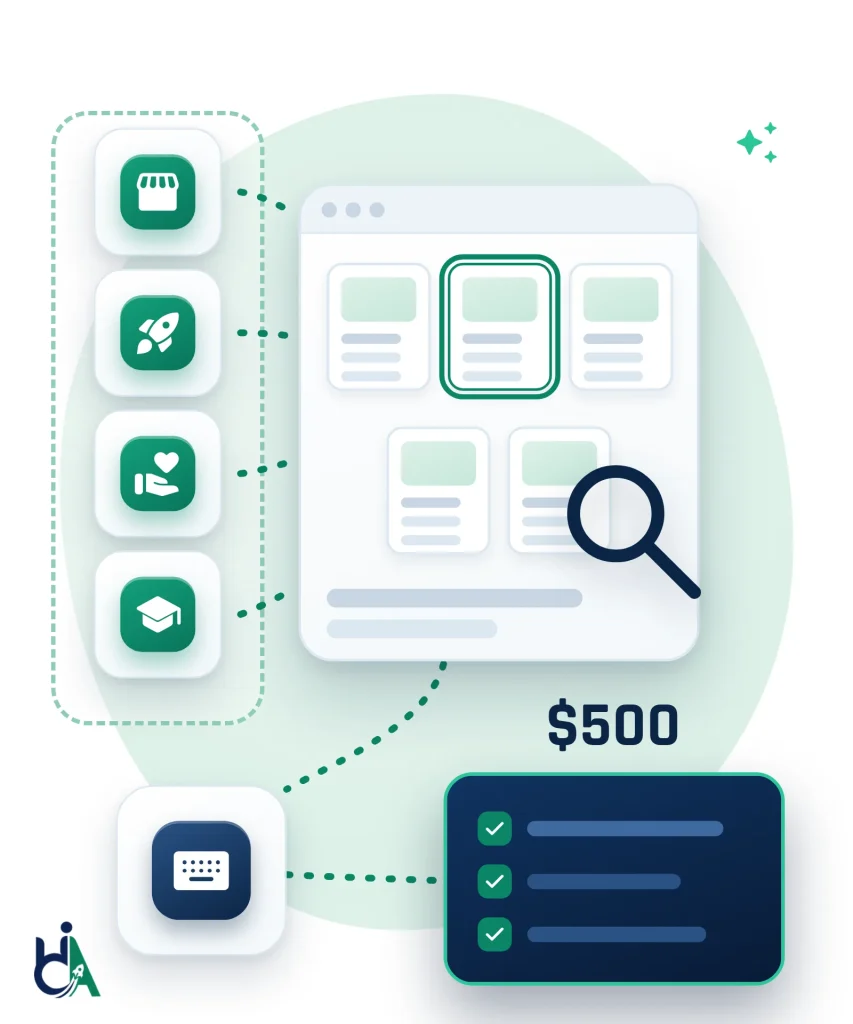
Our quick accessibility audit is built for small sites that reuse a few templates. We test up to 5 key pages by hand with a keyboard and screen readers, add automated scans, and give you a fixed $500 price before we start. Bigger or more complex sites usually need the Complete Accessibility Audit. See what you receive in our sample audit report.
Company sites, clinics, law offices, trades and restaurants with a few key pages: home, services, location and a quote or contact form.
MVPs, landing pages and early marketing sites that need a professional WCAG 2.2 check before launch, a funding round or a first enterprise deal.
Donation pages, campaign pages, volunteer forms and program information that everyone in your community should be able to use.
Small school, program and admissions sites with parent resources and forms, checked against WCAG 2.2 AA with real keyboard and screen reader tests.
Campaign pages, lead forms, downloadable resources and reusable templates, where one fixed component improves every page that uses it.
Received an accessibility complaint or demand letter? A quick audit shows where the main barriers are. For legal matters, see ADA lawsuit remediation and work with your attorney.
We test up to 5 page templates that represent your site, usually your homepage, a content page such as About, your contact page, one service or product page and your main form. We also check the header, navigation, footer and other shared parts those pages reuse, so one fix improves every page that uses them.
Each template gets an automated scan plus manual checks against WCAG 2.2 Level A and AA with a keyboard and screen readers. You receive a top-10 issues report and a 30-minute review call for a fixed $500, agreed in writing before work starts. See the format in our sample audit report, or compare audit pricing if you need more than 5 templates or a re-test.
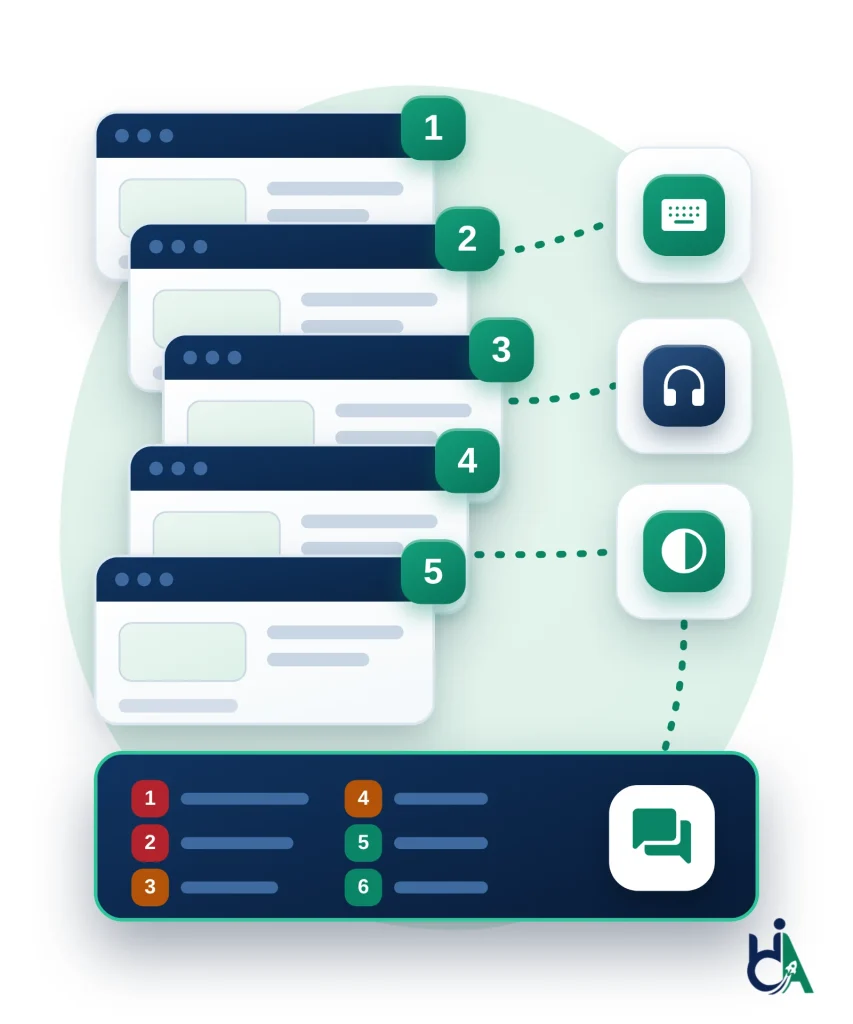
Homepage, a content page, contact page, a service or product page and your primary form, agreed with you before we start.
Header, navigation, menus, footer, buttons and cards, checked once because they affect every page that uses them.
Focus order, menus, forms and dialogs tested by keyboard, and key content and controls tested with a screen reader.
Automated tools catch detectable issues such as missing labels and markup errors, and we confirm text and UI contrast by hand.
The most important barriers ranked by severity, each mapped to a WCAG 2.2 success criterion with screenshots and fix guidance.
We walk you and your developer through the findings, answer questions and agree what to fix first.
A quick accessibility audit is a streamlined professional review of a website against WCAG 2.2 requirements (see also the W3C WAI WCAG overview). Instead of auditing every page, representative page templates and key user journeys are evaluated using automated tools and manual accessibility testing. This approach provides actionable findings at a lower cost while maintaining meaningful coverage. Sampling representative templates is a common approach for sites with repeated layouts.
This service is designed for small websites that need useful accessibility findings without enterprise audit pricing. We focus on representative templates, shared components, key forms, navigation, and common user barriers so you can understand your biggest accessibility risks and fix the highest-impact issues first.
The WebAIM Million 2026 found low contrast text on 83.9% of top home pages, missing image alt text on 53.1% and missing form labels on 51%. We check those first on every Quick Audit, then test what scanners miss.
We identify images, icons, graphics, logos, and functional imagery that need useful alternative text or should be marked decorative.
We check whether users can reach and operate menus, links, buttons, forms, widgets, and page controls without a mouse.
We review text, buttons, links, icons, form states, and visual UI elements that may not meet contrast requirements.
We identify missing labels, unclear instructions, inaccessible errors, required-field issues, poor focus order, and screen reader problems in forms.
We review heading order, page outline, skipped levels, missing headings, duplicate headings, and structure that affects screen reader navigation.
We check vague link text, repeated calls to action, empty links, icon-only links, broken accessible names, and links that need clearer purpose.
We identify table header, scope, caption, structure, and responsive table issues on pages that include tabular data.
We review informative images, decorative images, image links, text inside images, charts, icons, and marketing graphics for accessibility impact.
We check whether keyboard users can clearly see where focus is on navigation, buttons, links, form controls, and interactive elements.
We identify ARIA misuse, missing accessible names, invalid roles, incorrect states, and cases where native HTML would be safer.
We test representative responsive behavior for mobile menus, zoom, reflow, touch targets, hidden content, and layout changes.
| Feature | Quick Audit | Complete Audit |
|---|---|---|
| Starting Price | Quick Audit: $500 | Complete Audit: $2,000 | Enterprise: Custom |
| Website Size | Quick Audit: Up to 5 representative pages | Complete Audit: Up to 25 templates/flows | Enterprise: Large websites and applications |
| Manual Testing | Quick Audit: Included | Complete Audit: Included | Enterprise: Included |
| Screen Reader Testing | Quick Audit: Included | Complete Audit: Full JAWS, NVDA & VoiceOver | Enterprise: Included |
| Detailed Report | Quick Audit: Included | Complete Audit: Included | Enterprise: Included |
| Retesting | Quick Audit: Optional | Complete Audit: Included | Enterprise: Included |
| VPAT Support | Quick Audit: Not included | Complete Audit: Optional | Enterprise: Included |
We keep the process focused, practical, and transparent so you receive useful findings without unnecessary enterprise overhead.
Tell us your website and the up to 5 pages or templates you want reviewed — homepage, key forms, navigation, and shared components.
We run industry-standard automated tooling across your selected pages to catch baseline issues immediately.
An accessibility specialist manually tests keyboard navigation, screen reader behavior, color contrast, and forms — the issues automation alone misses.
You receive a written report with prioritized issues, WCAG 2.2 mapping, screenshots, and code-level recommendations.
A 30-minute call to walk through the findings together and answer your questions.
Fix issues in-house, bring in our remediation service, or upgrade to the Complete Audit if your scope turns out to be bigger than expected.
Primary test baseline for every quick accessibility audit. Findings map to WCAG 2.2 Level A & AA; teams can also use the W3C WAI WCAG overview for the official criteria list.
Relevant when US public-accommodation or customer-complaint risk is part of the ask. Context: ADA.gov web guidance on accessible web content and apps. A quick audit helps surface WCAG issues that may affect ADA risk; it is not legal advice.
Relevant for public-sector buyers and federal vendors who need ICT accessibility awareness. See Section508.gov laws and policies and the U.S. Access Board ICT Standards. Deeper 508 / VPAT work is a separate service.
Relevant if you serve EU customers or fall under the European Accessibility Act. Primary text: Directive (EU) 2019/882 on EUR-Lex; practical overview via the AccessibleEU centre.
Audits are performed by experienced accessibility specialists and led by our founder (IAAP CPWA, CPACC and WAS), combining automation with manual review — not an overlay widget or scan-only PDF.
Relevant for public schools, colleges, libraries and local agencies. The ADA Title II web rule requires WCAG 2.1 Level AA by April 26, 2027 for entities serving 50,000 or more people, and by April 26, 2028 for smaller ones and special district governments. A Quick Audit is a good first look; larger public sites usually need a Complete Audit.
A plain-language summary of the overall accessibility status, key risks, and recommended next steps.
The 10 most important barriers across your tested templates, each with where it occurs, who it affects and the WCAG 2.2 criterion it fails.
Findings mapped to relevant WCAG 2.2 success criteria so developers and stakeholders understand the accessibility requirement.
A prioritized list of accessibility issues with location, description, impact, severity, and remediation guidance.
Screenshots or visual references that help identify where issues occur and make the report easier to act on.
Developer-friendly recommendations for semantic HTML, labels, focus styles, headings, ARIA, links, contrast, and form fixes.
Issues prioritized by severity, user impact, and practical remediation value so teams know what to fix first.
A consultation to review the report, answer questions, and clarify remediation priorities.
Your audit is led by founder Mohammad Shadab Saifi (CPACC, WAS, CPWA), not an automated overlay or generic scanning tool.
We bring practical experience across WCAG audits, remediation, screen reader testing, developer guidance, and accessibility consulting.
Every Quick Audit includes expert manual review so you receive meaningful findings that automated scans alone cannot provide.
We identify real accessibility issues and provide practical remediation guidance instead of relying on overlay widgets.
Reports are written so developers, website owners, agencies, and small teams can understand what is wrong and how to fix it.
The $500 price is fixed and agreed before we start, and the scope is set for small websites so you know exactly what you get.
If several of these fit, the $500 Quick Audit is the right first step. If your site is bigger, compare every package on our pricing page or ask for a free needs assessment.
If you are a startup, nonprofit, local business or small organization, our $500 Quick Audit is an affordable way to find your biggest accessibility barriers and get practical, WCAG 2.2-mapped fixes from a team led by an IAAP-certified founder. Not sure where you stand yet? Start with a free 30-minute call. Need technical answers now? Book the $100 one-hour consultation.
Start My $500 Quick AuditAnswers to common questions about $500 accessibility audits, manual testing, page limits, WCAG recommendations, ADA audit cost, upgrades, and what is included.
It includes both automated accessibility scanning and expert manual testing. Automated tools help identify detectable issues, while manual review finds real barriers that tools often miss.
The Quick Audit is designed for up to 5 representative pages, such as a homepage, about page, contact page, service or product page, primary form, navigation, footer, and shared components.
Yes. The Complete Accessibility Audit is $2,000 for up to 25 page templates or key user flows, with a full manual audit and a re-test of fixed issues. For anything larger, ask for a free needs assessment and we reply with a scope and a fixed price within 2 business days.
Yes. Findings include practical recommendations mapped to relevant WCAG 2.2 accessibility expectations where applicable.
Yes. HalfAccessible can provide remediation services after the audit, or your developer can use the report to fix issues internally.
Yes. The audit includes screen reader validation for key page structure, navigation, forms, links, and important interactions where appropriate.
The audit can help identify WCAG accessibility issues that may affect ADA risk, but legal compliance depends on your organization, jurisdiction, and broader accessibility program.
Usually no. Government procurement often requires deeper audit coverage, VPAT or ACR documentation, Section 508 review, and broader validation. We offer separate services for that.
Yes. You can upgrade to a standard audit, remediation support, monitoring, or VPAT documentation if your needs grow.
Timing depends on our current schedule and your site. When you send the Quick Audit request form, we confirm the scope and a delivery date before work starts, and the Quick Audit is built to be delivered faster than a Complete Audit.
Testing depends on scope, but may include modern browsers, keyboard-only navigation, screen reader validation, automated tools, and browser accessibility inspection.
It is best for small business websites, startup landing pages, nonprofit websites, small school sites, local business websites, and marketing websites with reusable templates.
Enterprise portals, native mobile apps, large SaaS platforms, 100+ page websites, government procurement documentation, VPAT preparation, and large PDF libraries are not included.
No. This audit reviews representative templates and key components instead of every page, which keeps the cost affordable while still producing meaningful findings.
The audit is affordable because it focuses on representative templates, shared components, and small website scopes rather than every page or complex enterprise workflows.
No. Automated scans are included, but the audit also includes manual WCAG review, keyboard testing, screen reader validation, and developer recommendations.
Yes. You receive an accessibility report with issues, priorities, screenshots or references, WCAG mapping, and remediation guidance.
Yes. Every Quick Audit includes a 30-minute findings review call so you understand the highest-impact issues and next steps. That call is part of the $500 audit and is separate from our free 30-minute first call and the $100 one-hour technical consultation.
Yes. Digital agencies can use this audit for small client websites, pre-launch checks, or accessibility discovery work. For repeat client work under your own brand, see our white label website accessibility services for agencies.
Yes. We can audit WordPress websites, including themes, navigation, forms, content templates, plugins, and shared components.
Yes, for small representative scopes such as a home page, a product page and the cart. Larger stores usually need the Shopify Accessibility Audit ($2,000), which covers the theme, apps, product variants, filters, accounts and checkout.
Large PDF libraries are not included in the $500 audit. PDF accessibility can be handled through our PDF document remediation service.
Retesting is optional. We can quote retesting after your team fixes the issues or include it in a larger audit package.
Yes. The report is written to be developer-friendly, with clear issue descriptions, impact, priority, WCAG mapping, and remediation guidance.
Fill in the short form on the Start Your Quick Audit page with your website URL and any pages or flows you especially want checked, and tell us if you have an existing complaint or demand letter. We confirm whether your site fits the Quick Audit scope or recommend a different package.
Our prices are fixed and published. The Quick Accessibility Audit is $500 for up to 5 page templates. The Complete Accessibility Audit is $2,000 for up to 25 templates or key user flows, the Shopify Accessibility Audit is $2,000, and a 1-hour technical accessibility consultation (audit walkthrough, developer Q&A or live issue review) is $100. First conversations are a free 30-minute call. Compare every package on our pricing page, or read our accessibility audit cost guide to see what drives the price.
The $500 Quick Audit covers up to 5 page templates with automated and manual spot checks, a top-10 issues report, WCAG 2.2 mapping and a 30-minute review call. The $2,000 Complete Audit covers up to 25 templates or key user flows with a full manual audit in JAWS, NVDA, VoiceOver and keyboard, a severity-ranked report, a re-test of fixed issues, an accessibility statement draft and 90 days of support.
It is a fast first step: it shows your biggest barriers on the pages that matter most. A demand letter usually needs the named barriers fixed and documented, so see our ADA lawsuit remediation service, and work with your attorney. We do not give legal advice.
Yes, as a first look. The ADA Title II web rule requires WCAG 2.1 Level AA by April 26, 2027 for state and local governments serving 50,000 or more people, and by April 26, 2028 for smaller ones. We test against WCAG 2.2 Level AA, and content that conforms to WCAG 2.2 also conforms to WCAG 2.1. Most public entities have more than 5 templates, so use our government accessibility audit request for a full scope.
Yes. Our sample audit report shows how findings are written, with WCAG references, severity, screenshots and fix guidance for developers.
Start with the free 30-minute call if this is your first conversation with us: we learn where your site stands, scope the project and give you a quote. Book the $100 one-hour consultation if your team needs technical answers now, such as walking through an existing audit, talking with your developer or reviewing site issues live. If you already know you have up to 5 key templates, go straight to the Quick Audit request form.
Yes. AccessibilityScore.in, our free tool, runs a WCAG accessibility scan powered by axe-core and gives you a website accessibility score with issue-level remediation guidance. Treat it as a starting point: automated tools cannot detect every WCAG failure, so the Quick Audit adds manual keyboard and screen reader testing on up to 5 page templates and a prioritized report mapped to WCAG 2.2.
Our lowest-priced audit with a written report is the $500 Quick Audit, a fixed price for up to 5 page templates. If budget is tight, start with the free 30-minute call to see which first step makes sense, or book the $100 one-hour consultation for a live technical session with a specialist. Free automated scanners are useful for a first look, but they miss barriers that only manual testing finds. Compare every package on our accessibility audit pricing page.
Send your website URL and the up to 5 page templates or key flows that matter most, such as your home page, a service or product page, contact page and main form. Add test login details if a form or account area needs them, your launch or legal deadline, and any accessibility complaint or ADA demand letter you have received. Everything goes in the Quick Audit request form, and we confirm the scope and a delivery date before work starts.
We walk you through the top findings on the 30-minute review call included in the audit. Your developer can then fix issues using the WCAG 2.2-mapped report, or we can quote accessibility remediation and an optional retest. If your developer wants a live technical working session on specific fixes, book the $100 one-hour consultation. If the audit shows wider problems, you can move up to the $2,000 Complete Audit for up to 25 templates or key user flows.