
Websites
Corporate websites, marketing websites, government websites, healthcare websites, ecommerce pages, content templates, navigation, forms, media, and calls to action.

ada, section 508 & website accessibility remediation
Accessibility remediation services fix the WCAG 2.2 AA, ADA and Section 508 barriers an audit finds in your website templates, components, PDFs and apps, then retest every fix with a keyboard, NVDA, JAWS and VoiceOver. Remediation is quoted after a free scoping review, and most small-to-medium websites finish in 2 to 6 weeks once scope is agreed. Led by founder Mohammad Shadab Saifi (IAAP CPACC, WAS, CPWA; 10+ years). New here? Book a free 30-minute call.
Start Here
Need website accessibility remediation after an audit or demand letter? Get a remediation quote. Still scoping or new here? Start with the free call. Need hands-on technical answers now (audit walkthrough, developer Q&A or live issue review)? Book the $100 hour. No audit yet? A $500 Quick Audit or $2,000 Complete Audit gives your team (or ours) a fix-ready list first.
get in touch
Tell us what you’re working on and where you need support. Our accessibility specialists can help with audits, remediation, VPAT/ACR, accessible development, and ongoing compliance.
Free 30-minute consultation (opens in new tab)
Free 30-minute call: talk through where you stand, scope a project or get a quote.
Need technical answers now? Book the $100 one-hour consultation to walk through an audit, talk with a developer or review your site live.
Indicates a required field.
Your information is kept private and never shared with third parties.
Our accessibility remediation services fix the barriers an audit finds in your source code, then retest every fix with a keyboard and screen readers. ADA remediation, Section 508 remediation and WCAG 2.2 AA work follow one process, so the results hold up in demand-letter responses, procurement reviews and VPAT updates. New to remediation? Read our website accessibility remediation guide or see how a two-phase audit and remediation project ran.
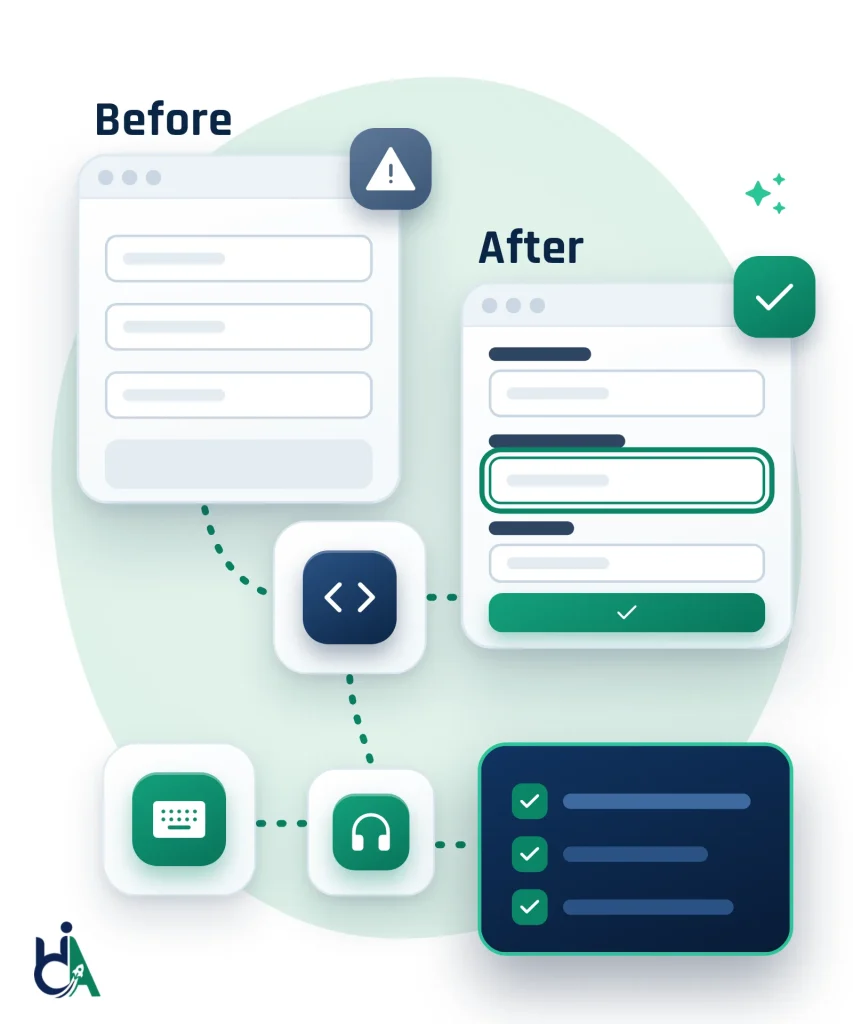
Focus order, visible focus, skip links, menus and dialogs are fixed so every task works without a mouse.
Names, roles, states and status messages are corrected, then checked with NVDA, JAWS, VoiceOver and TalkBack.
Labels, error messages, required fields and multi-step flows are fixed, so sign-ups, quotes and purchases go through.
We repair shared components and templates once, so the same barrier stops repeating across pages and releases.
EcomBack counted 2,045 ADA website lawsuits in U.S. courts from January to June 2026, 1.54% more than in the same months of 2025.
496 of those lawsuits (24.25%) targeted sites that already had an accessibility widget installed. In 2025 the FTC ordered overlay vendor accessiBe to pay $1 million over its compliance claims.
Remediation is quoted once we see the scope, because the cost depends on the number of issues, how many come from shared components, your technology stack and whether our developers or yours make the fixes. The assessment, audits and consultation below have fixed, published prices.
| Option | Price | Best for | What you get | Timing | Next step |
|---|---|---|---|---|---|
| Free Remediation Assessment Start here | Free | Teams with an audit report, demand letter or site URL |
|
Reply within 2 business days | Get a free assessment |
| Remediation Project | Quoted after scoping | Teams ready to fix audit findings in the source code |
|
Most small-to-medium websites: 2 to 6 weeks once scope is agreed | Get a remediation quote |
| Free 30-Minute Call | Free | First conversations and remediation quotes |
|
30 minutes | Book a free call |
| 1-Hour Technical Consultation | $100 one hour | Developers who need technical answers now |
|
60 minutes | Book the $100 hour |
| Quick Accessibility Audit | $500 fixed price | No audit yet: a fast, fix-ready baseline |
|
Start a Quick Audit | |
| Complete Accessibility Audit | $2,000 fixed price | No audit yet: full coverage before fixes |
|
See accessibility audit pricing |
Remediation has no fixed published price yet: you get a written quote after the free assessment. Audit and consultation prices are fixed.
Website accessibility remediation fixes the barriers an accessibility audit finds on your site. Developers update the code, content, components and documents so pages, forms, checkout and account flows work with keyboards, screen readers, voice control and zoom, then retest each fix against WCAG 2.2 AA. ADA remediation and Section 508 remediation follow the same process with a different benchmark: WCAG 2.1 AA for ADA Title II, WCAG 2.0 AA for Section 508, and WCAG 2.1 or 2.2 AA as the usual yardstick for business websites under ADA Title III. Effective website accessibility remediation changes the source code instead of masking problems with an overlay. For the full buyer guide, see our website accessibility remediation overview.
Accessibility remediation means turning audit findings into real fixes. Instead of only listing what is wrong, remediation updates the code, content, components, documents, and interaction patterns so users can complete tasks with keyboards, screen readers, zoom, voice control, and other assistive technologies.
We fix website accessibility issues across templates, components, forms, checkout, PDFs, SaaS apps, mobile apps and design systems — then prove each fix with assistive technology.
Corporate websites, marketing websites, government websites, healthcare websites, ecommerce pages, content templates, navigation, forms, media, and calls to action.
Customer portals, admin dashboards, internal systems, CRMs, enterprise software, authenticated workflows, complex forms, notifications, and data-heavy interfaces.
CRM, ERP, analytics, project management, AI platforms, onboarding flows, account settings, billing screens, product dashboards, and reusable UI components.
iOS, Android, hybrid apps, React Native, Flutter, progressive web apps, touch targets, zoom, orientation, gestures, mobile forms, and screen reader flows.
Reports, forms, manuals, brochures, statements, policy documents, healthcare documents, education documents, procurement documents, and financial reports.
Reusable components, UI libraries, accessibility patterns, tokens, interaction states, documentation, and component-level fixes that prevent repeated issues.
Fix public website issues across templates, navigation, forms, media, headings, contrast, keyboard access and reusable components, so one fix in a shared template repairs every page that uses it.
Remediate authenticated user journeys, dashboards, data tables, dialogs, custom controls, notifications and enterprise workflows, including legacy web applications that cannot be rebuilt.
Fix native and hybrid mobile app issues involving VoiceOver and TalkBack, touch targets, zoom, orientation, gestures, forms and mobile navigation.
Fix Shopify theme, product, collection, cart, checkout-adjacent, navigation, app and content accessibility issues, delivered by our accessible Shopify development team.
Fix WordPress themes, blocks, templates, forms, menus, plugins, WooCommerce flows and editorial content patterns, delivered by our accessible WordPress development team.
Fix React components, state announcements, focus management, forms, dialogs, routing updates, custom widgets and design system issues, delivered by our accessible React development team.
Remediate PDFs with tags, reading order, headings, links, tables, forms, alt text, bookmarks, metadata and PDF/UA (ISO 14289) support, checked with the NVDA screen reader through our PDF document remediation service.
Fix the barriers behind ADA demand letters and complaints, such as unlabeled forms, keyboard traps, missing alt text, inaccessible checkout steps and uncaptioned video, measured against WCAG 2.1 or 2.2 AA. We work alongside your legal counsel, retest every fix and document what changed.
Bring software, websites and documents sold to US federal agencies up to the Revised Section 508 Standards, which incorporate WCAG 2.0 Level A and AA. We fix the issues, retest them and give you the evidence your VPAT or Accessibility Conformance Report needs.
These common remediation areas improve keyboard access, screen reader compatibility, visual design, semantics, forms, mobile behavior, and dynamic content.
We fix keyboard traps, incorrect focus order, missing focus indicators, skip link problems, pointer-only interactions, and custom widgets that cannot be operated without a mouse. Remediation ensures users can reach, understand, operate, and leave interactive components using the keyboard.
We fix missing labels, unclear instructions, validation problems, required field indicators, error summaries, autocomplete attributes, grouped fields, password reset flows, MFA screens, and accessible authentication patterns so users can complete forms reliably.
We remediate contrast failures, non-text contrast issues, weak focus visibility, inaccessible hover-only cues, unclear link identification, and visual states that are difficult to perceive for low-vision users.
We improve heading hierarchy, lists, tables, landmarks, buttons, links, page regions, and component structure so assistive technologies can present the interface accurately.
We fix missing alternative text, inaccurate alternatives, decorative image handling, captions, transcripts, audio descriptions, media controls, and video player accessibility issues.
We remediate dialogs, menus, accordions, tabs, comboboxes, date pickers, carousels, tooltips, drawers, and custom controls with correct keyboard behavior, focus management, names, roles, states, and announcements.
We improve live regions, status messages, notifications, loading indicators, filter updates, route changes, single-page application updates, and other dynamic changes that need to be announced or managed predictably.
We fix target size, orientation support, reflow, zoom, gesture alternatives, mobile form behavior, focus order, screen reader labels, and responsive experiences for iOS, Android, hybrid apps, and PWAs.
| Issue Area | Before Remediation | After Remediation |
|---|---|---|
| Forms & labels | Before: Missing or wrong labels | After: Named controls that work with NVDA/JAWS |
| Keyboard navigation | Before: Traps and skipped controls | After: Full keyboard path, no traps |
| Visible focus | Before: Focus ring missing or low contrast | After: Clear focus on every interactive control |
| Skip links & landmarks | Before: No skip link; weak landmarks | After: Skip to content + correct regions |
| Color contrast | Before: Text/UI below WCAG ratios | After: WCAG AA contrast on text and UI |
| Headings & structure | Before: Skipped levels / div soup | After: Semantic heading outline |
| ARIA & custom widgets | Before: Broken menus, tabs, dialogs | After: Name, role, value and focus management |
| Screen reader output | Before: Silent or misleading names | After: Accurate announcements on key flows |
Our phased approach moves from assessment and prioritization to implementation, validation, and retesting.
We review your existing audit report, from us or another vendor, validate the findings and confirm the target standard (usually WCAG 2.2 AA) and any deadlines. No audit yet? We start with a $500 Quick Audit or a $2,000 Complete Audit.
We group findings by the component, template or content pattern that causes them, so one fix in a shared header, form or dialog clears every page that uses it.
We rank fixes by severity, user impact, legal and procurement risk, and effort, and fix blockers in key journeys such as sign-in, checkout and forms first.
Our developers fix the HTML, CSS, JavaScript, ARIA and content in your codebase, or deliver tickets and pull requests your team can merge. We never rely on overlays.
Each fix is checked with a keyboard, NVDA, JAWS, VoiceOver and TalkBack, plus zoom and reflow, so it works for real users and not only for automated scanners.
We retest remediated issues, confirm nothing regressed and map every fix to its WCAG success criterion, which gives you evidence for a VPAT, ACR or accessibility statement.
We hand over developer notes, accessible component patterns and QA checks, and can set up ongoing monitoring and training so new releases stay accessible.
The current W3C Recommendation and the level we remediate to. Content that conforms to WCAG 2.2 also conforms to WCAG 2.0 and 2.1.
The DOJ Title II rule requires state and local government websites and apps to meet WCAG 2.1 AA by April 26, 2027 (populations of 50,000 or more) or April 26, 2028 (smaller entities and special districts). Title III sets no web standard, so businesses use WCAG to show their sites are accessible.
The Revised Section 508 Standards require U.S. federal agency ICT to conform to WCAG 2.0 Level A and AA, and federal buyers ask vendors for the same evidence.
The European Accessibility Act has applied since June 28, 2025 to covered products and services sold to EU consumers. EN 301 549, which builds on WCAG, is the practical technical benchmark.
ISO 14289, the standard for accessible PDF documents: tagging, reading order, alternative text, tables and form fields.
Code-level remediation delivered directly or through collaboration with your development team.
Validation notes showing how remediated issues were checked with manual and automated methods.
Clear implementation notes that explain what changed and why the fix improves accessibility.
Examples that show the barrier before remediation and the improved behavior after remediation.
Findings and fixes mapped to relevant WCAG success criteria and accessibility expectations.
Optional verification evidence confirming that previously reported issues are resolved.
Recommendations for preventing similar issues through components, QA checks, governance, and training.
Support for developers, designers, QA, and content teams so accessibility improvements continue after the project.
Remediation requires accessibility expertise and practical engineering judgment. We combine both so fixes are standards-based and maintainable.
Remediation is led by founder Mohammad Shadab Saifi, who holds the IAAP CPACC, WAS and CPWA credentials (https://www.accessibilityassociation.org/) and is a DHS Section 508 Trusted Tester, backed by 10+ years of accessibility experience across websites, applications, documents and design systems.
We fix source code and component patterns instead of relying on overlays, widgets, or temporary patches that do not address root causes.
We can work through tickets, pull requests, design system updates, QA workflows, retesting cycles, and stakeholder documentation.
Whether you have completed an accessibility audit, received an ADA demand letter or already have a list of issues from another provider, HalfAccessible can implement practical, standards-based website accessibility remediation and retest every fix. Send us your audit report or tell us what is driving the work, and we reply within 2 business days with a recommended remediation scope and next steps. Remediation is quoted after scoping; audits are a fixed $500 or $2,000. Not sure what you need yet? Book a free 30-minute call to talk through where you stand and get a remediation quote. If your developers need hands-on technical answers now — walking through audit findings or reviewing issues live — book the $100 one-hour consultation.
Book a Free 30-Min CallAnswers to common questions about accessibility remediation services, ADA and Section 508 remediation, code fixes, frameworks, retesting, PDFs, mobile apps and ongoing support.
Accessibility remediation is the process of fixing accessibility barriers in code, content, documents, design systems, and user interactions so digital products work better for people with disabilities.
An accessibility audit finds and documents the barriers: each issue, where it occurs, the WCAG success criterion it fails and how severe it is. Accessibility remediation fixes them in the code, content, design and documents, then retests each fix. Most teams need both: an audit first, so remediation targets the right components, and a retest afterwards, so you have evidence the fixes work. No audit yet? Start with a $500 Quick Audit or the $2,000 Complete Audit, which includes a re-test of fixed issues. See our accessibility audit services.
Yes. We can review an existing audit report from any vendor, validate the findings, prioritize the issues and implement the fixes. Send it through our free accessibility needs assessment and we reply within 2 business days.
Yes, when access and workflow allow it. We can also provide implementation guidance, pull request review, or developer support if your team needs to own code changes.
Yes. We frequently collaborate with internal engineering teams through tickets, pull requests, walkthrough calls, and retesting cycles.
We support React, Next.js, Angular, Vue, Svelte, WordPress, Drupal, Shopify, Magento, WooCommerce, Laravel, ASP.NET, Java, Flutter, React Native, and other modern stacks.
Timeline depends on issue count, severity, codebase complexity, component reuse, release workflow, and whether fixes are made by HalfAccessible or your internal team.
Yes. We remediate PDFs for tags, reading order, headings, tables, forms, links, alt text, metadata, and screen reader compatibility.
Yes. We can support iOS, Android, hybrid apps, React Native, Flutter, and progressive web apps.
Yes. Retesting verifies that remediated issues are fixed and that changes did not introduce regressions. A re-test of fixed issues is included in our $2,000 Complete Accessibility Audit (see pricing).
We can often remediate integration patterns, configuration, wrappers, or replacement strategies. If the issue is inside a vendor-controlled component, we document limitations and practical options.
Yes. Accessibility issues can return when components, content, dependencies, or design patterns change. Ongoing QA, monitoring, training, and design system fixes reduce that risk.
Yes. We can support ongoing remediation, retesting, release review, governance, training, and accessibility QA.
No. We fix the source code, content, design and documents, which addresses root causes instead of masking problems with an overlay. Overlays do not stop lawsuits either: EcomBack found that 496 of the 2,045 ADA website lawsuits filed from January to June 2026 (24.25%) targeted sites that already had a widget installed. Read why accessibility overlays do not stop ADA lawsuits and how full code remediation differs.
Yes. Remediation maps fixes to WCAG success criteria and helps teams address barriers that affect conformance.
Yes. WCAG is the technical yardstick behind both. The Revised Section 508 Standards require WCAG 2.0 Level A and AA, and the DOJ ADA Title II rule requires WCAG 2.1 Level AA for state and local government websites and apps by April 26, 2027 or April 26, 2028, depending on population (ADA.gov). Remediating to WCAG 2.2 AA covers both, because content that conforms to WCAG 2.2 also conforms to 2.0 and 2.1. See our ADA and Section 508 accessibility audit.
Yes. Fixing reusable components is often the best way to prevent repeated accessibility issues across many pages or product screens.
Yes. We prioritize findings by user impact, severity, business risk, technical dependency, frequency, and remediation effort.
Yes. We provide implementation notes that explain the problem, expected behavior, WCAG relevance, and recommended fix.
Yes. Depending on scope, we validate with NVDA, JAWS, VoiceOver, TalkBack, keyboard navigation, zoom, and browser checks.
Yes. We can fix themes, templates, blocks, menus, forms, plugins, WooCommerce flows, and editorial content patterns.
Yes. We can remediate Shopify themes, templates, product pages, collection pages, cart flows, navigation, and app-related accessibility issues. For WooCommerce, Magento and custom storefronts, see our ecommerce WCAG remediation services.
Yes. We can fix React components, focus management, routing announcements, forms, dialogs, custom widgets, and design system patterns. See our accessibility remediation solutions for SaaS platforms for product-wide fixes and retesting.
When useful, yes. Before and after examples help teams understand the barrier and the impact of the fix.
Send your audit report, affected URLs or workflows, technology stack, target standard and timeline through our free accessibility needs assessment, and we reply within 2 business days with a recommended remediation plan. No audit yet? Start a $500 Quick Audit, or book a free 30-minute call to talk it through and get a quote. If your developers need technical answers on specific issues now, the $100 one-hour consultation covers audit walkthroughs and live issue review.
ADA remediation means fixing the accessibility barriers on a website or app that could breach the Americans with Disabilities Act, usually measured against WCAG 2.1 or 2.2 Level AA. It often follows an audit or a demand letter: we fix the code, content and documents, retest with assistive technology and document what changed. If you have received a complaint, read our ADA lawsuit remediation guide.
Section 508 remediation brings websites, software and documents up to the Revised Section 508 Standards, which incorporate WCAG 2.0 Level A and AA (U.S. Access Board). Federal agencies and their vendors often need it before a procurement review. We fix the issues, retest them and can update your VPAT or Accessibility Conformance Report.
Remediation is quoted once we see the scope, because the cost depends on the number of issues, how many come from shared components, your technology stack and whether our developers or yours make the fixes. Our audits have fixed prices: a $500 Quick Audit (up to 5 templates, top-10 issues report) and a $2,000 Complete Audit (up to 25 templates or key flows, full manual testing and a re-test of fixed issues). See pricing, or request a free needs assessment to get a remediation scope.
WCAG compliance, or conformance, is the goal: every page meets the WCAG success criteria at your target level, usually AA. Remediation is the work that gets you there by fixing the failures an audit finds. The audit measures the gap, remediation closes it, and a retest confirms it is closed.
Yes. Many legacy applications cannot be rebuilt, so we fix them in place: adding labels and ARIA where native HTML is not possible, repairing keyboard and focus handling, wrapping old widgets and fixing the templates that render many screens. Where a component cannot be fixed, we document an accessible alternative.
Yes. Agencies can hand us remediation for client WordPress, Shopify, React and custom sites, and we fix the code behind the scenes while your agency stays client-facing. Reports and retest results can be delivered under your brand. See our white label accessibility services for agencies, or apply to the partner program for project or retainer work.
Our accessibility remediation services include a review of your audit findings, grouping issues by root cause, prioritising them by user impact and risk, fixing the code and content in your codebase or as tickets and pull requests, validating with a keyboard, NVDA, JAWS, VoiceOver and TalkBack, retesting every fix and documenting each one against its WCAG success criterion. You also get developer notes and before-and-after examples so your team avoids the same issues later. See the sample audit report our remediation work starts from.
Share the letter or complaint with your lawyer first, because we do not give legal advice. We then test the pages and journeys the letter names, fix those barriers first, extend the fixes to the shared templates and components behind them, retest with assistive technology and document what changed and when, which your counsel can use. Our ADA lawsuit remediation guide explains the steps, and a free remediation assessment gets a scope back to you within 2 business days.
Yes, if their websites or mobile apps do not meet WCAG 2.1 Level AA. Under the DOJ Title II rule, as extended by the interim final rule published on April 20, 2026, state and local governments with a population of 50,000 or more must comply by April 26, 2027, and smaller governments and special district governments by April 26, 2028 (ADA.gov fact sheet). Public schools, colleges, courts, libraries, public hospitals and transit agencies are covered, and so is content a contractor or vendor provides for them. See our government accessibility work and the Title II deadline guide.
Yes. Many clients start with a $500 Quick Audit (up to 5 page templates, top-10 issues report) or the $2,000 Complete Audit (up to 25 templates or key flows, full manual testing, a re-test of fixed issues and an accessibility statement draft), then hand the findings straight to our remediation developers. The same founder-led team that tested your site, with every audit reviewed by Mohammad Shadab Saifi (IAAP CPACC, WAS and CPWA), fixes and retests it, so nothing gets lost between the report and the code. See pricing.
Yes. We remediate SaaS dashboards, onboarding, data tables, charts, filters, settings, billing screens and design system components, and we test the signed-in flows that automated scanners often miss. Fixes arrive as tickets or pull requests that fit your release cycle, and the retest evidence supports your VPAT or ACR for enterprise buyers. See SaaS accessibility and VPAT and ACR documentation.
Yes. Websites, apps and documents change every week, and each release can bring back barriers you already paid to fix. After the first round of fixes, our accessibility monitoring and governance service watches new releases, content and documents so regressions are caught and remediated early instead of piling up.
Yes. Content remediation covers headings, link text, alternative text, captions, transcripts, tables and form instructions in your CMS. Document remediation covers PDFs and their InDesign, Word and PowerPoint sources: every PDF is tagged, checked with PAC and read with the NVDA screen reader against PDF/UA (ISO 14289) and WCAG 2.2 AA. See PDF document remediation.
Ask five questions before you sign. Do they fix the source code, or sell an overlay or widget? Do they retest every fix by hand with a keyboard and screen readers such as NVDA, JAWS and VoiceOver, not just rerun a scanner? Who does the work, and what credentials do they hold, such as the IAAP CPACC, WAS or CPWA? Can they show past remediation results? And is the scope, the retest and the price written down before work starts? At HalfAccessible, remediation is led by founder Mohammad Shadab Saifi (CPACC, WAS, CPWA, DHS Section 508 Trusted Tester, 10+ years), and our case studies show how we work.
Yes. In one two-phase audit and remediation engagement, an agency client site was audited by hand with a keyboard and NVDA, every issue was documented and screen-recorded, and every flagged WCAG 2.1 barrier was then fixed in the code, in roughly eight weeks. In an ADA website remediation project, we fixed the core barriers in code and then worked through the client’s Siteimprove findings one by one, fixing, re-fixing or documenting each, which measurably improved their accessibility scores. Both engagements were rated 5.0 out of 5.0 on Upwork.
Run a free scan first for a quick baseline. Our AccessibilityScore.in tool runs a free WCAG scan powered by axe-core and gives an accessibility score with issue-level guidance, but it is only a starting point: automated tools cannot check every WCAG requirement, so keyboard, screen reader and focus problems still need manual testing. For remediation-ready findings, a $500 Quick Audit tests up to 5 templates by hand and gives you a top-10 issues report your developers or ours can fix from.
Book the free 30-minute call if this is your first conversation with us: we find out where your site, app or documents stand, what is driving the work (an audit, a demand letter, a procurement review or a deadline) and give you a remediation quote. It is the right first step for most teams. Book the $100 one-hour consultation when you need a hands-on technical session now, for example walking through an existing audit report, talking with your developer about how to fix specific components, or reviewing issues live on screen. You can also send your audit report through the free needs assessment and get a written remediation scope.
Most small-to-medium website remediation engagements finish in 2 to 6 weeks once scope is agreed, depending on how many templates, components and third-party widgets are in play. Shared components (headers, forms, modals) often clear most barriers first, so early releases can land quickly. Large SaaS products, multi-site networks or PDF libraries take longer and are scoped after the free needs assessment or a free 30-minute call. Every fix is retested before we mark it done.
Send any existing accessibility audit report (ours or another vendor), staging or production access for the pages in scope, and a short note about your deadline or demand letter if you have one. If you do not have an audit yet, start with a $500 Quick Audit or the $2,000 Complete Audit, or book a free 30-minute call so we can recommend the right first step. For a hands-on technical walkthrough of findings with your developer, book the $100 one-hour consultation.
Website accessibility remediation is the work of fixing accessibility barriers in your website’s code, templates, components, content and documents so people can complete real tasks with a keyboard, screen reader, zoom or voice control. It usually follows an accessibility audit: we group findings by root cause, fix the shared components first, then retest every change against WCAG 2.2 AA (or WCAG 2.1 AA for ADA Title II / WCAG 2.0 AA for Section 508). It is not an overlay widget. For a deeper buyer overview, read our website accessibility remediation guide.
Website accessibility remediation changes the source HTML, CSS, JavaScript and documents your users actually load. An overlay or widget injects a third-party script that tries to rewrite the page in the browser; it does not fix the underlying templates, and 24.25% of websites sued in U.S. courts in H1 2026 already had a widget installed (EcomBack). We fix forms, focus, ARIA, contrast and PDFs in the codebase, then prove the fixes with NVDA, JAWS, VoiceOver and a keyboard. See why overlays do not stop ADA lawsuits and our overlay replacement service.